
AI Automation: 50 Things You Can Automate With AI in 2026
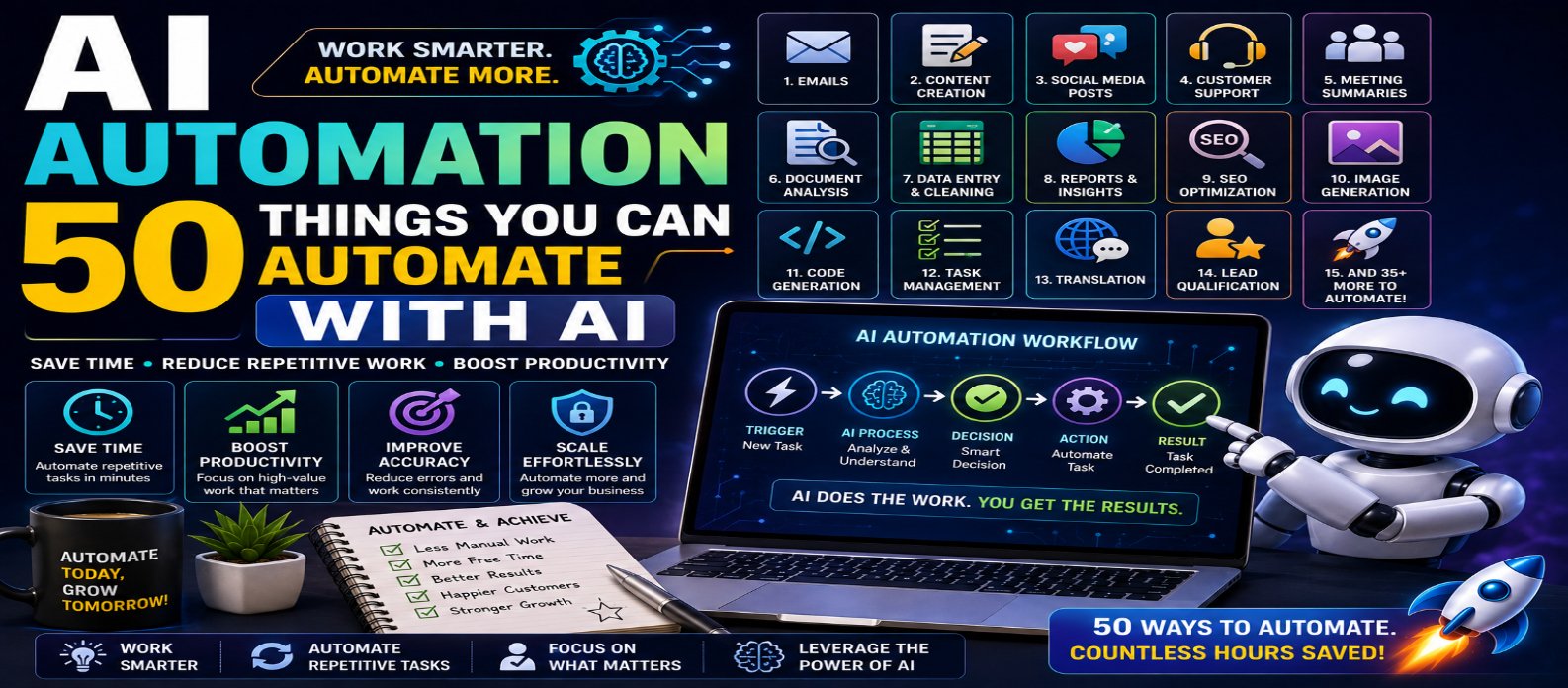
"Discover 50 things you can automate with AI in 2026, including emails, content creation, SEO, marketing, customer support, documents, spreadsheets, coding, data analysis, images, reporting, and AI agent workflows."
AI Automation: 50 Things You Can Automate With AI in 2026
Artificial intelligence is changing automation from simple rule-based workflows into systems that can understand information, generate content, classify data, summarize documents, analyze patterns, and assist with multi-step tasks.
In 2026, AI automation isn't limited to large companies or programmers. Bloggers, freelancers, developers, marketers, small businesses, creators, and everyday users can automate repetitive digital work and spend more time on tasks that require creativity and judgment.
This guide covers 50 practical things you can automate with AI, along with tips for using AI automation effectively and responsibly.
What Is AI Automation?
AI automation combines artificial intelligence with automated workflows.
Traditional automation usually follows predefined rules:
Trigger → Rule → Action
AI-powered automation can add intelligence to the process:
Trigger → AI Understands or Analyzes → Decision → Action → Result
For example, instead of manually reading every customer message, AI can classify the message, summarize the problem, determine its category, and prepare a suggested response.
Why Use AI Automation?
The main goal isn't to automate everything. It is to remove repetitive work that consumes time without requiring constant human attention.
AI automation can help you:
- Save time
- Reduce repetitive tasks
- Process information faster
- Improve consistency
- Organize large amounts of data
- Scale routine workflows
- Increase productivity
Human review should remain part of workflows involving important decisions, sensitive information, money, customers, or security.
50 Things You Can Automate With AI
1. Email Drafting
AI can generate professional email drafts based on the purpose, recipient, and desired tone.
2. Email Summaries
Long email conversations can automatically be condensed into key points and action items.
3. Email Classification
AI can categorize incoming emails as sales, support, billing, urgent, personal, or another relevant category.
4. Customer Support Replies
Common customer questions can receive AI-generated response suggestions.
5. Support Ticket Routing
AI can analyze tickets and send them to the appropriate team or department.
6. Meeting Transcription
Recorded meetings can be automatically converted into searchable text.
7. Meeting Summaries
AI can transform transcripts into concise summaries.
8. Meeting Action Items
Tasks, deadlines, and responsibilities can be extracted from meeting discussions.
9. Calendar Scheduling Assistance
AI can help identify suitable meeting times and reduce scheduling work when connected to calendar systems.
10. Daily Task Prioritization
AI can organize tasks based on deadlines, importance, dependencies, and other instructions.
11. Blog Topic Generation
AI can generate content ideas based on your niche, audience, keywords, or existing content.
12. Blog Outlines
A topic can automatically be transformed into a structured article outline.
13. First-Draft Content Creation
AI can generate initial drafts for articles, guides, landing pages, and other content.
14. SEO Title Generation
AI can create multiple search-friendly title ideas around a target topic.
15. Meta Description Creation
Page content can be analyzed to generate concise meta-description drafts.
16. Keyword Grouping
Large keyword lists can be categorized by topic, intent, or content cluster.
17. Content Summarization
Long articles and documents can automatically be condensed into shorter versions.
18. Content Repurposing
A blog article can be transformed into social posts, email content, summaries, or video-script ideas.
19. Grammar and Writing Improvement
AI can automatically suggest improvements to grammar, clarity, tone, and readability.
20. Translation
Content can be translated into multiple languages, with human review recommended for important material.
21. Social Media Captions
AI can create platform-specific caption drafts from a topic, product, or article.
22. Social Content Ideas
AI can continuously generate ideas for future social posts and campaigns.
23. Comment Classification
Comments can be categorized by sentiment, topic, urgency, or moderation priority.
24. Marketing Copy
AI can generate drafts for advertisements, landing pages, promotional messages, and campaigns.
25. Product Descriptions
Product information can automatically be converted into structured descriptions.
26. Personalized Recommendations
AI can analyze relevant user behavior or preferences to suggest products, content, or services.
27. Lead Qualification
Business inquiries can be analyzed and prioritized using predefined criteria.
28. Sales Message Drafting
AI can prepare personalized outreach drafts based on approved customer or prospect information.
29. Customer Feedback Analysis
Large volumes of feedback can be categorized into recurring themes.
30. Sentiment Analysis
AI can identify whether feedback is broadly positive, negative, or neutral.
31. Document Summaries
Reports, manuals, and other documents can be condensed automatically.
32. Information Extraction
AI can extract specific fields such as names, dates, categories, products, or action items from documents.
33. Document Classification
Files can be automatically categorized according to their content.
34. Data Cleaning Assistance
AI can identify inconsistent formatting, missing values, duplicates, and possible data-quality issues.
35. Spreadsheet Formula Generation
Users can describe a calculation in plain language and receive suggested spreadsheet formulas.
36. Data Analysis
AI can help identify trends, patterns, anomalies, and useful insights within datasets.
37. Automated Reports
Regular business data can be transformed into structured weekly or monthly report drafts.
38. Dashboard Summaries
AI can explain important changes in dashboard metrics using natural language.
39. Code Generation
Developers can automate portions of repetitive coding from detailed specifications.
40. Code Explanation
Existing code can automatically be translated into beginner-friendly explanations.
41. Code Refactoring
AI can suggest cleaner or more maintainable implementations.
42. Test Generation
Developers can generate test cases and potential edge cases from existing code.
43. Documentation Generation
Functions, APIs, and projects can be converted into documentation drafts.
44. Error Analysis
AI can analyze error messages and suggest possible causes or debugging steps.
45. Image Generation
Blog covers, illustrations, concepts, and other visual assets can be generated from text instructions.
46. Image Descriptions and Alt-Text Drafts
AI can analyze suitable images and create descriptive text that can then be reviewed for context and accessibility.
47. Video Script Generation
A topic or article can automatically become a structured video-script draft.
48. Subtitle and Transcript Creation
Speech can be converted into subtitles and searchable transcripts using appropriate AI systems.
49. Knowledge-Base Question Answering
AI can retrieve relevant company or project information and generate answers based on approved knowledge sources.
50. Multi-Step AI Agent Workflows
More advanced AI agents can coordinate several connected tasks.
For example:
Receive Request → Analyze Information → Search Approved Data → Generate Draft → Update Workflow → Request Human Approval
This represents one of the most powerful areas of AI automation in 2026.
Best Tasks to Automate First
Don't begin by automating your most complicated business process.
Start with tasks that are:
Repetitive + Frequent + Time-Consuming + Easy to Verify
Good starting points include email summaries, meeting notes, content outlines, data classification, document summaries, and routine reporting.
Once these workflows are reliable, you can gradually automate more complex processes.
AI Automation vs AI Agents
AI automation and AI agents are related but not identical.
AI Automation generally follows a defined workflow and uses AI within specific stages.
AI Agents can potentially plan, choose tools, complete multiple steps, evaluate results, and adapt their actions toward a goal.
A simple automation might summarize every new report.
An AI agent might:
Find Reports → Analyze Them → Compare Results → Identify Changes → Prepare Summary → Recommend Next Actions
The greater the autonomy, the more important permissions and human oversight become.
What Should You Not Fully Automate?
Some tasks require careful human judgment.
Be cautious about fully automating:
- Financial transactions
- Hiring decisions
- Legal decisions
- Medical decisions
- Account deletion
- Security permissions
- High-value purchases
- Sensitive customer communications
AI can assist with these workflows, but important decisions should have appropriate human review.
How to Build an AI Automation Workflow
A practical structure is:
1. Choose Task → 2. Define Trigger → 3. Provide Data → 4. Let AI Process → 5. Define Action → 6. Add Human Approval → 7. Test → 8. Monitor
For example:
Customer Email → AI Classifies Message → AI Creates Summary → AI Drafts Reply → Human Reviews → Reply Is Sent
This approach combines AI speed with human control.
AI Automation Best Practices
Before automating a workflow:
- Define exactly what AI is allowed to do.
- Protect confidential information.
- Use minimum necessary permissions.
- Validate important outputs.
- Add human approval for high-impact actions.
- Monitor errors and unexpected behavior.
- Track costs and usage.
- Review automated workflows regularly.
Automation should make your processes safer and more efficient, not simply more complicated.
The Future of AI Automation
AI automation is moving toward increasingly connected systems capable of understanding information and coordinating multiple applications.
The biggest shift is likely to be from:
AI That Answers → AI That Assists → AI That Takes Approved Actions
This could make everyday software significantly more productive.
However, successful automation will depend on combining AI capability with security, reliable data, clearly defined permissions, and human judgment.
Conclusion
AI automation in 2026 can help automate everything from emails, meetings, content creation, SEO, marketing, customer support, documents, and spreadsheets to coding, image creation, data analysis, reporting, and multi-step AI agent workflows.
You don't need to automate all 50 tasks.
Start with one repetitive task that takes significant time. Build a simple workflow, test it carefully, measure the results, and expand only when it works reliably.
The best formula for AI automation is:
Repetitive Work + AI Assistance + Smart Automation + Human Oversight = Greater Productivity
Used responsibly, AI automation can help you spend less time on routine digital work and more time on the tasks where your judgment, creativity, and experience matter most.
Get a Free Access To 200+ Free Tools:
|
Home Page |
|
|
Calculator Tools |
|
|
Text & Converter Tools |
|
|
PDF & Image Tools |
|
|
Games & Developer Tools |
|
|
Resume Builder |