
AI Coding Assistants: How Developers Are Building Websites Faster
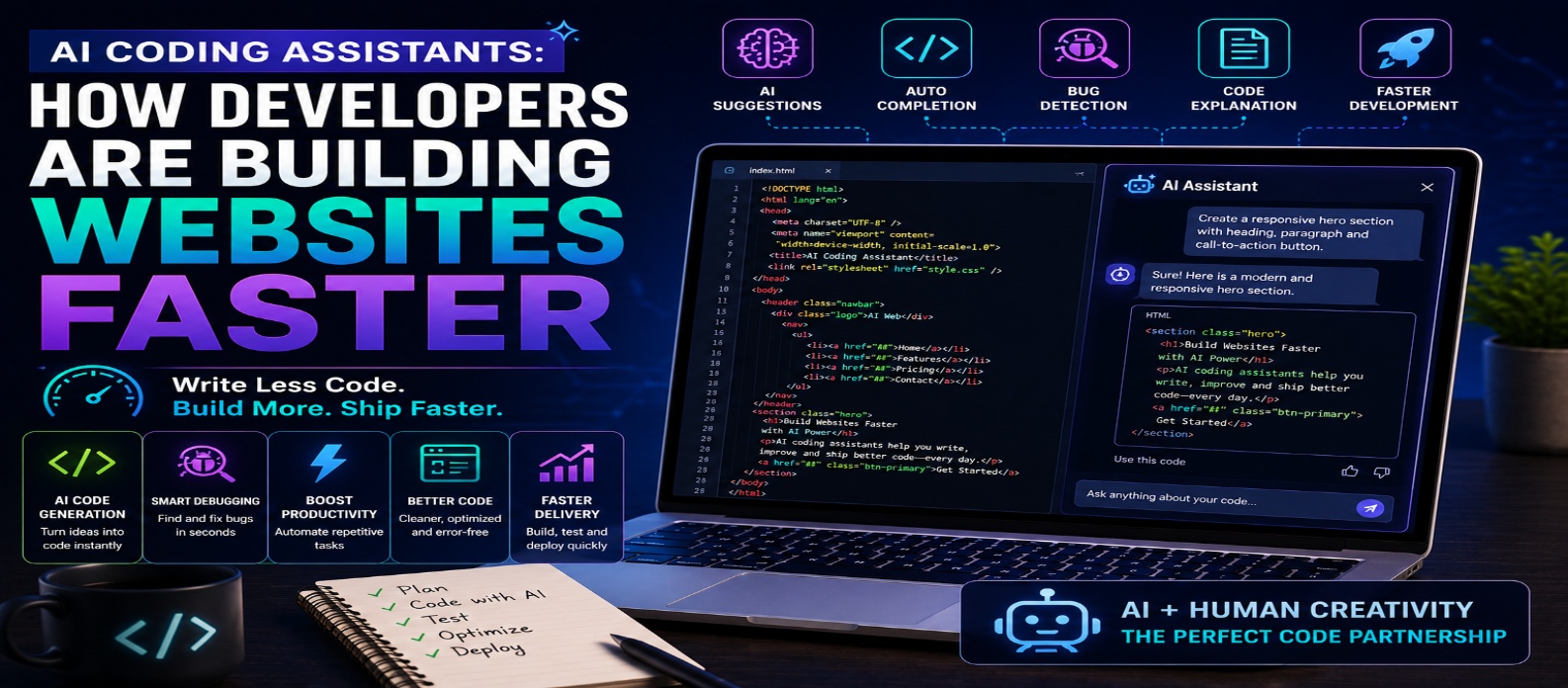
"Discover how AI coding assistants help developers build websites faster through code generation, debugging, responsive design, backend development, testing, refactoring, documentation, performance optimization, and AI coding agents."
AI Coding Assistants: How Developers Are Building Websites Faster
AI coding assistants are transforming web development by helping developers write code, debug problems, generate tests, understand unfamiliar projects, create documentation, and automate repetitive programming tasks.
Instead of replacing developers, these tools are changing how development work gets done. A developer can describe what they want to build, receive suggested code, review the result, make improvements, and move to the next task much faster.
In 2026, AI-assisted coding has become an important skill for both beginners and experienced developers. This guide explains how AI coding assistants are helping developers build websites faster and how to use them effectively.
What Is an AI Coding Assistant?
An AI coding assistant is an artificial intelligence tool designed to help with software development.
Depending on its capabilities, it can help developers:
- Generate code from natural-language instructions
- Complete existing code
- Explain complex functions
- Find and fix bugs
- Refactor code
- Generate tests
- Create documentation
- Understand large codebases
- Work with APIs
- Build UI components
More advanced AI coding agents can work across multiple files and complete multi-step development tasks.
1. Turning Ideas Into Code Faster
One of the biggest advantages of AI coding assistants is the ability to convert natural-language requirements into working code.
For example, instead of manually creating a responsive navigation menu from scratch, a developer could request:
Create a responsive navigation bar using HTML, CSS, and JavaScript with a mobile hamburger menu.
The AI can generate a starting implementation within seconds.
The developer can then review, test, and customize it.
This reduces repetitive coding and allows more time to focus on the overall website.
2. Faster Frontend Development
Frontend development often involves creating similar interface components repeatedly.
AI can help generate:
- Navigation bars
- Hero sections
- Forms
- Cards
- Pricing tables
- Modals
- Dashboards
- Responsive layouts
- Buttons
- Landing pages
Developers can provide design requirements, technologies, responsive behavior, and accessibility requirements to receive more relevant results.
This can dramatically speed up the prototyping stage.
3. AI Helps With CSS and Responsive Design
Creating responsive layouts can require considerable testing.
AI coding assistants can help developers write:
- CSS Grid layouts
- Flexbox layouts
- Media queries
- Container queries
- Animations
- Responsive typography
- Mobile navigation
- Dark mode
Developers can also provide existing CSS and ask AI to identify unnecessary rules or suggest cleaner implementations.
4. Faster JavaScript Development
AI assistants can generate JavaScript for common functionality such as:
Forms → Validation → API Requests → Search → Filters → Modals → Interactive Components
They can also explain unfamiliar JavaScript and suggest alternative implementations.
This can be particularly helpful for beginners who understand programming fundamentals but need guidance implementing a specific feature.
5. Building Backend Features
AI coding assistants aren't limited to frontend development.
They can help create:
- API endpoints
- Authentication logic
- Database queries
- Server-side validation
- File-processing functions
- Email workflows
- CRUD operations
- Backend utilities
However, backend code requires careful review because mistakes can expose databases, user information, credentials, or other sensitive resources.
6. Debugging Becomes Faster
Debugging can consume a significant portion of development time.
Developers can provide AI with an error message and the relevant code to receive possible explanations and fixes.
AI can help identify:
- Syntax errors
- Logic errors
- Incorrect API requests
- Missing dependencies
- Type errors
- Database problems
- Configuration mistakes
The developer should still verify the proposed solution rather than automatically accepting it.
7. AI Can Explain Existing Code
Developers frequently work with code written by other people—or code they wrote months earlier.
AI can analyze a function or module and explain:
What it does → How it works → What it depends on → Where problems may exist
This can make onboarding to unfamiliar projects faster.
It can also be useful for beginners learning new programming concepts.
8. Automated Code Refactoring
Working code isn't always good code.
AI assistants can suggest ways to make code:
- Cleaner
- More readable
- More reusable
- Better organized
- Easier to maintain
- More efficient
For example, repeated logic can sometimes be converted into reusable functions or components.
Developers should review refactoring suggestions carefully to ensure the application's behavior remains unchanged.
9. Faster Testing
Testing is another area where AI can save time.
AI assistants can help generate:
- Unit tests
- Integration tests
- Edge cases
- Test data
- Validation tests
- Error scenarios
Developers can ask AI to identify situations they may have forgotten to test.
AI-generated tests still require review because incorrect tests can create false confidence.
10. Documentation Becomes Easier
Documentation is essential but often postponed.
AI can help generate:
- Function descriptions
- Code comments
- README files
- API documentation
- Installation instructions
- Configuration guides
Developers should verify generated documentation against the actual implementation before publishing it.
11. AI Coding Agents Can Handle Multi-Step Tasks
Modern AI development tools are moving beyond simple autocomplete.
More capable coding agents may be able to:
Analyze Codebase → Create Plan → Edit Files → Run Tests → Find Errors → Make Corrections
This can accelerate larger development tasks.
However, greater autonomy also means developers need stronger controls around permissions, security, testing, and code review.
12. AI Helps Developers Learn Faster
AI coding assistants can act as interactive programming tutors.
A beginner can ask:
Why does this function return undefined?
or:
Explain this JavaScript code line by line.
Developers can request explanations at different difficulty levels and ask follow-up questions immediately.
The best learning approach is to understand the generated solution rather than simply copy and paste it.
13. AI Can Improve Website Performance
Developers can use AI to analyze code and suggest potential performance improvements.
Examples include:
- Reducing unnecessary JavaScript
- Optimizing loops
- Improving database queries
- Removing duplicate code
- Lazy-loading resources
- Identifying large dependencies
- Improving caching strategies
Performance recommendations should always be measured with actual testing before and after changes.
14. Security Still Requires Human Attention
AI-generated code can contain vulnerabilities.
Developers must check areas such as:
- Authentication
- Authorization
- Input validation
- API security
- Database queries
- Secret management
- User permissions
- Dependency security
Never assume code is secure simply because an AI assistant generated it.
15. The Best AI Coding Workflow
A productive AI-assisted workflow can look like:
Define Requirement → Ask AI → Review Code → Understand It → Test → Fix Problems → Security Check → Deploy
The most important stages are review and testing.
AI should accelerate development without removing engineering judgment.
Will AI Coding Assistants Replace Developers?
AI coding assistants can automate parts of development, particularly repetitive implementation tasks.
But professional website development involves much more than generating code.
Developers still need to understand:
- Architecture
- User requirements
- Security
- Performance
- Accessibility
- Testing
- Databases
- Deployment
- Business logic
- User experience
The developer's role is increasingly moving toward problem solving, architecture, AI direction, verification, and quality control.
Conclusion
AI coding assistants are helping developers build websites faster by accelerating code generation, frontend development, debugging, backend programming, testing, refactoring, documentation, and learning.
The biggest advantage is not simply writing more code in less time. It is reducing repetitive work so developers can focus on higher-value decisions.
However, AI-generated code should never be treated as automatically correct. Developers remain responsible for reviewing, testing, securing, and maintaining their applications.
The most effective approach is:
Use AI for speed. Use developer knowledge for quality.
Combining strong programming fundamentals with AI-assisted development can help developers create better websites faster while remaining prepared for the future of software development.
Get a Free Access To 200+ Free Tools:
|
Home Page |
|
|
Calculator Tools |
|
|
Text & Converter Tools |
|
|
PDF & Image Tools |
|
|
Games & Developer Tools |
|
|
Resume Builder |