
AI Tools Every Web Developer Should Know in 2026
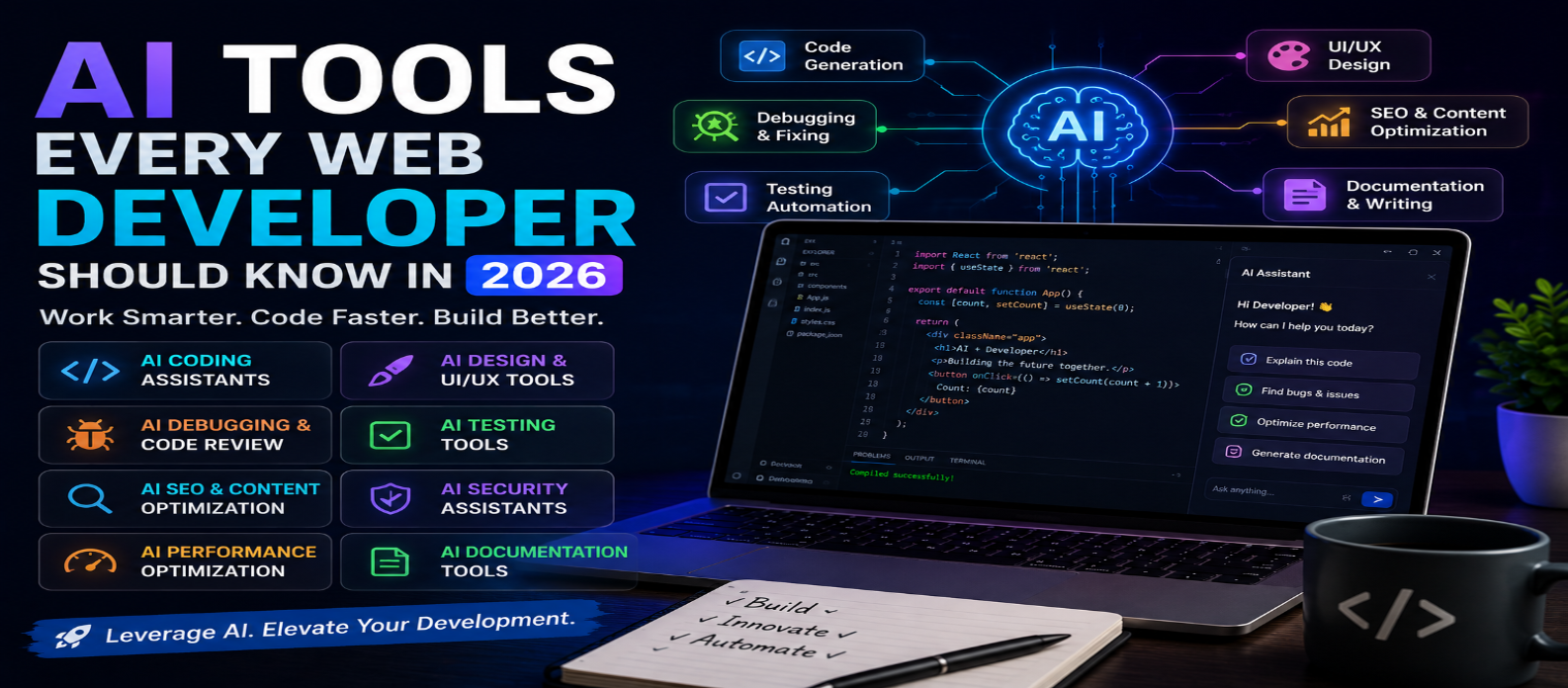
"Discover the best AI tools for web developers in 2026. Learn how AI can help with coding, debugging, UI design, content creation, testing, SEO, and website optimization."
AI Tools Every Web Developer Should Know in 2026
Artificial intelligence is changing the way websites and web applications are designed, developed, tested, and maintained. In 2026, developers can use AI tools to automate repetitive tasks, generate code, find bugs, improve designs, and work more efficiently.
AI does not replace the need for development skills. Instead, it can act as a powerful assistant that helps developers spend more time solving complex problems and creating better digital experiences.
Here are some of the most useful categories of AI tools for web developers in 2026.
1. AI Coding Assistants
AI coding assistants can help developers write code faster. They can generate functions, explain unfamiliar code, suggest improvements, create documentation, and help troubleshoot programming errors.
These tools are particularly useful when working with languages and technologies such as HTML, CSS, JavaScript, TypeScript, Python, React, and other modern frameworks.
However, developers should always review AI-generated code for security, performance, accuracy, and compatibility before using it in production.
2. AI Website Builders
AI-powered website builders allow users to create website layouts and content from simple natural-language instructions.
Instead of starting with a blank page, you can describe your business, target audience, preferred style, and website goals. The AI can then generate an initial structure that you can customize.
These tools are especially helpful for prototypes, landing pages, small business websites, and early design concepts.
3. AI UI and UX Design Tools
Creating an attractive and user-friendly interface requires careful planning. AI design tools can help generate layout ideas, component concepts, wireframes, color combinations, and design variations.
Developers can use AI to explore multiple interface concepts quickly before implementing the final design.
The best results usually come from combining AI-generated ideas with human UX judgment and real user feedback.
4. AI Debugging and Code Review Tools
Debugging can consume a significant amount of development time. AI tools can analyze error messages, identify potential problems, explain why code is failing, and suggest possible fixes.
They can also assist with code reviews by identifying issues such as duplicated code, poor practices, potential bugs, and maintainability problems.
AI should be treated as an additional layer of assistance rather than the only source of code validation.
5. AI Testing Tools
Website testing is essential for delivering a reliable product. AI-powered testing tools can help developers generate test cases, identify potential edge cases, analyze failures, and automate parts of the testing process.
AI can be particularly valuable for large applications where manually checking every possible user interaction is difficult.
Combine automated testing with human testing to catch usability and functional problems that automated systems may overlook.
6. AI Tools for SEO
Search engine optimization is another area where AI can support developers and content teams. AI can help identify keyword opportunities, generate content ideas, improve headings and metadata, analyze pages, and suggest internal linking opportunities.
Developers can also use AI to identify technical SEO issues involving page structure, performance, accessibility, and crawlability.
Remember that SEO success depends on genuinely useful content and a good user experience—not simply generating large amounts of AI-written text.
7. AI Image and Content Generation Tools
Web developers often need images, icons, illustrations, product descriptions, landing-page copy, and other content.
Generative AI can speed up the creation of these assets and help teams produce prototypes without waiting for every asset to be created manually.
Before publishing AI-generated content or images, check accuracy, originality, licensing requirements, and brand consistency.
8. AI Performance Optimization
Website performance directly affects user experience. AI-assisted development tools can help analyze code, identify inefficient resources, suggest optimization opportunities, and explain performance problems.
Developers can use these recommendations alongside browser performance tools and real-world testing to improve loading speed and responsiveness.
9. AI Documentation Assistants
Good documentation makes projects easier to maintain and collaborate on. AI can help developers create README files, API documentation, code comments, technical explanations, and onboarding materials.
This is particularly useful for large projects where documentation can quickly become outdated.
Developers should review generated documentation to ensure it accurately reflects the current implementation.
10. AI Security Assistants
Security should never be an afterthought. AI-powered development tools can help identify suspicious code patterns, potential vulnerabilities, insecure configurations, and common programming mistakes.
They can also explain security concepts and suggest safer implementation approaches.
For production applications, AI recommendations should be combined with professional security testing, dependency monitoring, and established security practices.
How to Use AI Effectively as a Web Developer
The most productive approach is to treat AI as a development assistant, not an autonomous developer.
Before accepting an AI-generated solution, ask:
- Is the code correct?
- Is it secure?
- Is it performant?
- Is it compatible with the project?
- Is it accessible?
- Can I maintain it later?
Give AI clear context, specific requirements, existing code, and expected results. The better your instructions and technical understanding, the more useful the output is likely to be.
Final Thoughts
AI tools are becoming an important part of modern web development. From coding and debugging to design, testing, SEO, performance, and documentation, AI can reduce repetitive work and accelerate development.
The developers who benefit most will not simply use AI to generate code. They will learn how to review, test, improve, and integrate AI-generated solutions into real projects.
By combining strong web development fundamentals with the right AI tools, developers can build websites faster while maintaining quality, security, accessibility, and a great user experience in 2026.
Get a Free Access To 200+ Free Tools:
|
Home Page |
|
|
Calculator Tools |
|
|
Text & Converter Tools |
|
|
PDF & Image Tools |
|
|
Games & Developer Tools |
|
|
Resume Builder |