
The Complete Guide to AI Tools for Everyday Work in 2026
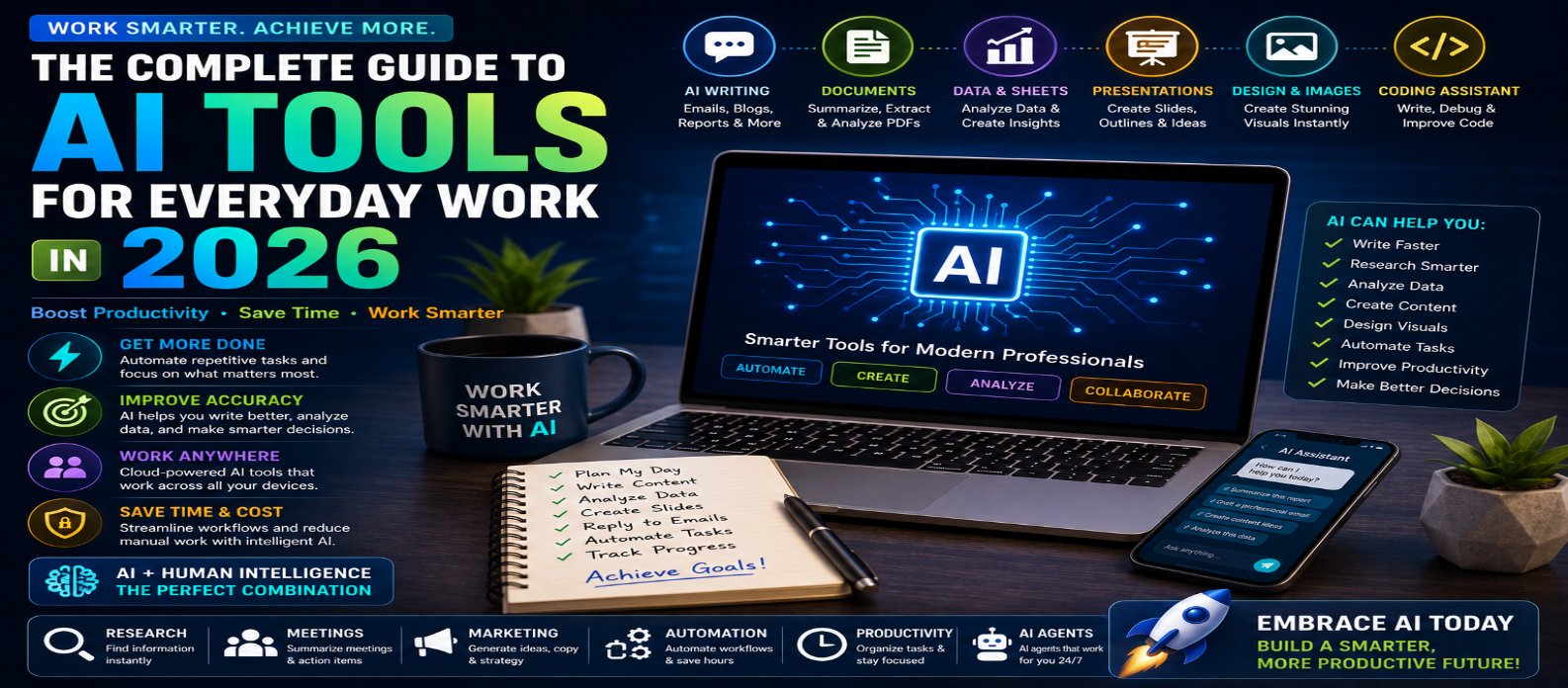
"Discover how to use AI tools for everyday work in 2026, including writing, email, research, documents, meetings, spreadsheets, presentations, coding, marketing, design, automation, and AI agents to improve productivity."
The Complete Guide to AI Tools for Everyday Work in 2026
Artificial intelligence has become an increasingly useful part of everyday work in 2026. AI tools can help professionals write faster, summarize information, analyze data, create presentations, generate images, automate repetitive tasks, assist with coding, organize ideas, and improve productivity.
The biggest advantage of AI isn't simply automation. Used effectively, AI can reduce time spent on routine tasks and allow people to focus more on decision-making, creativity, communication, and higher-value work.
Whether you're a student, freelancer, developer, content creator, marketer, business owner, or office professional, this complete guide explains how to use AI tools for everyday work in 2026.
What Are AI Tools?
AI tools are applications or features that use artificial intelligence to understand information, generate content, analyze data, recognize patterns, or assist users with specific tasks.
Modern AI tools can work with multiple types of information, including:
Text → Images → Documents → Spreadsheets → Code → Audio → Video
Some AI assistants can also use tools and complete multi-step workflows rather than simply answering individual questions.
1. AI Assistants for Everyday Tasks
General-purpose AI assistants are among the most versatile AI tools available.
They can help with:
- Answering questions
- Brainstorming ideas
- Explaining difficult concepts
- Creating plans
- Comparing options
- Summarizing information
- Drafting content
- Solving problems
Instead of searching manually through large amounts of information, users can often begin by describing exactly what they need.
However, important facts should still be verified, particularly for financial, legal, medical, or business-critical decisions.
2. AI Writing Tools
Writing is one of the most common everyday uses of AI.
AI can help create or improve:
- Emails
- Blog posts
- Reports
- Product descriptions
- Social media posts
- Advertisements
- Proposals
- Headlines
- Meeting notes
A useful approach is to provide context rather than simply asking AI to "write an email."
Specify the audience, purpose, tone, length, and important information you want included.
The more relevant context you provide, the more useful the first draft is likely to be.
3. AI for Email Productivity
Professionals can spend significant time reading and writing emails.
AI can help:
Summarize long emails → Draft replies → Improve tone → Extract action items → Shorten messages
For example, you could provide a long message and ask:
Summarize this email in five bullet points and identify anything that requires my response.
AI should assist with communication rather than automatically sending important messages without review.
4. AI for Documents and PDFs
AI tools can make large documents easier to understand.
Depending on the tool and document, AI can help:
- Summarize reports
- Explain complex sections
- Find specific information
- Compare documents
- Extract key points
- Generate questions
- Create study notes
Instead of reading a 50-page document just to locate one detail, you may be able to ask targeted questions about its contents.
Always verify critical information against the original document.
5. AI for Meetings
AI can reduce administrative work surrounding meetings.
AI-powered meeting tools can assist with:
- Transcription
- Summaries
- Action items
- Key decisions
- Follow-up notes
- Meeting preparation
A useful workflow might be:
Meeting → Transcript → AI Summary → Action Items → Follow-Up
Be mindful of privacy, organizational policies, and participant consent when recording or processing meetings.
6. AI for Research
AI can accelerate the early stages of research.
It can help:
- Generate research questions
- Explain unfamiliar topics
- Compare concepts
- Organize findings
- Summarize sources
- Identify areas requiring deeper investigation
However, AI-generated answers can contain mistakes or outdated information.
For serious research, treat AI as a research assistant rather than the final source of truth.
7. AI for Data and Spreadsheets
AI can help users understand and work with data without manually performing every step.
Common uses include:
- Explaining formulas
- Cleaning datasets
- Categorizing information
- Finding trends
- Creating summaries
- Generating charts
- Identifying anomalies
- Suggesting formulas
AI can be especially valuable for users who understand their business data but don't know advanced spreadsheet formulas or programming.
8. AI for Presentations
Creating presentations can involve hours of research, writing, and formatting.
AI can assist with:
Topic → Outline → Slide Structure → Content → Visual Ideas → Speaker Notes
The final presentation should still be reviewed for factual accuracy, branding, readability, and consistency.
Avoid filling slides with large blocks of AI-generated text. Presentations are usually more effective when each slide communicates one clear idea.
9. AI Image Generation and Design
AI can help create visual assets for everyday work.
Possible uses include:
- Blog covers
- Social media graphics
- Concept illustrations
- Marketing visuals
- Presentation graphics
- Product concepts
- Website design inspiration
Users should still consider copyright, branding, authenticity, and platform rules when publishing AI-generated media.
10. AI for Coding and Web Development
AI coding assistants can help developers:
- Generate code
- Debug errors
- Explain functions
- Refactor code
- Write tests
- Create documentation
- Build UI components
- Work with APIs
AI can significantly accelerate repetitive development work.
But developers remain responsible for checking security, accuracy, performance, and maintainability before deploying generated code.
11. AI for Marketing and SEO
AI can support digital marketing by helping generate:
- Keyword ideas
- Content outlines
- SEO titles
- Meta descriptions
- Campaign concepts
- Ad copy
- Audience ideas
- Content variations
AI works best when combined with actual audience research, analytics, search data, and human editorial judgment.
Mass-producing low-value content simply because AI makes it easy is unlikely to create a strong long-term strategy.
12. AI for Customer Support
Businesses can use AI to handle common customer questions and assist support teams.
AI can help with:
- Frequently asked questions
- Order questions
- Product information
- Ticket categorization
- Response suggestions
- Knowledge-base search
Complex or sensitive situations should still have a clear path to human support.
13. AI for Task Automation
AI becomes even more powerful when connected to other applications.
Automated workflows can potentially handle:
Incoming Information → Analyze → Categorize → Generate Output → Update System → Notify User
Examples include summarizing incoming reports, organizing customer inquiries, extracting information from documents, and preparing routine updates.
Automation should include appropriate safeguards when actions affect customers, money, sensitive information, or important business systems.
14. AI Agents for Multi-Step Work
One of the biggest developments in 2026 is the rise of AI agents.
Traditional AI often responds to one request. AI agents can potentially plan and complete multiple steps toward a larger objective.
For example:
Research Topic → Organize Findings → Create Draft → Review Requirements → Prepare Final Output
As agents become more capable, users will increasingly need to understand permissions, privacy, verification, and human approval.
15. Protect Your Data When Using AI
Productivity should never come at the cost of security.
Avoid entering confidential information into AI tools unless you understand how the service handles your data and your organization permits it.
Be especially careful with:
- Passwords
- API keys
- Customer information
- Financial records
- Confidential business documents
- Private contracts
- Proprietary code
Always follow your organization's data and security policies.
How to Choose the Right AI Tool
Don't choose an AI tool simply because it is popular.
Evaluate it based on:
Task Fit → Accuracy → Ease of Use → Privacy → Integrations → Reliability → Cost
You may not need dozens of AI subscriptions.
A small set of well-chosen tools integrated into your regular workflow can be more productive than constantly switching between applications.
Best AI Workflow for Everyday Work
A simple approach is:
Define Task → Give Context → Generate → Review → Verify → Improve → Use
The review and verify stages are essential.
AI should help you work faster without removing your responsibility for the final result.
Conclusion
AI tools for everyday work in 2026 can help people write, research, analyze data, create presentations, design visuals, develop software, manage meetings, automate repetitive processes, and communicate more efficiently.
The biggest productivity gains come from using AI for tasks where it provides genuine value rather than trying to automate everything.
Start with repetitive tasks that consume significant time. Learn how to give AI clear instructions, verify important outputs, protect confidential information, and gradually build AI into your workflow.
The future of everyday work isn't simply humans versus AI.
It is increasingly:
Human Judgment + AI Assistance + Smart Automation = Better Productivity
Get a Free Access To 200+ Free Tools:
|
Home Page |
|
|
Calculator Tools |
|
|
Text & Converter Tools |
|
|
PDF & Image Tools |
|
|
Games & Developer Tools |
|
|
Resume Builder |