
API Security: Complete Guide for Developers
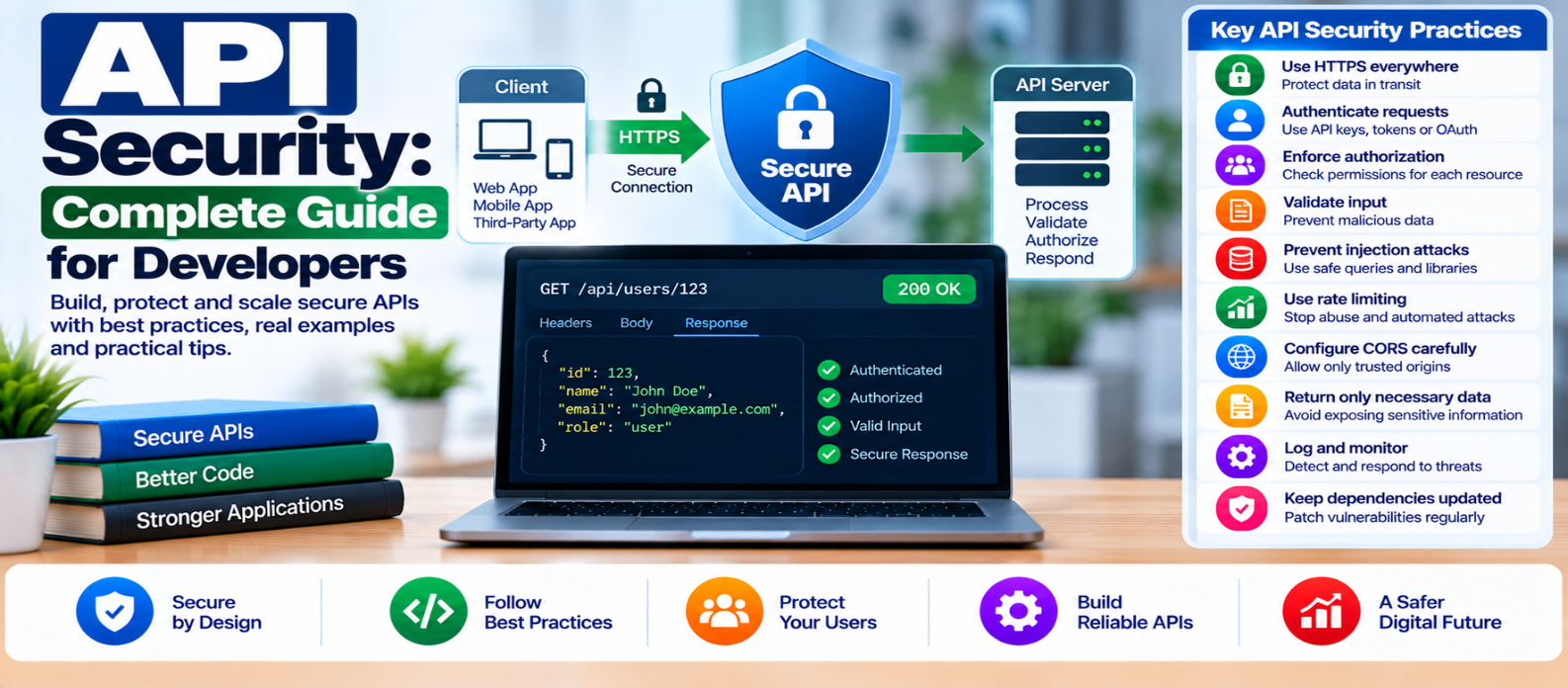
"Learn practical API security for developers, including HTTPS, authentication, authorization, input validation, injection prevention, rate limiting, CORS, secrets, secure responses, file uploads, logging, and access control."
API Security: Complete Guide for Developers
APIs connect websites, mobile apps, internal services, databases, and third-party systems. That makes them extremely useful—and an important security boundary.
An API may receive a perfectly valid request from an authenticated user who is still not authorized to perform the requested action. It may also receive malformed input, automated abuse, stolen credentials, or requests designed to expose more data than intended.
Good API security therefore starts with one principle:
Never trust a request simply because it reached the correct endpoint.
1. Use HTTPS Everywhere
API traffic can contain passwords, authentication tokens, personal information, and business data.
Use HTTPS to protect information while it travels between clients and API endpoints.
Conceptually:
Client
   ↓
TLS-Protected Connection
   ↓
API
Avoid transmitting sensitive credentials over unencrypted HTTP.
HTTPS protects data in transit, but it does not replace authentication, authorization, or secure application code.
2. Authenticate Requests Properly
Authentication establishes the identity associated with a request.
Depending on the system, APIs may use mechanisms such as:
- Session credentials
- API keys
- OAuth-based access tokens
- Short-lived service credentials
- Signed tokens
Choose authentication according to the architecture rather than inventing a custom mechanism.
API keys can identify applications or projects, but they shouldn't automatically be treated as a complete user-authentication solution.
3. Enforce Authorization on Every Protected Resource
Authentication answers:
Who is making this request?
Authorization answers:
Can this identity perform this action on this resource?
Suppose an API exposes:
GET /api/orders/5821The server shouldn't return order 5821 merely because the requester is logged in.
It must determine whether that requester is authorized to access that specific order.
A useful pattern is:
Request
   ↓
Authenticate
   ↓
Authorize Action + Resource
   ↓
Process or Reject
Never rely solely on the frontend to hide unauthorized operations.
4. Validate API Input
Treat request data as untrusted.
That includes:
- URL parameters
- Query strings
- JSON bodies
- Headers
- Cookies
- Uploaded files
If an endpoint expects:
{
  "quantity": 3
}
define what quantity is allowed to be.
For example:
Type: Integer
Minimum: 1
Maximum: 20
Reject invalid input instead of allowing unexpected values to travel deeper into the application.
5. Prevent Injection
Never build SQL commands by directly concatenating API input.
Unsafe concept:
SQL + userInput + SQLUse parameterized queries or safe query mechanisms provided by your database library.
The same principle applies beyond SQL: don't insert untrusted data directly into operating-system commands, interpreters, templates, or other executable contexts.
Keep instructions and data separate.
6. Return Only Necessary Data
APIs sometimes expose too much information because developers serialize an entire internal object.
Suppose the application stores:
User ID
Name
Email
Password Hash
Internal Notes
Account Role
Reset Metadata
A public profile endpoint may need only:
{
  "id": 42,
  "name": "Example User"
}
Explicitly define response fields instead of assuming every stored field is safe to expose.
7. Control Mass Assignment
An update endpoint might accept:
{
  "name": "Example",
  "email": "user@example.test"
}
Problems can arise if the application automatically copies every submitted property into the database model.
Sensitive properties such as roles, account status, permissions, or ownership identifiers should not become editable merely because a client includes them.
Use an explicit allowlist of fields each endpoint may modify.
8. Protect Credentials and Secrets
API keys, signing secrets, database passwords, and private tokens should not be hard-coded into publicly delivered frontend code or committed to public repositories.
If a secret is exposed:
Revoke / Rotate
      ↓
Replace
      ↓
Investigate
      ↓
Review Logs
      ↓
Prevent Recurrence
Simply deleting an exposed secret from the latest version of a file doesn't make the old credential trustworthy again.
9. Use Rate Limiting and Abuse Controls
Some endpoints can be abused through large numbers of automated requests.
Particularly sensitive examples include:
- Login
- Password reset
- Account creation
- Verification
- Search
- Expensive processing operations
Rate limits can consider factors such as account identity, API credential, IP address, endpoint, or resource cost.
Don't assume one universal limit fits every endpoint.
Also return appropriate responses when limits are reached rather than silently overloading backend systems.
10. Configure CORS Deliberately
Cross-Origin Resource Sharing (CORS) tells browsers which origins may access certain API responses through browser-based cross-origin requests.
CORS is not an authentication system.
A broad policy such as:
Access-Control-Allow-Origin: *may be appropriate for some intentionally public resources but inappropriate for APIs containing sensitive functionality or data.
Allow only the cross-origin behavior your application actually requires.
Remember that CORS primarily controls browser behavior; it doesn't stop non-browser clients from sending requests to your API.
11. Handle Errors Safely
An API response should provide enough information for legitimate clients without exposing unnecessary internals.
Avoid returning details such as:
- Database credentials
- Stack traces
- Internal file paths
- Private configuration
- Raw database queries
- Secret tokens
A production error might simply return:
{
  "error": "Unable to process request"
}
Detailed diagnostic information can be stored in appropriately protected server logs.
12. Secure File Upload APIs
If your API accepts files, control:
- Allowed file types
- Maximum sizes
- File names
- Storage location
- Access permissions
- Processing behavior
Don't trust a file merely because its extension looks safe.
Avoid placing untrusted uploads where they can unexpectedly execute as application code.
13. Keep Dependencies and API Versions Maintained
API security also depends on frameworks, packages, operating systems, databases, gateways, and other components.
Maintain an inventory and update supported dependencies when relevant security fixes become available.
Retire old API versions when practical.
An undocumented endpoint forgotten for years can remain an attack surface even when your newest API is well protected.
14. Log Important Security Events
Useful events can include:
Repeated authentication failures
Permission denials
Credential changes
Administrative actions
Rate-limit events
Unexpected server errors
Suspicious request patterns
Don't put passwords, full authentication tokens, or unnecessary sensitive data into logs.
Logs should help investigate incidents without becoming another source of sensitive information.
API Security Checklist
Before deploying an API, verify:
-
HTTPS is enforced
-
Authentication is appropriate
-
Authorization is checked per resource
-
Input is validated
-
Database queries are parameterized
-
Responses expose only required fields
-
Writable fields are explicitly controlled
-
Secrets are protected
-
Rate limits address realistic abuse
-
CORS is intentionally configured
-
Production errors avoid sensitive details
-
File uploads are restricted
-
Dependencies are maintained
-
Old endpoints are reviewed
-
Security-relevant activity is logged
-
API behavior is tested with different roles
Conclusion
Strong API security isn't one feature added at the end of development.
It is a sequence of checks applied to every request:
Request
   ↓
Encrypted?
   ↓
Authenticated?
   ↓
Authorized?
   ↓
Input Valid?
   ↓
Operation Safe?
   ↓
Response Limited?
   ↓
Log What Matters
Protect transport with HTTPS, authenticate identities correctly, enforce authorization at the resource level, validate input, minimize exposed data, protect secrets, control abuse, and monitor important activity.
The most secure API is not the one with the most security features.
It is the one that trusts as little as necessary and verifies every important decision at the server.
Get a Free Access To 200+ Free Tools:
|
Home Page |
|
|
Calculator Tools |
|
|
Text & Converter Tools |
|
|
PDF & Image Tools |
|
|
Games & Developer Tools |
|
|
Resume Builder |