
How to Create a Strong Website Password System: Complete Guide
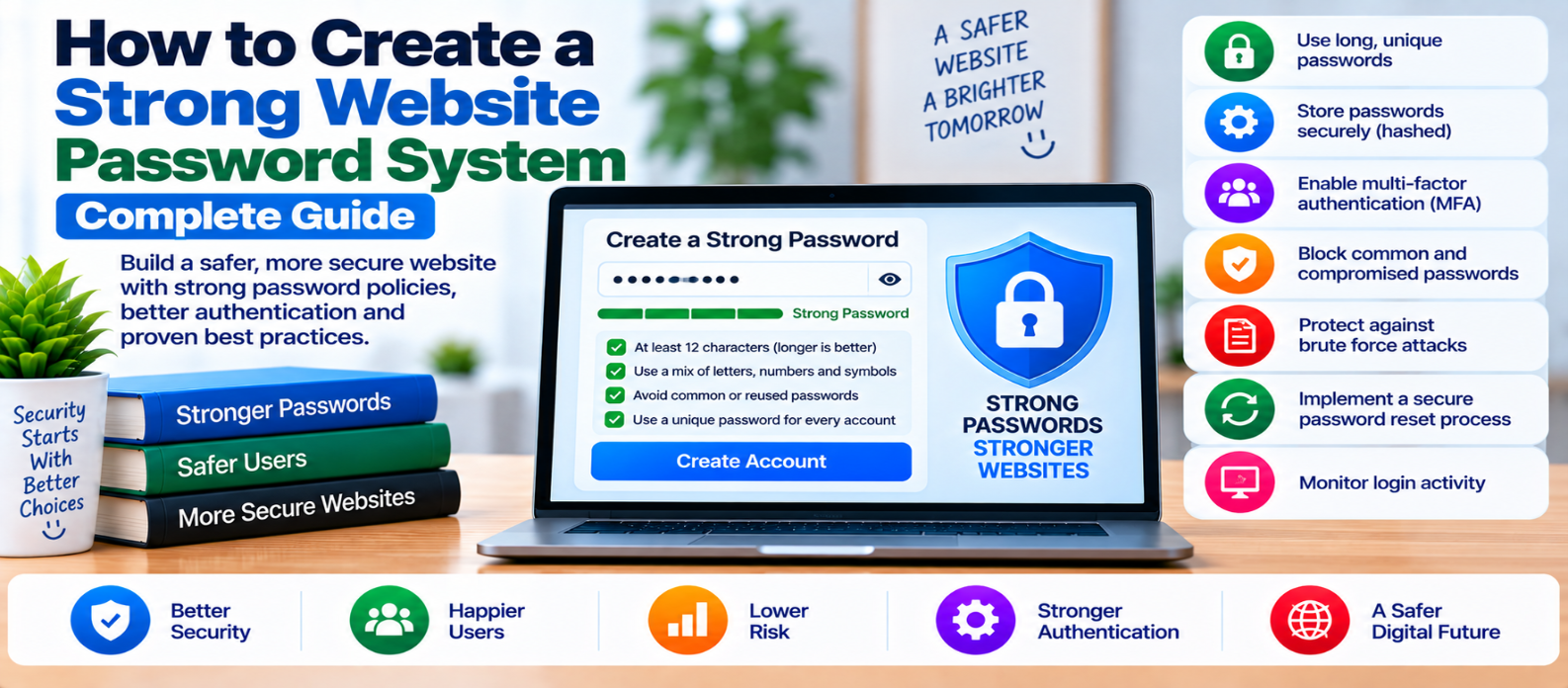
"Learn how to build a strong website password system using long unique passwords, secure password hashing, salts, MFA, login protection, safe password resets, protected sessions, and authentication monitoring."
How to Create a Strong Website Password System
A strong website password system involves much more than requiring users to add a capital letter, number, and symbol.
Good password security covers the entire lifecycle:
Create Password
      ↓
Store Securely
      ↓
Authenticate
      ↓
Protect Login
      ↓
Reset Safely
      ↓
Detect Abuse
A website can require complicated passwords and still be insecure if it stores them incorrectly, has a weak reset process, or allows unlimited login attempts.
Here's how to build a stronger system.
1. Encourage Long Passwords
Password length is an important part of password strength.
Avoid forcing users into unnecessarily restrictive rules that encourage predictable patterns.
For example, someone told to use:
Uppercase + lowercase + number + symbolmay still choose a predictable password that technically satisfies the requirement.
Instead, allow sufficiently long passwords and encourage users to create unique credentials that aren't reused elsewhere.
Also support password managers so users don't need to memorize every password.
2. Allow Password Managers to Work
Password managers can generate and store long, unique passwords for different websites.
Your login and registration forms shouldn't unnecessarily interfere with:
- Autofill
- Password generation
- Copy and paste
- Password managers
Blocking these features can push users toward weaker, easier-to-type credentials.
A unique password stored in a password manager is generally preferable to one reused across multiple websites.
3. Don't Store Plain-Text Passwords
A website should never need to retrieve and display a user's original password.
Avoid storing:
User: alex
Password: MySecretPassword
in readable form.
Instead, passwords should be processed using an established password-hashing algorithm.
The database stores the resulting password hash rather than the original password.
During login:
Entered Password
       ↓
Password Verification Function
       ↓
Compare Against Stored Hash
       ↓
Valid / Invalid
4. Use Password Hashing, Not Simple Encryption
Hashing and encryption solve different problems.
Encryption is designed so authorized systems can decrypt information later.
Password verification normally shouldn't require recovering the original password.
Use established password-hashing mechanisms designed specifically for password storage, such as Argon2id, scrypt, or bcrypt, where appropriately supported and configured.
Don't invent your own password algorithm.
General-purpose fast hashes alone aren't suitable substitutes for dedicated password-hashing functions.
5. Use Unique Salts
Modern password-hashing libraries typically handle salting automatically.
A salt is unique data incorporated into the hashing process so identical passwords don't simply produce identical stored values.
Conceptually:
Password + Unique Salt
         ↓
Password Hashing Function
         ↓
Stored Password Hash
Use established libraries rather than manually designing salt generation or storage.
6. Block Common and Compromised Passwords
A long password isn't useful if it is extremely predictable or already widely compromised.
Your password system can reject passwords known to be particularly weak or exposed.
For example, passwords based on:
password
123456...
qwerty...
shouldn't become acceptable merely because a user adds a predictable character.
Focus on real password quality rather than arbitrary complexity rules.
7. Protect Login Attempts
Even well-protected password storage doesn't prevent attackers from repeatedly trying credentials through the login page.
Use controls such as:
- Rate limiting
- Progressive delays
- Monitoring repeated failures
- Risk-based challenges
- MFA
- Suspicious-login detection
Avoid designing permanent account lockouts that attackers can deliberately trigger to deny access to legitimate users.
8. Add Multi-Factor Authentication
MFA provides another security layer if a password becomes compromised.
The basic model becomes:
Password
   +
Second Authentication Factor
   ↓
Account Access
MFA is particularly valuable for:
- Administrators
- Editors
- Employees
- Financial accounts
- Accounts with sensitive data
- High-impact actions
Don't use MFA as an excuse to accept weak password handling. Both layers should be secure.
9. Secure Password Reset
The password-reset system can become an alternative route into an account.
A secure reset process should use unpredictable, limited-life reset credentials and invalidate them appropriately after use.
Don't send users their existing password by email. If your system can email the original password, that may indicate it is being stored in a recoverable form.
After a password reset, consider whether existing sessions or security-sensitive credentials should be invalidated according to your application's risk.
10. Don't Reveal Whether Accounts Exist
Login and password-reset responses can accidentally help attackers discover registered accounts.
For example, a reset page that says:
No account exists for this email.may reveal account-registration information.
Where account enumeration creates meaningful risk, use carefully designed responses that don't unnecessarily expose whether a specific identity exists.
Balance this with usability and support requirements.
11. Protect Sessions After Login
Password security doesn't end when authentication succeeds.
The application normally creates a session.
Protect it with:
- HTTPS
- Secure cookie configuration
- Appropriate expiration
- Session rotation where needed
- Logout invalidation
- Reauthentication for sensitive actions
An attacker who gains control of a valid session may not need the password at all.
12. Protect Administrator Passwords More Strictly
Administrator accounts deserve stronger controls because compromise can affect the entire website.
Require or strongly encourage:
Unique Password
      +
MFA
      +
Limited Admin Accounts
      +
Login Monitoring
Remove administrator accounts that are no longer required.
Never share one administrator credential among an entire team when individual accounts can be used.
13. Don't Force Unnecessary Periodic Password Changes
Changing passwords on a fixed schedule doesn't automatically improve security.
It can encourage predictable patterns such as:
Example1!
Example2!
Example3!
Instead, require password changes when there is a meaningful reason—for example, evidence or reasonable suspicion that credentials have been compromised.
Users should still be able to change their password whenever they want.
14. Monitor Authentication Events
Monitor important events such as:
- Repeated failed logins
- Password resets
- MFA changes
- Administrator logins
- Unusual authentication activity
- Credential changes
Avoid placing plain-text passwords, reset secrets, or authentication tokens in logs.
Monitoring should help detect attacks without creating another source of sensitive information.
Strong Website Password System Checklist
Before deploying your authentication system, verify:
-
Long passwords are supported
-
Password managers work properly
-
Passwords are never stored in plain text
-
A dedicated password-hashing algorithm is used
-
Salting is handled securely
-
Weak or compromised passwords can be rejected
-
Login attempts have abuse protection
-
MFA protects important accounts
-
Password-reset credentials are secure and temporary
-
Existing passwords aren't emailed to users
-
Account enumeration risk is considered
-
Sessions are protected after login
-
Administrator accounts receive stronger protection
-
Password changes are required after compromise when appropriate
-
Authentication activity is monitored
Conclusion
A strong website password system isn't simply:
"Make users choose difficult passwords."
It is a complete security process:
Strong Unique Password
        ↓
Secure Password Hashing
        ↓
Protected Login
        ↓
MFA Where Appropriate
        ↓
Secure Session
        ↓
Safe Password Recovery
        ↓
Monitoring
Encourage long, unique passwords and password managers. Store passwords using established password-hashing functions. Protect login attempts, secure password resets, strengthen administrator accounts with MFA, and monitor suspicious authentication activity.
The goal isn't to make passwords harder for legitimate users.
It's to make account compromise substantially harder for attackers while keeping authentication practical for the people who actually use your website.
Get a Free Access To 200+ Free Tools:
|
Home Page |
|
|
Calculator Tools |
|
|
Text & Converter Tools |
|
|
PDF & Image Tools |
|
|
Games & Developer Tools |
|
|
Resume Builder |