
How to Create a Website Using AI in 2026: Complete Step-by-Step Guide
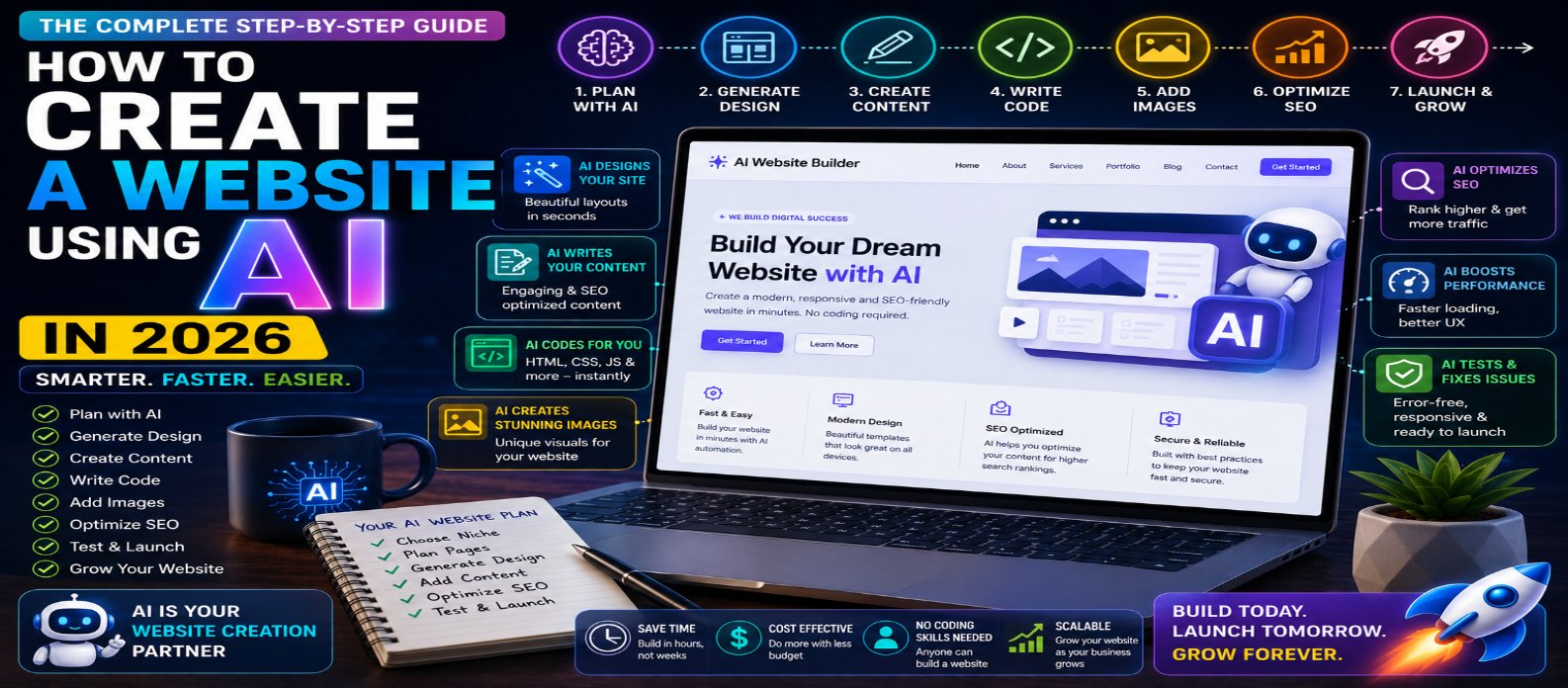
"Learn how to create a website using AI in 2026 with this complete step-by-step guide. Discover how to use AI for website planning, design, coding, content, images, SEO, performance, security, testing, launching, and optimization."
How to Create a Website Using AI in 2026: Complete Step-by-Step Guide
Creating a website in 2026 is faster and more accessible than ever. Artificial intelligence can now assist with website planning, design, coding, content creation, SEO, images, debugging, testing, and optimization.
Whether you're a beginner launching your first website, a business owner building an online presence, or a developer looking to work faster, AI can reduce many repetitive tasks involved in website creation.
However, AI doesn't automatically create a successful website. You still need a clear purpose, useful content, good user experience, security, SEO, and careful testing.
This guide explains how to create a website using AI in 2026, step by step.
What Is AI Website Creation?
AI website creation means using artificial intelligence to help with some or all stages of building a website.
Depending on the tools and workflow you choose, AI can help:
- Generate website layouts
- Write HTML, CSS, and JavaScript
- Create website content
- Generate images
- Suggest color schemes
- Build page structures
- Create SEO metadata
- Debug code
- Optimize performance
- Test website features
You can use AI alongside traditional development or choose an AI-powered no-code website builder.
Two Ways to Build a Website With AI
There are two main approaches.
1. AI No-Code Website Builder
You describe the website you want, and the platform generates a starting site that you customize visually.
This approach is ideal for beginners, freelancers, bloggers, and small businesses.
2. AI-Assisted Coding
Developers can use AI to generate and improve HTML, CSS, JavaScript, backend code, databases, and application features.
This approach provides greater flexibility but requires technical knowledge.
Choose the method that matches your goals and experience.
Step 1: Define Your Website's Purpose
Before asking AI to create anything, determine what the website needs to accomplish.
Ask:
Who is the audience? What problem does the website solve? What action should visitors take?
For example:
"I want to create a website for a digital marketing agency that explains our services, showcases previous work, publishes educational articles, and generates customer inquiries."
A clear objective helps AI produce more relevant designs and content.
Step 2: Ask AI to Create a Sitemap
Next, determine the pages your website needs.
A business website might use:
Home → About → Services → Portfolio → Blog → Contact
An online tools website could use:
Home → Tools → Categories → Individual Tool → Blog → About → Contact
AI can suggest a structure based on your industry, audience, and business goals.
Keep the architecture simple so visitors and search engines can easily discover important pages.
Step 3: Choose Your AI Website-Building Method
Decide whether you want to use:
No-Code AI Builder → AI Coding Assistant → Traditional Development + AI
When comparing platforms, consider:
- Customization
- Hosting
- Custom domains
- SEO controls
- Mobile responsiveness
- Blogging
- E-commerce
- Integrations
- Analytics
- Pricing
- Export options
Don't select a platform based only on how quickly it generates the first design. Think about whether it can support your website as it grows.
Step 4: Create a Detailed Website Prompt
If you're using an AI website builder, the quality of your instructions matters.
Instead of:
"Create a technology website."
try:
"Create a modern technology blog with a clean dark-and-light design, homepage, category pages, article layout, search, newsletter section, and contact page. Make it mobile-friendly, fast, easy to navigate, and focused on web development and AI."
A useful formula is:
Website Type + Audience + Pages + Features + Visual Style + Main Goal
The more relevant context you provide, the better the starting result.
Step 5: Generate the Website Design
AI can help generate:
- Hero sections
- Navigation menus
- Feature sections
- Pricing tables
- Testimonials
- Blog layouts
- Contact sections
- Footers
- Calls to action
Treat the generated design as a starting point.
Review the layout and remove unnecessary sections. A simple, focused website often performs better than one overloaded with visual elements.
Step 6: Use AI to Create Website Content
AI can accelerate the first draft of your content.
It can help write:
- Headlines
- Service descriptions
- About pages
- FAQs
- Product descriptions
- Calls to action
- Blog outlines
- Meta descriptions
For example:
"Write a 100-word service description for a web-development company targeting small businesses. Keep it professional, clear, and benefit-focused."
Always review AI-generated content for factual accuracy and add your own expertise, experience, and brand voice.
Step 7: Generate or Improve Website Code
If you're coding your website, AI can help with:
HTML → CSS → JavaScript → APIs → Backend → Database
You can ask AI to generate individual components rather than requesting an entire complex application at once.
For example:
"Create an accessible responsive navigation bar using semantic HTML, modern CSS, and minimal JavaScript."
Review and test every important piece of generated code before deployment.
Step 8: Create Visuals With AI
AI image tools can help create:
- Hero illustrations
- Blog covers
- Background concepts
- Marketing graphics
- Icons
- Design inspiration
Maintain a consistent visual identity across your website.
Compress and appropriately size images before publishing them so large AI-generated graphics don't slow down your pages.
Step 9: Make Your Website SEO-Friendly
AI can assist with SEO, but you still need a clear strategy.
Optimize:
- Page titles
- Meta descriptions
- Headings
- URLs
- Internal links
- Image alt text
- Content structure
- Sitemap
- Mobile usability
Avoid publishing hundreds of low-quality AI-generated pages simply to target keywords.
Focus on creating content that genuinely helps your visitors.
Step 10: Optimize Website Performance
A modern AI-built website still needs to load quickly.
Pay attention to:
Images → CSS → JavaScript → Fonts → Server Response → Caching → Third-Party Scripts
AI can suggest performance improvements, but measure the actual results rather than assuming every recommendation will make the site faster.
Step 11: Check Security
Security is particularly important if your website contains accounts, payments, APIs, or databases.
Check:
- HTTPS
- Authentication
- Authorization
- Input validation
- API security
- Dependency security
- Secure cookies
- Secret management
Never expose private API keys or database credentials in frontend code.
AI-generated code should receive the same security review as human-written code.
Step 12: Test Desktop and Mobile Versions
Before launch, test the website on different screen sizes.
Check:
Navigation → Forms → Buttons → Images → Text → Links → Layout → Speed
Also test keyboard navigation and basic accessibility.
AI can help identify potential problems, but real testing remains essential.
Step 13: Launch and Monitor Your Website
After connecting your domain and publishing the site, monitor its performance.
Track:
- Website traffic
- Popular pages
- Search visibility
- Loading speed
- Errors
- Conversions
- User behavior
Use this information to decide what to improve next.
Website development doesn't end when you click Publish.
How AI Can Help After Launch
AI remains useful after your website goes live.
You can use it to:
Generate Ideas → Update Content → Analyze Feedback → Debug Problems → Improve SEO → Create Visuals → Optimize Code
This turns AI from a one-time website generator into an ongoing development assistant.
AI Website Creation Workflow for 2026
A practical workflow is:
Idea → AI Planning → Sitemap → Design → Content → Development → SEO → Performance → Security → Testing → Launch → Optimization
AI can accelerate nearly every stage, but human review should remain part of the process.
Conclusion
Creating a website using AI in 2026 no longer means simply asking a chatbot to generate some HTML.
AI can support the entire website-building process, from planning and design to coding, content, images, SEO, testing, and ongoing optimization.
Beginners can use no-code AI builders, while developers can combine AI assistants with traditional development for greater control.
The most effective approach is:
Let AI accelerate the work while you control the strategy, quality, security, and user experience.
With a clear goal and the right workflow, AI can help turn a website idea into a professional online presence faster than traditional methods alone.
Get a Free Access To 200+ Free Tools:
|
Home Page |
|
|
Calculator Tools |
|
|
Text & Converter Tools |
|
|
PDF & Image Tools |
|
|
Games & Developer Tools |
|
|
Resume Builder |