
How to Design a High-Converting Landing Page: Complete Guide
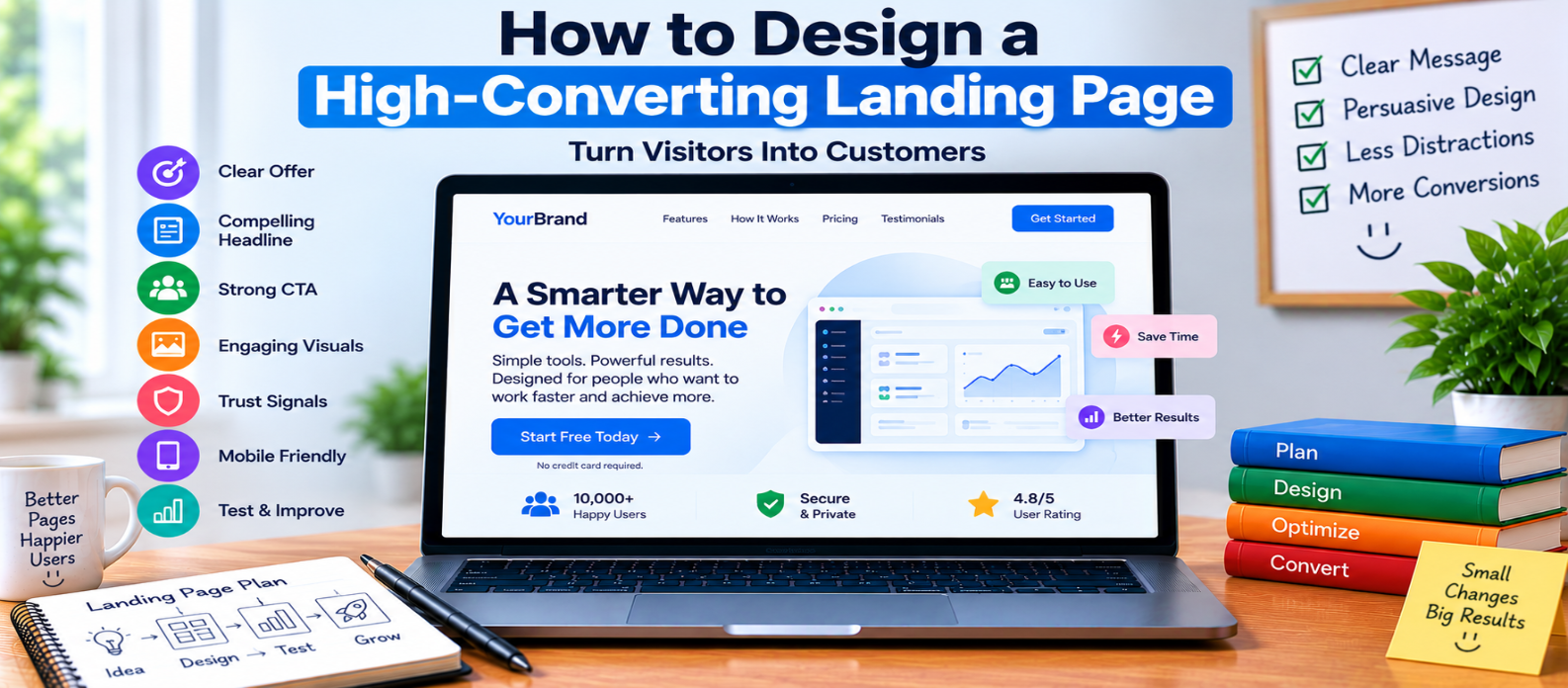
"Learn how to design a high-converting landing page by matching visitor intent, clarifying your offer, writing stronger CTAs, showing real benefits, adding genuine proof, reducing form friction, addressing objections, optimizing mobile performance, and testing meaningful improvements."
How to Design a High-Converting Landing Page
A high-converting landing page isn't simply a page with a large button and persuasive headline.
It creates a clear path from visitor intent to action.
Someone arrives with a question, need, or expectation. Your page needs to show that they're in the right place, explain the value of your offer, answer reasonable concerns, and make the next step easy.
No design can guarantee a particular conversion rate. But thoughtful design can remove unnecessary friction and give the right visitors better reasons to act.
1. Match the Page to Visitor Intent
Start by asking where visitors are coming from and what they expect.
Suppose someone searches for:
free image compressorand lands on a page whose headline says:
The Ultimate Digital Platform for Modern Creators
They may not immediately know whether the page solves their problem.
A clearer headline could be:
Compress Images Online Without Installing Software
The page should continue the conversation that brought the visitor there.
2. Make the Offer Understandable in Seconds
Your opening section should answer:
What is this?
     ↓
Who is it for?
     ↓
Why is it useful?
     ↓
What should I do next?
Don't hide the core value beneath a long introduction.
If someone has to study the page before understanding what you're offering, the message probably needs simplification.
3. Focus on One Primary Conversion
Landing pages become confusing when every section asks for something different.
Imagine these competing actions:
Start Trial
Read Blog
Join Newsletter
Follow Social Media
Download eBook
View Another Product
Contact Sales
Some secondary links may be necessary, but decide which action is the primary conversion.
Then build the page around it.
4. Write a Benefit-Driven Headline
A headline should communicate value rather than simply describe your company.
Weak:
Welcome to Our Productivity Platform
Stronger:
Organize Projects and Track Team Tasks in One Workspace
The stronger version explains what the product helps users accomplish.
Avoid exaggerated promises you can't support.
Clarity usually matters more than cleverness.
5. Create a Strong Hero Section
The hero section should contain only what visitors need to understand the offer and move forward.
A practical structure is:
Headline
   ↓
Short Value Proposition
   ↓
Relevant Visual
   ↓
Primary CTA
   ↓
Useful Supporting Information
Supporting information might include pricing context, trial conditions, or another detail that removes uncertainty.
For example:
Start Free — No Credit Card Required
Use such statements only when they are actually true.
6. Make the CTA Specific
Avoid generic CTA labels when you can describe the action more clearly.
Compare:
Submit
Continue
Click Here
with:
Start Free Trial
Create My Account
Download the Template
Try the Tool
Request a Demo
The visitor should understand what happens after clicking.
Make the primary CTA visually distinct and repeat it at appropriate points on longer pages.
7. Show Benefits in a Scannable Format
Visitors often scan before reading closely.
Make important benefits easy to identify.
For example:
Compress Images Faster
Reduce image file sizes directly in your browser.
Keep the Workflow Simple
Upload, compress, and download without complicated settings.
Use It Across Devices
Access the tool through a responsive web interface.
Short, specific benefit sections usually communicate more effectively than large blocks of promotional text.
8. Demonstrate the Product
When possible, show visitors what they're getting.
Useful examples include:
- Product screenshots
- Interface previews
- Before-and-after comparisons
- Short demonstrations
- Example outputs
- Interactive previews
For software, an accurate screenshot may answer questions that several paragraphs cannot.
Avoid unrelated stock imagery that looks attractive but explains nothing about the offer.
9. Add Genuine Proof
Visitors naturally ask:
“Why should I trust this?”
Relevant evidence may include:
- Genuine testimonials
- Verified reviews
- Real case studies
- Accurate customer numbers
- Recognizable customers when permission exists
- Security information when relevant
- Clear guarantees when genuinely offered
Never manufacture social proof.
Three genuine testimonials are more credible than a page filled with invented praise.
10. Address Important Objections
Think about what might prevent the visitor from acting.
Common questions include:
How much does it cost?
Can I cancel?
Is my data secure?
Do I need a credit card?
Will this work on my device?
What happens after I sign up?
Answer relevant concerns before they become reasons to leave.
An FAQ can help, but only include questions people genuinely need answered.
11. Reduce Form Friction
If the conversion requires a form, don't automatically ask for everything you might want someday.
For a free resource, perhaps this is enough:
Email Address
[ Get the Guide ]
For a detailed business consultation, additional fields may be reasonable.
Match the amount of requested information to the value and purpose of the interaction.
Also provide clear labels, useful validation, and understandable error messages.
12. Remove Unnecessary Distractions
Every element competes for attention.
Review:
- Navigation
- Popups
- Sidebars
- Animations
- Promotional banners
- Secondary CTAs
- Unrelated links
You don't necessarily need to remove all navigation. The right choice depends on the page and visitor journey.
The goal is to prevent irrelevant elements from competing with the primary task.
13. Optimize Mobile Conversion
Mobile visitors shouldn't receive a compromised version of the page.
Test:
- Headline readability
- CTA visibility
- Form usability
- Touch targets
- Images
- Sticky elements
- Page speed
- Spacing
Avoid huge hero sections that force mobile users to scroll extensively before understanding the offer or reaching the primary action.
14. Improve Loading Performance
A conversion-focused page still needs to function efficiently.
Large videos, oversized images, excessive scripts, and unnecessary third-party widgets can slow down the experience.
Prioritize the elements that actually help visitors decide.
Performance should support the conversion journey, not compete with visual ambition.
15. Test One Hypothesis at a Time
Don't assume your first design is optimal.
You might test:
Headline A vs Headline B

Short Form vs Longer Form

Product Screenshot vs Demonstration

CTA A vs CTA B
Start with a reason for the test.
For example:
Visitors may not understand the main benefit quickly enough.
Then test a clearer value proposition.
Use enough reliable data before drawing conclusions, and don't treat small fluctuations as proof.
High-Converting Landing Page Checklist
Before launch, check:
-
Visitor intent matches the page
-
Offer is immediately understandable
-
One primary conversion is defined
-
Headline communicates a benefit
-
Hero section is focused
-
CTA describes the next action
-
Benefits are easy to scan
-
Product or offer is demonstrated
-
Trust signals are genuine
-
Important objections are answered
-
Forms request appropriate information
-
Distractions are controlled
-
Mobile experience works properly
-
Page performance is optimized
-
Conversion actions are measurable
-
Tests are based on clear hypotheses
Conclusion
A high-converting landing page is usually the result of several small decisions working together:
Right Visitor
     ↓
Clear Message
     ↓
Relevant Value
     ↓
Genuine Proof
     ↓
Low Friction
     ↓
Clear Action
Don't begin by asking which button color converts best.
Start with more important questions:
Does the visitor immediately understand the offer? Does it solve the problem they arrived with? Do they have enough information to trust the next step? Is taking that step easy?
Solve those problems first. Then use real conversion data to refine the page.
Get a Free Access To 200+ Free Tools:
|
Home Page |
|
|
Calculator Tools |
|
|
Text & Converter Tools |
|
|
PDF & Image Tools |
|
|
Games & Developer Tools |
|
|
Resume Builder |