
How to Get Your Website Indexed by Google: Complete Guide
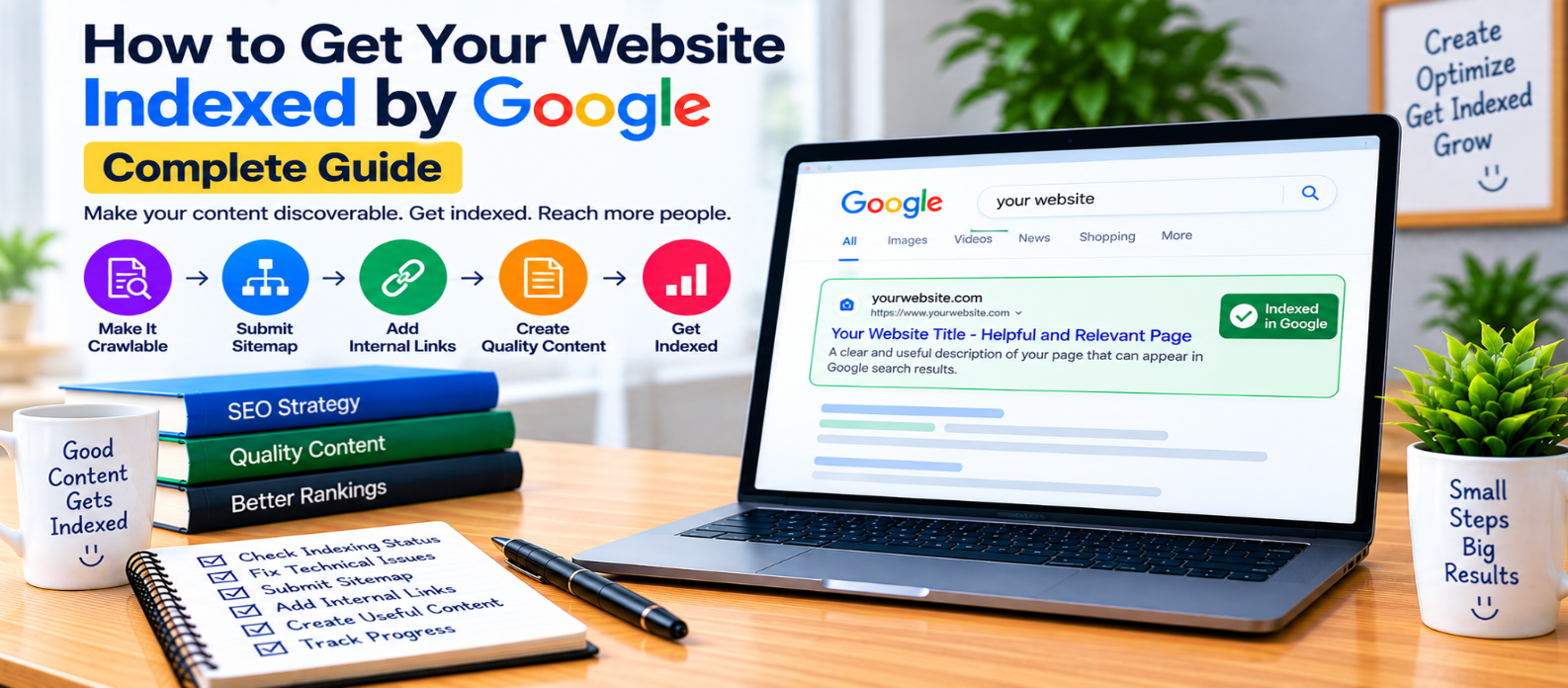
"Learn how to get your website discovered and considered for indexing by Google by checking crawlability, noindex directives, canonical URLs, XML sitemaps, internal links, Search Console, duplicate pages, and common indexing problems."
How to Get Your Website Indexed by Google
Publishing a website doesn't automatically mean every page will immediately appear in Google Search.
Before a page can appear in search results, Google generally needs to discover the URL, crawl it, process its content, and decide whether to index it.
If you've launched a new website or published an important page that isn't appearing in Google, the solution isn't to submit the URL repeatedly. Start by making sure the page is discoverable, accessible, indexable, and useful.
What Does Google Indexing Mean?
Google maintains an index containing information about webpages it has processed and chosen to include.
A simplified process looks like:
URL Discovered
      ↓
Google Crawls Page
      ↓
Content Is Processed
      ↓
Indexing Decision
      ↓
Page May Appear in Search
Crawling and indexing are not the same thing.
Google can crawl a page without ultimately indexing it.
And being indexed doesn't guarantee that the page will rank highly for a particular search.
1. Check Whether Your Page Is Already Indexed
Before troubleshooting, determine whether there is actually a problem.
For a page you control, Google Search Console's URL Inspection can provide information about Google's indexed version and indexing status.
If the page is already indexed, you don't need to keep requesting indexing.
Instead, if your concern is low search traffic, investigate ranking, search intent, content quality, competition, and other SEO factors.
2. Make Sure Google Can Access the Page
An important page should return a successful response and be publicly accessible to crawlers.
Common accessibility problems include:
- Server errors
- Authentication requirements
- Broken URLs
- Incorrect redirects
- Firewall restrictions
- Crawl-blocking rules
- Unavailable resources
Try loading the page normally and review your technical configuration.
A page Google cannot reliably access is unlikely to become a useful search result.
3. Check Robots.txt
Your robots.txt file can restrict crawler access to parts of your website.
A rule such as:
User-agent: *
Disallow: /
attempts to block compliant crawlers from the entire website.
This can sometimes remain accidentally after a development or staging site is moved into production.
Review your robots.txt rules and make sure important public content isn't unintentionally blocked.
Remember: robots.txt controls crawling; it isn't a general indexing-removal tool.
4. Check for noindex
A page may explicitly request exclusion from search indexing.
For example:
<meta name="robots" content="noindex">A similar instruction can also be delivered through an appropriate HTTP header.
If an important page contains a noindex directive, remove it only if you genuinely want that page eligible for indexing.
This is a common issue after website launches or CMS configuration changes.
5. Check the Canonical URL
Suppose your page is:
example.com/seo-guide/but its canonical element points to:
example.com/another-guide/You're signaling that another URL is the preferred representative.
Inspect:
<link rel="canonical"
      href="https://example.com/seo-guide/">
where a self-referencing canonical is appropriate.
Incorrect canonical tags can occur after template duplication, staging migrations, or CMS configuration errors.
6. Create an XML Sitemap
An XML sitemap provides search engines with an organized list of important URLs.
For example:
<url>
  <loc>https://example.com/seo-guide/</loc>
</url>
Your sitemap should primarily contain URLs that are:
- Canonical
- Indexable
- Useful
- Successfully accessible
Don't fill it with redirects, broken pages, duplicates, or intentionally noindex URLs.
A sitemap helps with discovery—it does not guarantee indexing.
7. Submit Your Sitemap in Search Console
After creating your sitemap, you can provide its location through Google Search Console.
This is particularly useful for new or large websites.
After submission, monitor whether Google can successfully process the sitemap.
If a sitemap is accepted but some URLs remain unindexed, investigate those URLs rather than repeatedly submitting the same sitemap.
8. Add Internal Links to Important Pages
Search engines discover many URLs by following links.
Suppose you publish:
/blog/mobile-seo-guide/but nothing else on your website links to it.
The page may still be discovered through your sitemap, but it is poorly integrated into the site's natural structure.
Instead, create relevant paths such as:
SEO Guide
   ↓
Mobile SEO Guide
   ↓
Mobile Performance Guide
Important pages should generally have meaningful internal links from relevant content.
9. Avoid Orphan Pages
An orphan page has no meaningful internal links pointing to it.
These pages can be difficult for users and crawlers to discover naturally.
When publishing new content:
- Link to relevant older pages from the new article.
- Find older articles that should link to the new page.
- Add the page to an appropriate category or hub.
- Ensure navigation makes sense.
This creates a connected website instead of a collection of isolated URLs.
10. Publish Content Worth Indexing
Technical accessibility doesn't guarantee inclusion in Google's index.
If your site publishes many pages with little unique value, heavy duplication, or nearly identical search intent, simply making them crawlable doesn't make them strong indexing candidates.
Before publishing, ask:
- Does this page solve a clear problem?
- Is it substantially useful?
- Does it have a distinct purpose?
- Is it more than a rewritten version of another page?
- Would a visitor benefit from finding it?
Indexing begins with technical accessibility, but page value still matters.
11. Avoid Unnecessary Duplicate URLs
A website may generate multiple versions such as:
/guide/
/guide/?ref=homepage
/guide/?campaign=email
If they represent the same content, keep canonical signals consistent.
Also review:
- HTTP vs HTTPS
wwwvs non-www- URL parameters
- Duplicate categories
- Print versions
- CMS-generated variations
A clean URL structure makes it easier to communicate which page should be treated as primary.
12. Use URL Inspection for Important Pages
After publishing an important new page, URL Inspection can help you check Google's information about that URL.
Where available and appropriate, you can request indexing.
Use this as a useful discovery/indexing workflow—not as a button that guarantees inclusion.
Repeated requests won't solve underlying problems such as:
noindex
Wrong Canonical
Blocked Crawling
Server Errors
Duplicate Content
Weak Internal Linking
Fix the cause first.
13. Be Patient After Publishing
Discovery and indexing aren't necessarily immediate.
A new page may take time to be discovered, crawled, processed, and evaluated.
Avoid making constant changes simply because a new article doesn't appear immediately.
Instead, verify:
Accessible? ✓
Crawlable? ✓
Indexable? ✓
Canonical? ✓
In Sitemap? ✓
Internally Linked? ✓
Useful? ✓
Then monitor its status.
Common Indexing Mistakes
Avoid:
- Requesting indexing repeatedly
- Assuming sitemap submission guarantees indexing
- Accidentally leaving
noindexenabled - Blocking important pages in robots.txt
- Using incorrect canonical URLs
- Publishing orphan pages
- Listing broken URLs in sitemaps
- Creating many near-duplicate pages
- Expecting every URL to be indexed
- Confusing indexing with ranking
- Making constant changes before Google processes the page
Google Indexing Checklist
For an important page, verify:
-
URL loads successfully
-
Page is publicly accessible
-
Robots.txt doesn't unintentionally block crawling
-
noindexisn't present -
Canonical URL is correct
-
HTTPS version is preferred
-
Page appears in the XML sitemap
-
Sitemap is accessible
-
Relevant internal links point to the page
-
Page isn't orphaned
-
Content has a distinct purpose
-
Duplicate URL variations are controlled
-
Search Console status is checked
-
Technical errors are investigated
-
Enough time is allowed for processing
Conclusion
Getting indexed isn't about finding a secret submission trick.
A stronger process is:
Publish Useful Page
       ↓
Make It Accessible
       ↓
Allow Crawling
       ↓
Allow Indexing
       ↓
Use Correct Canonical
       ↓
Add Sitemap + Internal Links
       ↓
Google Evaluates the Page
Use Search Console to diagnose important URLs, maintain a clean XML sitemap, connect pages through meaningful internal links, and eliminate technical signals that contradict your indexing goals.
Most importantly, create pages that deserve to exist independently.
You can make a page eligible and easy for Google to discover, but indexing remains Google's decision—not something a website can guarantee by repeatedly submitting a URL.
Get a Free Access To 200+ Free Tools:
|
Home Page |
|
|
Calculator Tools |
|
|
Text & Converter Tools |
|
|
PDF & Image Tools |
|
|
Games & Developer Tools |
|
|
Resume Builder |