
How to Recover From a Google Algorithm Update: Complete SEO Recovery Guide
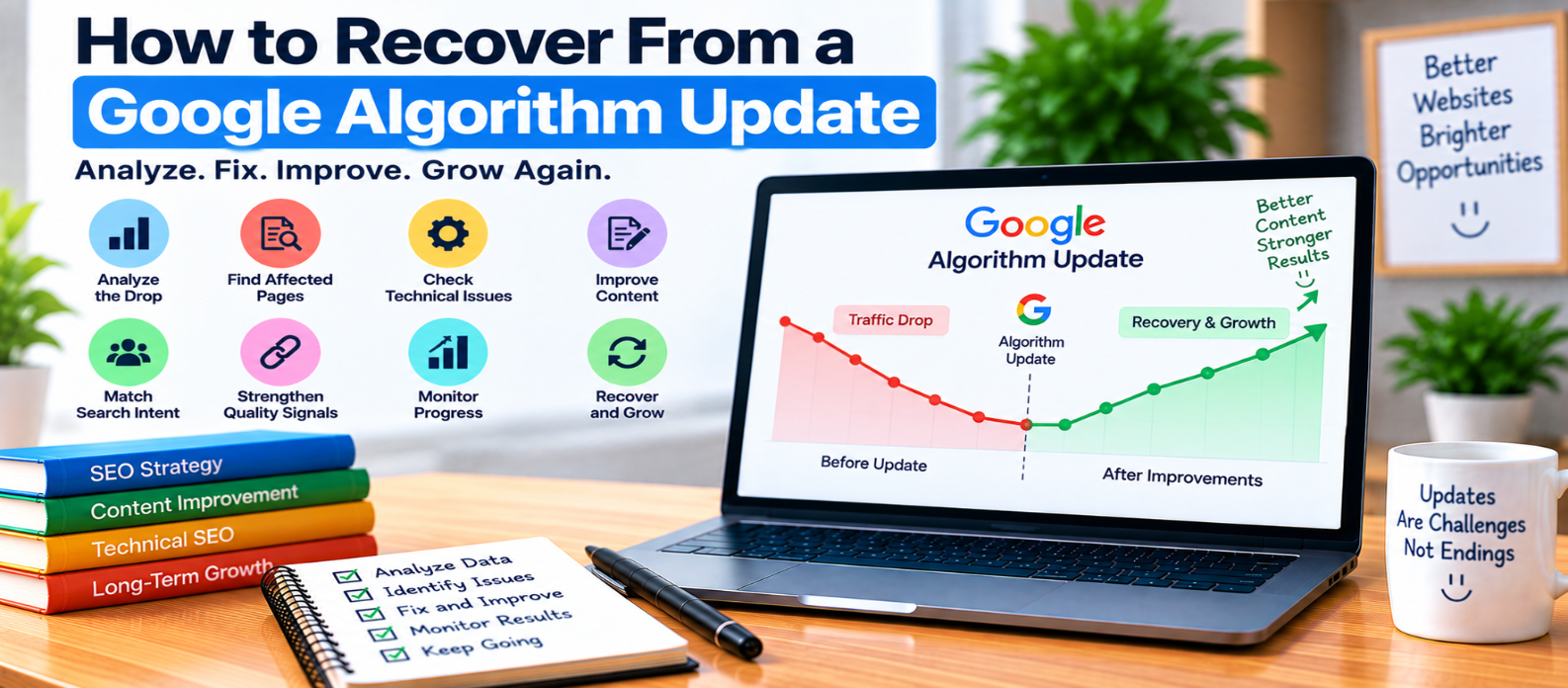
"Learn how to recover from a Google algorithm update by diagnosing traffic drops, identifying affected pages and queries, checking technical SEO, reassessing search intent and content quality, fixing genuine weaknesses, and monitoring recovery without relying on risky quick fixes."
How to Recover From a Google Algorithm Update
A sudden drop in Google traffic can be alarming.
If it happens around a ranking update, the natural reaction is to start changing titles, deleting pages, rewriting articles, or building links immediately.
That can make diagnosis harder.
A traffic decline doesn't automatically mean your website received a penalty. Search rankings change for many reasons, and the right recovery strategy begins by understanding what actually changed.
1. Confirm That Traffic Really Dropped
Start with data rather than assumptions.
Compare meaningful periods in Google Search Console and examine:
- Total clicks
- Impressions
- Search queries
- Landing pages
- Countries
- Devices
- Search appearance
Avoid judging performance from one or two days.
Daily search traffic naturally fluctuates.
Look for a sustained pattern such as:
Before
1,000 → 980 → 1,040 → 1,010

After
720 → 690 → 710 → 680
That deserves investigation.
2. Check Whether a Google Update Happened
Compare the timing of your decline with confirmed Google Search updates.
If the dates overlap, an algorithmic change becomes one possible explanation.
But correlation isn't proof.
A simultaneous decline could also come from:
- Technical problems
- Website migrations
- Seasonality
- Changed search demand
- Indexing problems
- Competitors improving
- Deleted or redirected pages
Don't diagnose an algorithm update solely because traffic went down.
3. Find Exactly What Lost Visibility
A site-wide traffic number hides the useful details.
Compare performance before and after the decline.
Ask:
Which pages lost clicks?
        ↓
Which queries declined?
        ↓
Did impressions fall?
        ↓
Did positions change?
        ↓
Is the problem site-wide or isolated?
Suppose 80% of the decline comes from five articles.
That is a very different problem from nearly every section of the website losing visibility.
Identify the affected area before making changes.
4. Rule Out Technical Problems
Before rewriting content, check whether Google can still access your important pages.
Investigate:
noindexdirectivesrobots.txt- Canonical URLs
- Redirects
- Server errors
- Deleted pages
- Sitemap changes
- Broken internal links
- HTTPS problems
For example, a deployment could accidentally add:
<meta name="robots" content="noindex">to important templates.
No amount of content rewriting fixes that problem.
5. Review Search Intent Again
Search results evolve.
A page that previously matched a query well may become less competitive if users' needs or the types of results Google surfaces change.
Imagine you rank for:
free image compressorbut your page contains a long article while competing pages let visitors immediately compress an image.
The problem may not be article quality.
The page format itself may be a weak match for the task.
Ask what someone making the search wants to accomplish now.
6. Evaluate the Content Without Defending It
Review affected pages as if you didn't create them.
Ask:
- Does the page answer the question quickly?
- Is important information missing?
- Is any information outdated?
- Are sections repetitive?
- Are examples genuinely useful?
- Does the page provide something beyond obvious information?
- Are claims accurate?
- Is the title an honest description of the content?
Don't add paragraphs simply to make an article longer.
Remove filler when it makes the useful information harder to find.
7. Look for Large-Scale Content Problems
Sometimes the issue isn't one article.
Review the broader website for patterns such as:
- Hundreds of highly similar pages
- Articles targeting nearly identical searches
- Thin pages created mainly for keywords
- Mass-produced content with little added value
- Unnecessary location or keyword variations
- Outdated pages left unattended
For example:
Best JavaScript Tools
Top JavaScript Tools
Best Tools for JavaScript
Top Tools Every JavaScript Developer Needs
If these pages largely repeat one another, adding another variation isn't a strong recovery strategy.
Consolidate or differentiate content when appropriate.
8. Improve Pages That Deserve Improvement
Once you identify genuine weaknesses, make meaningful changes.
Depending on the page, that could mean:
Outdated information → Update it

Weak explanation → Clarify it

Missing example → Add a useful example

Duplicate sections → Consolidate them

Poor structure → Improve navigation

Wrong intent → Rework the page format

Broken tool → Fix the functionality
The objective is not to make Google notice that you edited the page.
The objective is to make the page better for its intended visitor.
9. Check Trust and Transparency
For topics where readers need confidence in the information, make it easy to understand who is responsible for the content.
Where appropriate, provide:
- Clear authorship
- Accurate sourcing
- About information
- Contact information
- Editorial transparency
- Genuine expertise or experience when claimed
Never invent credentials, personal testing, authors, reviews, or first-hand experience.
Trust signals need to be real.
10. Don't Try to “Undo” an Update
There usually isn't a universal fix such as:
Add 500 words
Change every title
Increase keyword density
Buy 100 backlinks
Publish 50 articles
Algorithm updates aren't software errors installed on your website that can simply be reversed.
Avoid making large, poorly understood changes merely because an update happened.
11. Don't Delete Good Content in Panic
A traffic decline doesn't automatically mean affected pages are bad.
Before deleting a page, determine whether it still provides genuine value.
If a useful article needs improvement, improve it.
If several pages unnecessarily cover the same purpose, consolidation may make sense.
If a page has no useful purpose and cannot reasonably be improved, removal may be appropriate.
Make those decisions page by page rather than deleting entire sections simply because traffic fell.
12. Monitor Recovery With the Right Signals
After meaningful improvements, monitor:
- Impressions
- Relevant queries
- Clicks
- Landing-page performance
- Indexing
- User behavior relevant to your site's goals
Recovery may not happen immediately, and improvements don't guarantee restoration to an earlier ranking position.
Search systems continue changing, competitors change, and search demand changes too.
Look for sustained trends rather than one-day movements.
Algorithm Update Recovery Checklist
-
Confirm the traffic decline
-
Compare meaningful date ranges
-
Check confirmed update timing
-
Identify affected pages and queries
-
Rule out technical problems
-
Recheck search intent
-
Review content objectively
-
Find duplicate or low-value patterns
-
Improve genuinely weak pages
-
Verify trust and transparency
-
Avoid manipulative quick fixes
-
Monitor results over time
Conclusion
Recovering after a Google algorithm update should be a process of diagnosis and improvement:
Traffic Drop
     ↓
Confirm the Pattern
     ↓
Find Affected Pages
     ↓
Rule Out Technical Issues
     ↓
Evaluate Intent and Quality
     ↓
Make Meaningful Improvements
     ↓
Monitor and Learn
Don't begin with “How do I get my old rankings back?”
Begin with:
“What changed, where did performance decline, and what can genuinely be improved for the people using these pages?”
That question leads to better decisions than chasing an imagined algorithm loophole.
Get a Free Access To 200+ Free Tools:
|
Home Page |
|
|
Calculator Tools |
|
|
Text & Converter Tools |
|
|
PDF & Image Tools |
|
|
Games & Developer Tools |
|
|
Resume Builder |