
How to Submit a Website to Google: Complete Beginner's Guide
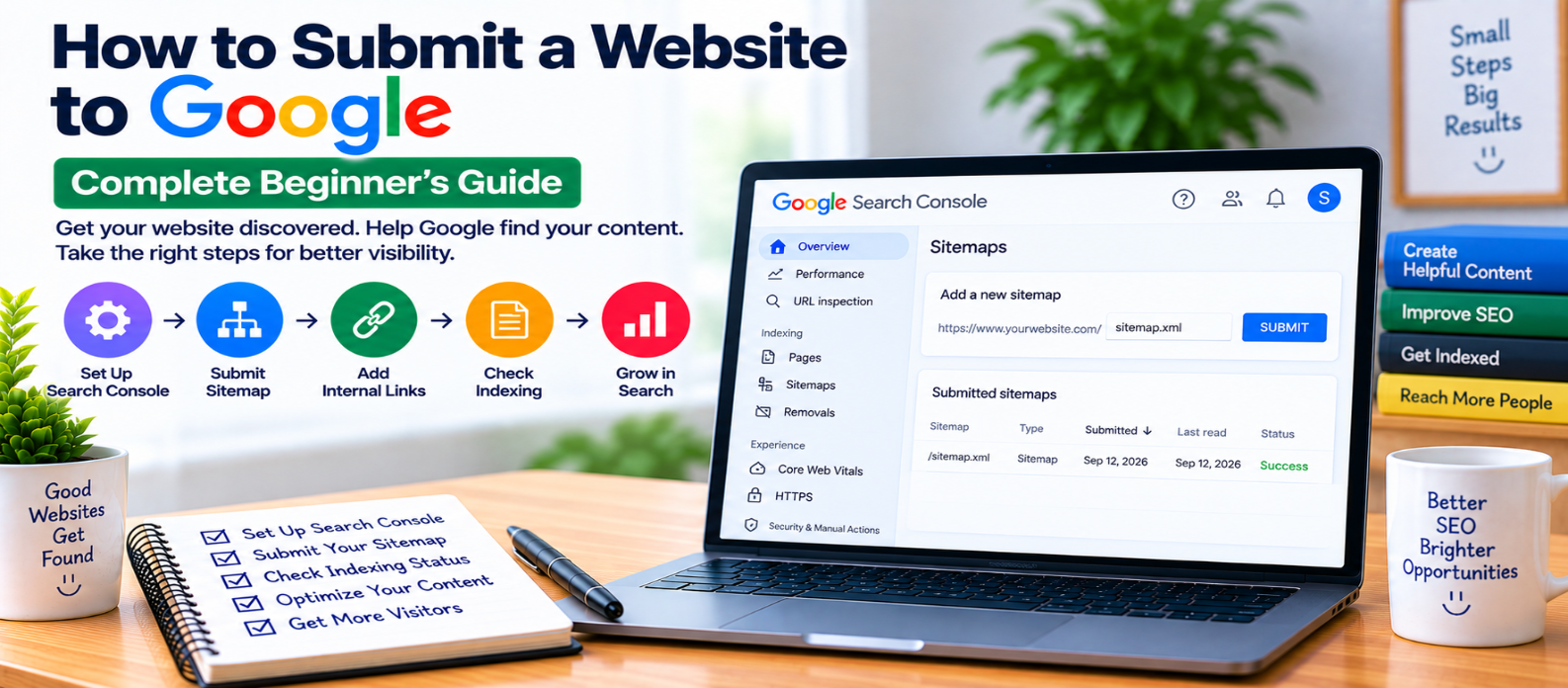
"Learn how to submit your website to Google using Search Console, XML sitemaps and URL Inspection, while checking robots.txt, noindex directives, canonical URLs, internal links, crawling, indexing, and common submission mistakes."
How to Submit a Website to Google
Launching a website doesn't require paying someone to “submit it to Google.” Google can discover public websites naturally by following links, but website owners can also provide clearer discovery signals through Google Search Console and an XML sitemap.
Submitting your website can help Google discover its URLs, especially when the site is new. However, submission doesn't guarantee that every page will be crawled, indexed, or ranked.
Here's how the process actually works.
What Does “Submit a Website to Google” Mean?
There isn't a single submission that guarantees your entire website will appear in search results.
Instead, you can help Google discover your content through:
Google Search Console
        +
XML Sitemap
        +
URL Inspection
        +
Internal & External Discovery
Google then decides when to crawl URLs and whether individual pages should be indexed.
Think of submission as making discovery easier, not requesting guaranteed placement in search results.
Step 1: Make Sure Your Website Is Public
Before submitting anything, confirm that your website is accessible without requiring a password or login.
Open important pages normally and verify that they load successfully.
Watch for:
- Server errors
- Password protection
- Maintenance mode
- Broken redirects
- Incorrect firewall rules
A sitemap cannot compensate for pages Google cannot access.
Step 2: Check Your Robots.txt File
Your website's robots.txt file can control crawler access.
A rule such as:
User-agent: *
Disallow: /
attempts to block compliant crawlers from crawling the entire site.
This sometimes happens when a development website is launched without updating its crawler settings.
Make sure important public areas aren't unintentionally blocked.
Don't remove restrictions protecting sections that genuinely shouldn't be crawled.
Step 3: Check for Accidental Noindex Directives
A page can also contain an instruction requesting that search engines not index it:
<meta name="robots" content="noindex">If an important public page contains noindex, submitting it won't solve the underlying problem.
Review your website templates and CMS settings, particularly after moving from staging to production.
Only remove noindex from pages you actually want eligible for search indexing.
Step 4: Set Up Google Search Console
Google Search Console provides website owners with tools for monitoring their presence in Google Search.
First, add the appropriate website property and complete ownership verification.
Depending on your setup, you may use a Domain property or URL-prefix property.
Once verified, Search Console can help you:
- Submit sitemaps
- Inspect individual URLs
- Monitor indexing information
- Review search performance
- Identify certain crawling or indexing problems
For most website owners, this is the central place for managing Google Search visibility.
Step 5: Create an XML Sitemap
An XML sitemap lists important URLs you want search engines to discover.
A basic entry can look like:
<url>
  <loc>https://example.com/seo-guide/</loc>
</url>
Your sitemap should generally contain the canonical URLs of pages you consider suitable for indexing.
Include pages such as:
- Important articles
- Useful tools
- Product or service pages
- Category pages that provide real value
Avoid filling the sitemap with broken, redirected, duplicate, or intentionally non-indexable URLs.
Step 6: Submit Your Sitemap
After creating the sitemap, provide its location through the sitemap area in Search Console.
For example, your sitemap might exist at:
https://example.com/sitemap.xmlGoogle can then use it as one source for discovering URLs.
For larger websites, sitemap indexes may organize multiple sitemap files.
Submitting a sitemap doesn't mean:
Sitemap Submitted
       =
Every URL Indexed
The actual relationship is closer to:
Sitemap Submitted
       ↓
URLs Become Easier to Discover
       ↓
Google May Crawl Them
       ↓
Google Evaluates Them
       ↓
Indexing Decision
Step 7: Inspect Important URLs
Search Console's URL Inspection feature can help you investigate a specific page.
For example, after publishing:
https://example.com/new-guide/you can inspect the URL to understand Google's information about it.
For an important new or updated page, an indexing request may be available where appropriate.
This can be useful, but don't treat it as a required publishing ritual for every URL.
Step 8: Don't Repeatedly Request Indexing
If a page hasn't been indexed, repeatedly submitting the same request usually doesn't address the cause.
Investigate whether the page has problems such as:
Blocked Crawling
Incorrect Noindex
Wrong Canonical
Server Error
Duplicate Content
Poor Discovery
Fix the underlying issue first.
Submission isn't a workaround for technical or content problems.
Step 9: Add Internal Links
Don't depend entirely on your sitemap.
Connect important pages through normal internal links.
For example:
Homepage
   ↓
SEO Guides
   ↓
Technical SEO
   ↓
XML Sitemap Guide
When you publish a new article, link to it from relevant existing pages where doing so helps readers.
This makes the page part of your website rather than an isolated URL.
Step 10: Check Your Canonical URLs
A canonical tag tells search engines which URL you prefer as the representative version of duplicate or highly similar content.
If:
/new-guide/accidentally declares:
/old-guide/as canonical, you're sending conflicting signals.
Check that important pages use appropriate canonical URLs before worrying about submission.
Step 11: Help Google Discover a New Website Naturally
A completely new website may initially have few external discovery paths.
Over time, Google can discover it through:
- XML sitemaps
- Internal links
- Links from other websites
- Existing pages Google already knows
- Other normal crawling and discovery processes
You don't need to purchase “search engine submission packages.”
Focus on making your website technically accessible and worth discovering.
Step 12: Monitor What Happens After Submission
After submitting your sitemap, use Search Console to monitor the site.
Check:
- Whether the sitemap was processed
- Whether important URLs are known
- Indexing information for key pages
- Technical problems
- Search impressions as they begin appearing
Allow time for crawling and processing.
Submission today doesn't guarantee search visibility tomorrow.
Submission vs Indexing vs Ranking
These concepts are often confused.
Submission
You provide discovery information about your URLs.
Crawling
Google accesses and retrieves a page.
Indexing
Google processes the page and may include it in its search index.
Ranking
Google determines when and where an indexed page may appear for particular searches.
The process can be visualized as:
Submit / Discover
       ↓
Crawl
       ↓
Process
       ↓
Index
       ↓
Potentially Rank for Relevant Searches
Success at one stage doesn't guarantee success at the next.
Common Website Submission Mistakes
Avoid:
- Paying for unnecessary submission services
- Assuming sitemap submission guarantees indexing
- Repeatedly requesting indexing
- Submitting URLs containing
noindex - Blocking submitted pages in robots.txt
- Including redirects in your sitemap
- Submitting duplicate URL variations
- Ignoring incorrect canonical tags
- Publishing important pages without internal links
- Expecting immediate rankings after submission
Website Submission Checklist
Before considering the process complete, verify:
-
Website is publicly accessible
-
Important pages load successfully
-
Robots.txt isn't unintentionally blocking them
-
Important pages don't contain accidental
noindex -
Canonical URLs are correct
-
Search Console ownership is verified
-
XML sitemap exists
-
Sitemap contains appropriate canonical URLs
-
Sitemap is submitted successfully
-
Important new URLs can be inspected
-
New content has relevant internal links
-
Broken and redirected URLs are excluded from the sitemap
-
Indexing status is monitored
-
Enough time is allowed for processing
Conclusion
Submitting a website to Google is much simpler than it sometimes sounds.
A practical workflow is:
Launch Website
      ↓
Verify Search Console
      ↓
Create XML Sitemap
      ↓
Submit Sitemap
      ↓
Build Internal Links
      ↓
Inspect Important URLs
      ↓
Monitor Indexing
Your job is to make important pages accessible, crawlable, indexable, well connected, and easy to discover.
Google then decides how and when those pages are crawled, indexed, and displayed in search.
Submission opens a discovery path. Useful content and sound technical SEO determine whether your website is genuinely prepared for search visibility.
Get a Free Access To 200+ Free Tools:
|
Home Page |
|
|
Calculator Tools |
|
|
Text & Converter Tools |
|
|
PDF & Image Tools |
|
|
Games & Developer Tools |
|
|
Resume Builder |