
How to Use AI to Build a Website Without Coding: Complete Beginner's Guide
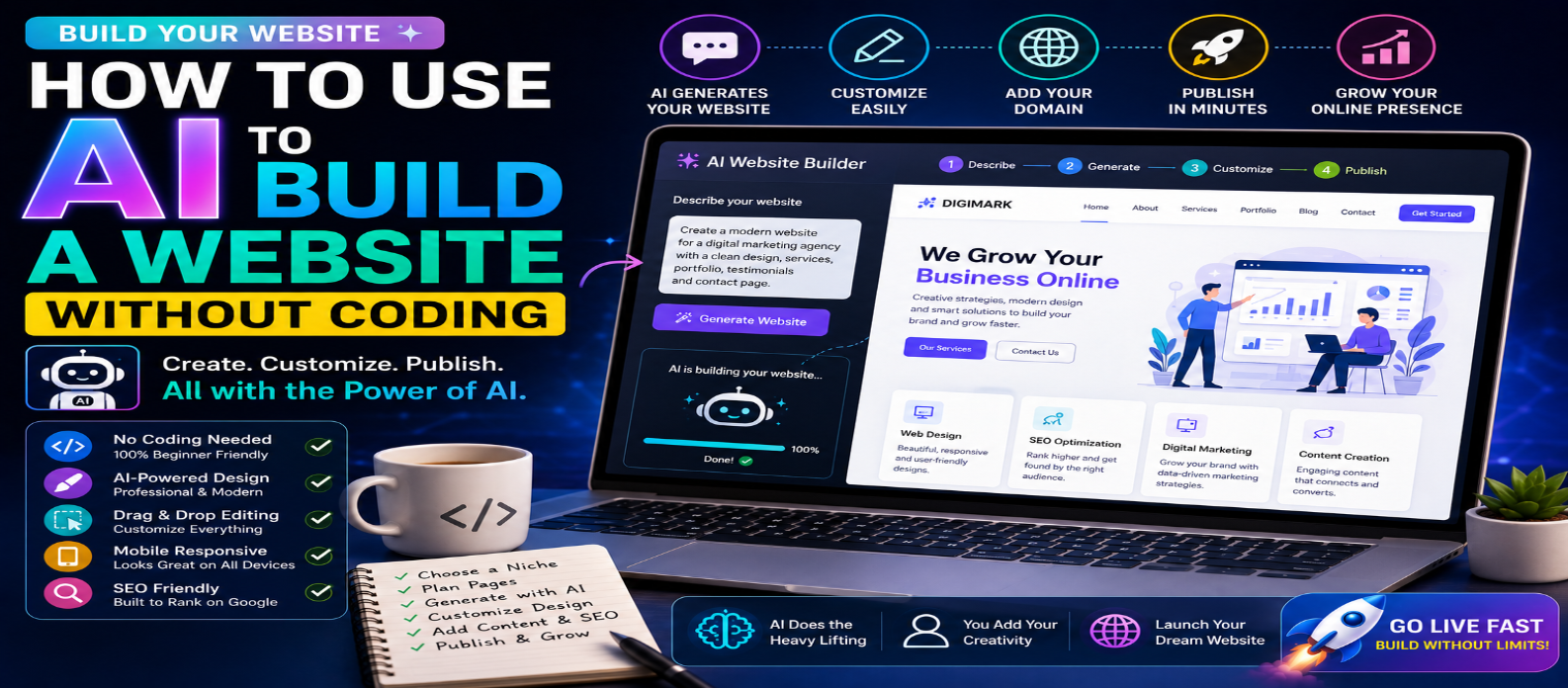
"Learn how to use AI to build a website without coding in 2026. This step-by-step beginner's guide covers AI website builders, prompts, no-code design, SEO, mobile optimization, domains, testing, publishing, and more."
How to Use AI to Build a Website Without Coding
Building a website once required knowledge of HTML, CSS, JavaScript, hosting, and web design. In 2026, AI website builders and no-code tools are making the process much easier. You can describe the website you want in plain language, let AI generate a starting design and content, and customize the result visually without writing code.
This makes website creation more accessible to small business owners, freelancers, bloggers, creators, students, and entrepreneurs who want an online presence without becoming professional developers.
But AI doesn't automatically guarantee a great website. You still need a clear purpose, useful content, good design, SEO, security, and testing.
This beginner-friendly guide explains how to use AI to build a website without coding, step by step.
What Is an AI Website Builder?
An AI website builder is a platform that uses artificial intelligence to help create websites from user instructions.
Instead of manually coding a page, you might enter a prompt such as:
"Create a modern website for a digital marketing agency with a homepage, services section, portfolio, testimonials, blog, and contact page."
The AI can then generate a starting website containing elements such as:
- Page layouts
- Navigation
- Headlines
- Text
- Buttons
- Images or visual suggestions
- Forms
- Color schemes
- Mobile layouts
You can then customize the website using visual editing tools.
Can You Really Build a Website Without Coding?
Yes. For many standard websites, you can build and publish a functional site without manually writing code.
No-code AI website builders are particularly suitable for:
- Business websites
- Portfolios
- Blogs
- Landing pages
- Personal websites
- Event websites
- Service websites
- Simple online stores
However, highly customized web applications may still require developers or technical knowledge.
Think of AI website builders as a way to remove much of the technical complexity, not every decision involved in building a successful website.
Step 1: Decide What Website You Want to Build
Don't start by asking AI to "make a website."
First define the purpose.
Ask yourself:
Who is the website for? What should visitors do? What information do they need?
For example:
"I need a professional website for a photography business. Visitors should be able to view my portfolio, learn about packages, read testimonials, and contact me for bookings."
Clear requirements give AI a much better starting point.
Step 2: Plan Your Website Structure
Create a simple sitemap before generating the design.
A small business website might use:
Home → About → Services → Portfolio → Blog → Contact
An online store could use:
Home → Shop → Product → About → FAQ → Contact
Keep the structure simple. Visitors should be able to find important information without navigating through many layers.
Step 3: Choose an AI Website Builder
Look for a platform that supports the features your website actually needs.
Important features to consider include:
- AI website generation
- Drag-and-drop editing
- Responsive design
- Custom domains
- SEO settings
- Blogging
- Forms
- E-commerce
- Analytics
- Integrations
- Hosting
- Security
Don't choose a platform only because its AI demo looks impressive.
Also consider pricing, export options, scalability, support, and platform limitations before committing.
Step 4: Write a Detailed AI Prompt
The prompt is one of the most important parts of AI website creation.
Instead of:
"Build a restaurant website."
Try:
"Create a modern, mobile-friendly website for a premium vegetarian restaurant. Include a large hero section, menu categories, restaurant story, customer reviews, opening hours, location, reservation button, and contact information. Use a clean and elegant visual style."
Include details about:
Business → Audience → Pages → Features → Style → Main Call to Action
The clearer your instructions, the closer the generated website should be to your vision.
Step 5: Let AI Generate the First Version
The AI builder may generate a complete starting website or individual sections.
Treat this as a first draft, not the finished product.
Review:
- Layout
- Navigation
- Headings
- Images
- Text
- Buttons
- Page structure
- Colors
- Mobile appearance
Keep useful elements and replace anything generic or inaccurate.
Step 6: Customize the Design
Your website shouldn't look like a generic AI template.
Customize the visual identity using:
- Brand colors
- Logo
- Fonts
- Original images
- Icons
- Button styles
- Spacing
- Section layouts
Keep the design consistent throughout the site.
A simple professional design is often more effective than a page filled with animations and visual effects.
Step 7: Replace Generic AI Content
AI can create useful drafts, but your final content should accurately represent you or your business.
Review every:
Headline → Description → Service → Price → Testimonial → Contact Detail → Call to Action
Never publish invented customer testimonials, business achievements, statistics, or other factual claims simply because AI generated them.
Add your own expertise and original information.
Step 8: Make the Website SEO-Friendly
Before publishing, optimize important pages for search engines.
Focus on:
- Descriptive page titles
- Meta descriptions
- Clear headings
- Clean URLs
- Internal links
- Image alt text
- Useful original content
- Mobile usability
- Fast loading
For example, instead of a URL such as:
example.com/page-7
use something descriptive such as:
example.com/web-design-services
SEO should be considered while building the site rather than added only after launch.
Step 9: Optimize Images and Website Speed
AI-generated websites can still become slow if they contain large images, animations, videos, or unnecessary scripts.
Before publishing:
- Compress images
- Use appropriate image dimensions
- Remove unnecessary animations
- Limit heavy third-party scripts
- Optimize fonts
- Test mobile performance
A visually impressive website isn't useful if visitors leave before it loads.
Step 10: Check Mobile Responsiveness
A website may look excellent on a desktop and still perform poorly on a smartphone.
Check:
- Navigation
- Text size
- Buttons
- Forms
- Images
- Spacing
- Pop-ups
- Horizontal scrolling
Make sure important actions such as Buy, Contact, Book, Subscribe, or Get Started are easy to use on mobile devices.
Step 11: Add Your Domain and Essential Features
Once the basic website is ready, connect your domain and configure necessary features.
Depending on your website, these might include:
- Contact forms
- Email subscriptions
- Analytics
- Social profiles
- Payment processing
- Booking systems
- E-commerce
- Privacy settings
Test each feature instead of assuming it works because the AI created it.
Step 12: Review Everything Before Publishing
Perform a final website check.
Test:
Desktop → Mobile → Navigation → Links → Forms → SEO → Speed → Spelling → Images → Security
Also check that your contact information, business details, pricing, and legal information are accurate.
Ask another person to navigate the site if possible. They may find usability problems you've overlooked.
Step 13: Publish and Keep Improving
Publishing isn't the end of website development.
After launch, monitor:
- Visitors
- Popular pages
- Search traffic
- Form submissions
- Broken links
- Website speed
- User behavior
- Conversions
Use this information to improve your content and design over time.
AI can continue helping you create new pages, rewrite content, generate ideas, and analyze potential improvements.
Advantages of Building a Website With AI
AI no-code website creation can provide several benefits:
Faster Setup → Lower Technical Barrier → Easier Design → Quick Content Drafts → Simple Editing
It can be particularly useful for people who need a professional online presence but don't require highly specialized functionality.
Limitations You Should Know
AI website builders also have limitations.
You may encounter:
- Limited customization
- Platform dependency
- Paid features
- Generic AI content
- Restricted integrations
- Migration difficulties
- Limited access to underlying code
Check these limitations before building a large website on any platform.
Conclusion
AI has made it possible for many people to build a website without coding.
The process can be surprisingly straightforward:
Choose an Idea → Plan Pages → Select an AI Builder → Write a Detailed Prompt → Generate → Customize → Add Real Content → Optimize SEO → Test → Publish
AI handles much of the technical starting work, while you remain responsible for the website's purpose, accuracy, branding, quality, and user experience.
You don't need to become a programmer before launching your first website. With the right AI website builder, a clear plan, and careful customization, you can turn an idea into a professional online presence without writing a single line of code.
Get a Free Access To 200+ Free Tools:
|
Home Page |
|
|
Calculator Tools |
|
|
Text & Converter Tools |
|
|
PDF & Image Tools |
|
|
Games & Developer Tools |
|
|
Resume Builder |