
Internal Linking Strategy: Complete SEO Guide
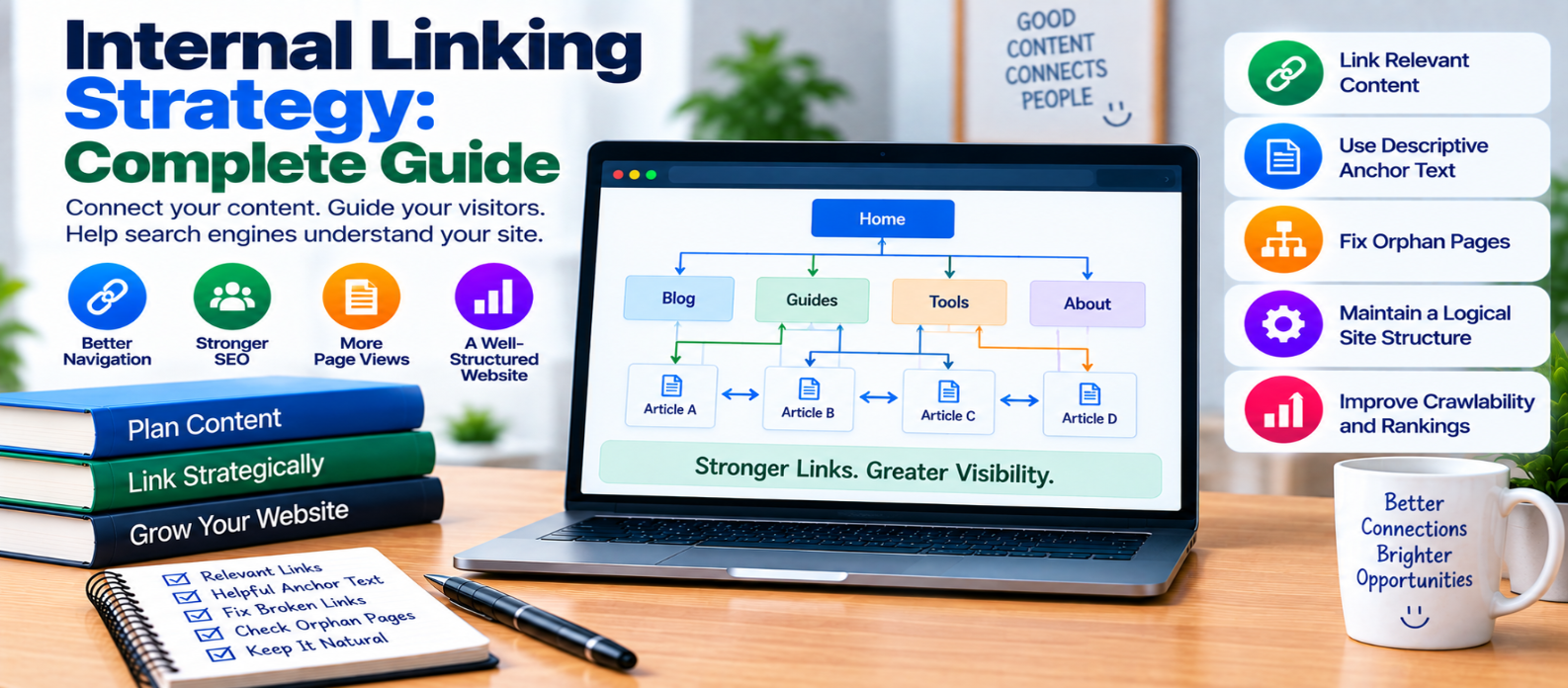
"Learn how to build an effective internal linking strategy using contextual links, descriptive anchor text, topic clusters, logical site architecture, orphan-page fixes, canonical URLs, and regular internal-link audits."
Internal Linking Strategy: Complete Guide
Internal links connect one page of your website to another page on the same website.
They may look simple, but they serve several important purposes: helping visitors discover related information, showing relationships between pages, supporting website navigation, and giving search-engine crawlers paths through your content.
A strong internal linking strategy isn't about adding as many links as possible. It is about placing useful links between genuinely related pages.
What Is an Internal Link?
An internal link points from one URL on your domain to another relevant URL on the same site.
For example:
<a href="/technical-seo-guide/">
  Technical SEO Guide
</a>
Internal links can appear in:
- Main navigation
- Blog articles
- Category pages
- Breadcrumbs
- Related-content sections
- Footers
- Product pages
Contextual links inside useful content can be particularly helpful because the surrounding text explains why the destination matters.
Why Internal Linking Matters
Imagine your website as a network:
Homepage
   ↓
Main Topic
   ↓
 ┌─────┼─────┐
 ↓     ↓     ↓
Page A Page B Page C
Without connections, important pages may become difficult for both visitors and crawlers to discover.
Internal links can help with:
Navigation: Visitors can continue exploring related topics.
Discovery: Crawlers can follow links to find other pages.
Context: Link placement and anchor text can help communicate what the destination page covers.
Site structure: Links establish relationships between broad topics and more specific supporting pages.
Build a Logical Website Structure
Internal linking works best when the website itself has a clear structure.
A simple content hierarchy might be:
Homepage
   ↓
SEO
   ↓
Technical SEO
   ↓
 ┌────────┬─────────┬─────────┐
 ↓        ↓         ↓
Sitemaps Robots.txt Canonicals
The broader Technical SEO page can link to detailed guides.
Those guides can also link back to relevant broader resources and to one another where the connection genuinely helps readers.
This creates understandable content relationships rather than isolated articles.
Use Contextual Internal Links
A contextual link appears naturally within the main content.
For example:
Before changing crawl rules, understand how your XML sitemap helps crawlers discover important URLs.
Here, XML sitemap could link to your sitemap guide.
This works because the destination directly helps someone understand the current topic.
Avoid inserting unrelated links simply because you want another page to receive more internal links.
Write Descriptive Anchor Text
Anchor text is the clickable text of a link.
Compare:
Click herewith:
XML sitemap guideThe second gives users useful information about what they will find after clicking.
Keep anchor text natural and descriptive.
You don't need to force the exact same keyword into every link pointing to a page. Variation that accurately reflects context is normal.
Link From Relevant High-Visibility Pages
Some pages naturally receive more traffic, navigation exposure, or internal links than others.
When a useful relationship exists, these pages can provide discovery paths to deeper content.
For example:
Technical SEO Guide
      ↓
XML Sitemap Guide
      ↓
Robots.txt Guide
      ↓
Canonical URL Guide
But don't add links purely because the source page is popular.
Relevance should come first.
Find and Fix Orphan Pages
An orphan page has no meaningful internal links pointing to it.
Suppose you publish:
/blog/schema-markup-guide/but no category, article, navigation page, or other useful page links to it.
Search engines might still discover it through a sitemap, but users have fewer natural paths to reach it.
Important pages should generally be integrated into the site's internal structure.
Link New Articles to Older Content
When publishing a new article, look for relevant older pages you can reference.
But also do the reverse.
After publishing the new page:
- Identify older related articles.
- Find passages where the new article adds useful detail.
- Add appropriate links.
- Verify the links work.
This creates connections in both directions instead of leaving every new article dependent on future content.
Use Topic Clusters Naturally
A topic cluster groups related content around a broader subject.
For example:
Website Security
      ↓
 ┌───────────┼────────────┐
 ↓           ↓            ↓
HTTPS       XSS        SQL Injection
 ↓
Security Headers
The broad page introduces the subject, while supporting articles explore individual concepts.
Internal links connect them where useful.
Don't create dozens of nearly identical articles merely to manufacture a cluster. Each page should satisfy a distinct search intent or information need.
Don't Overload Pages With Links
More internal links don't automatically produce better SEO.
A paragraph containing links on nearly every phrase becomes distracting:
Link → Link → Link → Link → LinkAsk one simple question:
Would this link genuinely help someone reading this section?
If the answer is no, you probably don't need it.
Fix Broken Internal Links
Broken links create poor navigation and waste useful crawl paths.
They commonly appear after:
- URL changes
- Deleted articles
- Website migrations
- Category restructuring
- Slug changes
If a linked page permanently moved, update the internal link to the final destination rather than unnecessarily relying on a redirect.
Prefer:
Page A → Final Pageinstead of:
Page A → Old URL → Redirect → Final PageKeep Canonical URLs Consistent
Internal links should normally point directly to the preferred canonical version.
Avoid repeatedly linking to variations such as:
/guide?ref=blog
/guide?source=menu
/guide?campaign=internal
when the intended internal destination is simply:
/guide/This creates a cleaner and more consistent site structure.
Don't Hide Important Links Behind Difficult Interactions
Important navigation should be implemented so users and crawlers can reliably access the links.
Be particularly careful when navigation depends entirely on complex JavaScript interactions.
Test important menus, category structures, and content links on both desktop and mobile.
Audit Your Internal Links
A useful internal-link audit can identify:
- Broken links
- Orphan pages
- Redirecting links
- Important pages with few internal links
- Pages with excessive irrelevant links
- Noncanonical destinations
- Outdated anchor text
Prioritize problems affecting important pages rather than trying to make every page have an identical number of links.
Internal Linking Checklist
Before publishing a page, check:
-
Important pages have internal links
-
Links are contextually relevant
-
Anchor text describes destinations naturally
-
New content links to useful existing resources
-
Older content links to new relevant pages
-
Orphan pages are reviewed
-
Broken links are fixed
-
Redirecting internal links are updated
-
Canonical URLs are used
-
Topic relationships are clear
-
Navigation works on mobile
-
Links aren't added purely for keywords
-
Pages aren't overloaded with unnecessary links
-
Important content is reasonably discoverable
-
Internal links are periodically audited
Conclusion
A strong internal linking strategy creates useful paths through your website:
Useful Content
      ↓
Relevant Internal Links
      ↓
Clear Topic Relationships
      ↓
Better Discovery
      ↓
Easier Navigation
Start with your site's structure. Connect related pages using natural contextual links, descriptive anchor text, and consistent canonical URLs. Find orphan pages, repair broken links, and revisit older articles when publishing new content.
The goal isn't to maximize the number of internal links.
It's to build a website where every important page has a logical place and users can naturally move from one useful answer to the next.
Get a Free Access To 200+ Free Tools:
|
Home Page |
|
|
Calculator Tools |
|
|
Text & Converter Tools |
|
|
PDF & Image Tools |
|
|
Games & Developer Tools |
|
|
Resume Builder |