
Keyword Research: Complete Beginner's Guide for SEO
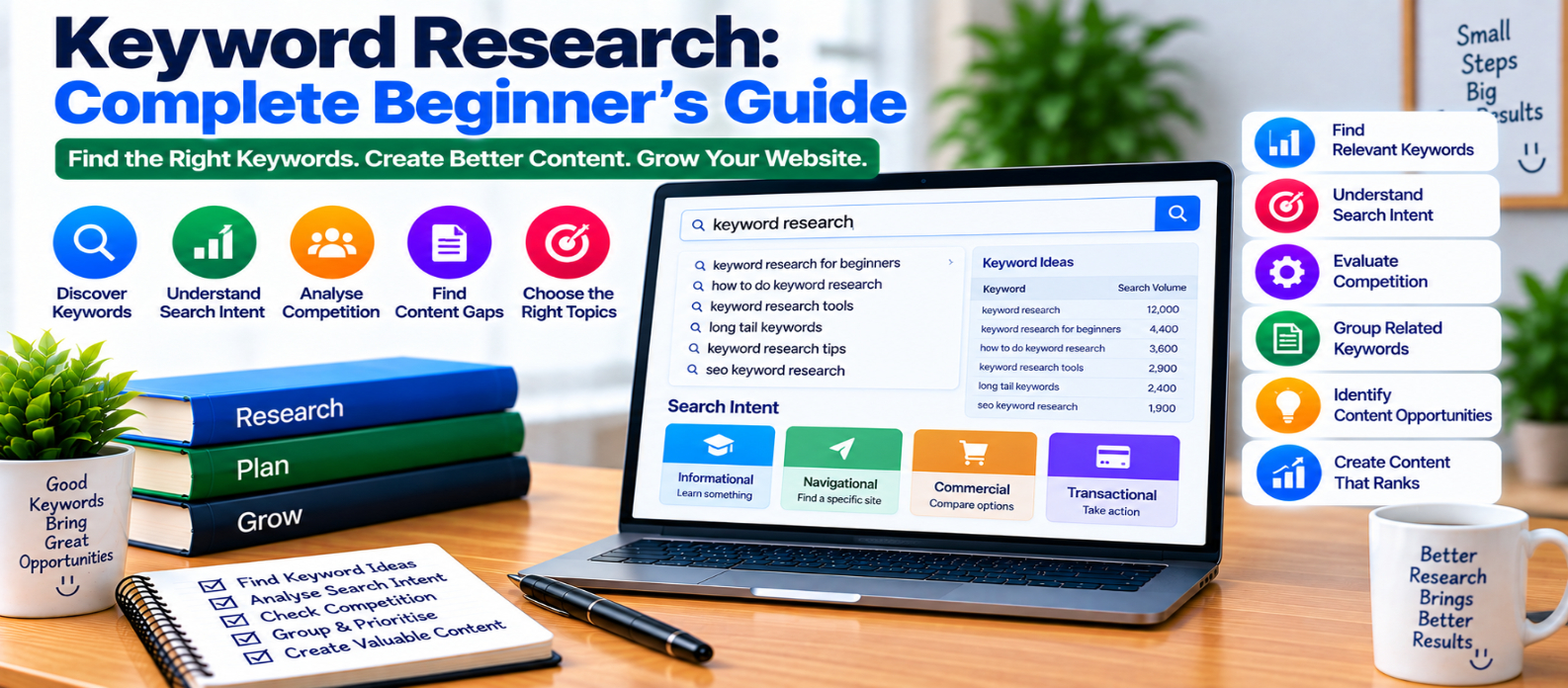
"Learn how to do keyword research by finding relevant search terms, understanding search intent, evaluating volume and competition, discovering long-tail keywords, grouping related queries, identifying content gaps, and choosing topics worth targeting."
Keyword Research: Complete Beginner's Guide
Keyword research is often described as finding popular words people type into search engines. That definition misses the most important part.
Good keyword research is about understanding what people are trying to accomplish when they search and deciding whether your website can provide a genuinely useful answer.
Instead of collecting thousands of keywords, your goal should be to identify meaningful topics, understand their search intent, and create pages that satisfy that intent better.
What Is Keyword Research?
Keyword research is the process of discovering and evaluating the words and phrases people use when searching for information, products, services, or solutions.
For example, someone interested in website speed might search:
website speed
how to speed up a website
why is my website slow
reduce website loading time
optimize images for website speed
These queries are related, but they don't necessarily represent exactly the same need.
Keyword research helps you understand those differences.
Start With Seed Keywords
A seed keyword is a broad term that helps you begin exploring a topic.
For a web-development website, examples might include:
HTML
CSS
JavaScript
SEO
website speed
website security
Seed keywords aren't always the best final targets. They are starting points for discovering more specific searches.
For example:
website security
       ↓
how to secure a website
       ↓
website security checklist
       ↓
how to protect website from hackers
The deeper you explore, the more clearly you can see what users actually want.
Understand Search Intent
Search intent is the purpose behind a query.
A useful simplified model includes:
Informational
The user wants to learn something.
what is an XML sitemapNavigational
The user wants to reach a particular website or page.
Commercial Investigation
The user is comparing possible solutions before making a decision.
best website builders for beginnersTransactional
The user wants to take an action such as purchasing, subscribing, or downloading.
Don't create an informational tutorial when the search results clearly indicate that users primarily want a tool or product comparison.
Use Search Suggestions as Topic Clues
Search engines often reveal related queries through autocomplete, related searches, and question-based features.
These can help uncover:
- Common questions
- Alternative wording
- Subtopics
- Problems users experience
- More specific search intents
Treat them as research clues rather than instructions to create a separate article for every phrase.
Several closely related queries may belong on one strong page.
Discover Long-Tail Keywords
Long-tail keywords are typically more specific search queries.
Compare:
SEOwith:
how to improve SEO for a small websiteThe second query provides much more context about what the searcher needs.
Long-tail topics can be valuable because they often make search intent easier to understand.
However, don't assume that every long phrase automatically has low competition or high conversion potential. Evaluate the actual search landscape.
Look Beyond Search Volume
Search volume estimates can help indicate relative demand, but they shouldn't make the decision for you.
Imagine two topics:
Topic A → 50,000 estimated searches
Topic B → 2,000 estimated searches
Topic B may still be more useful if it closely matches your website, attracts the right audience, and leads naturally to your tools or related content.
Ask:
Is this topic relevant to the people my website serves?
Relevance should come before chasing the largest number.
Evaluate Keyword Competition Carefully
Keyword tools may provide difficulty or competition scores.
These are useful estimates, not guarantees.
Before targeting a topic, inspect the actual search landscape.
Consider:
- What kinds of pages appear?
- How thoroughly do they answer the query?
- Are results mostly tutorials, tools, products, or videos?
- Can you contribute something meaningfully useful?
- Does your website fit the intent?
Don't reject a topic solely because one tool displays a high difficulty number.
Study the Search Results
The search results themselves provide valuable information about intent.
Suppose you research:
image compressorand most prominent results are interactive compression tools.
That suggests users probably want to compress an image immediately, not read a 3,000-word explanation first.
For:
how image compression worksan educational article may be much more appropriate.
Keyword research should influence the type of page you create, not just its title.
Group Keywords by Intent
Avoid creating separate pages for tiny keyword variations such as:
what is robots.txt
robots.txt explained
robots.txt guide
robots txt complete guide
These may represent essentially the same intent.
One comprehensive page can naturally address them.
Instead, create separate pages when the intent is meaningfully different:
What Is Robots.txt?
How to Create Robots.txt
Robots.txt vs Meta Robots
Common Robots.txt Mistakes
Even here, combine topics when one page can satisfy the same audience without becoming unfocused.
Map Keywords to Existing Pages
Before creating new content, check whether your website already covers the topic.
A simple keyword map might look like:
Topic                     Target Page

XML Sitemap      → /xml-sitemap-guide/
Robots.txt       → /robots-txt-guide/
Canonical URLs   → /canonical-urls-guide/
Schema Markup    → /schema-markup-guide/
This helps prevent multiple pages from unintentionally targeting nearly identical search intent.
Sometimes updating an existing article is better than publishing another one.
Find Content Gaps
A content gap is a relevant topic your audience needs but your website doesn't adequately address.
Suppose your site already covers:
Website Performance
 ├── LCP
 ├── INP
 ├── CLS
 └── Image Optimization
but visitors also need guidance on server response time.
That may be a meaningful gap.
Don't create a page merely because a competitor has one. The topic should also make sense for your audience.
Prioritize Keywords With a Simple Framework
Instead of choosing keywords based on search volume alone, evaluate:
Relevance
   +
Search Intent Fit
   +
Real User Value
   +
Traffic Opportunity
   +
Ability to Create Something Useful
A smaller, highly relevant topic may deserve priority over a huge unrelated keyword.
Turn Keyword Research Into Content
Once you've chosen a topic, don't paste every related keyword into the article.
Use research to understand the questions the page should answer.
For example, research around canonical URLs might reveal that readers want to know:
- What is a canonical URL?
- When should I use one?
- Canonical vs redirect?
- Canonical vs noindex?
- Can canonicals point across domains?
- What mistakes should I avoid?
Those questions become a natural content structure.
Common Keyword Research Mistakes
Avoid:
- Targeting keywords only because volume is high
- Ignoring search intent
- Creating one page for every keyword variation
- Trusting difficulty scores blindly
- Copying competitors' topic lists
- Stuffing keywords into headings
- Ignoring existing content
- Targeting topics unrelated to your audience
- Choosing keywords without checking search results
- Assuming longer articles automatically rank better
Beginner Keyword Research Checklist
Before choosing a keyword, ask:
-
Is it relevant to my website?
-
What does the searcher actually want?
-
What type of page fits that intent?
-
Do I already have a page covering it?
-
Are related keywords part of the same intent?
-
Is there meaningful search demand?
-
What currently appears in search results?
-
Can I create something genuinely useful?
-
Does the topic fit my audience?
-
Can it connect naturally to other site content?
-
Am I prioritizing relevance over vanity volume?
-
Have I avoided unnecessary keyword stuffing?
Conclusion
Keyword research isn't simply:
Find High-Volume Keyword
          ↓
Write Article
A better process is:
Understand Audience
       ↓
Discover Searches
       ↓
Identify Intent
       ↓
Evaluate Relevance
       ↓
Group Related Queries
       ↓
Choose the Right Page Type
       ↓
Create Something Useful
Use keywords to understand people—not to manipulate text.
When your research reveals what your audience needs, why they search for it, and what kind of page would genuinely help them, keywords become a content-planning tool rather than a collection of phrases to repeat.
Get a Free Access To 200+ Free Tools:
|
Home Page |
|
|
Calculator Tools |
|
|
Text & Converter Tools |
|
|
PDF & Image Tools |
|
|
Games & Developer Tools |
|
|
Resume Builder |