
Landing Page Design: Complete Guide to High-Converting Pages
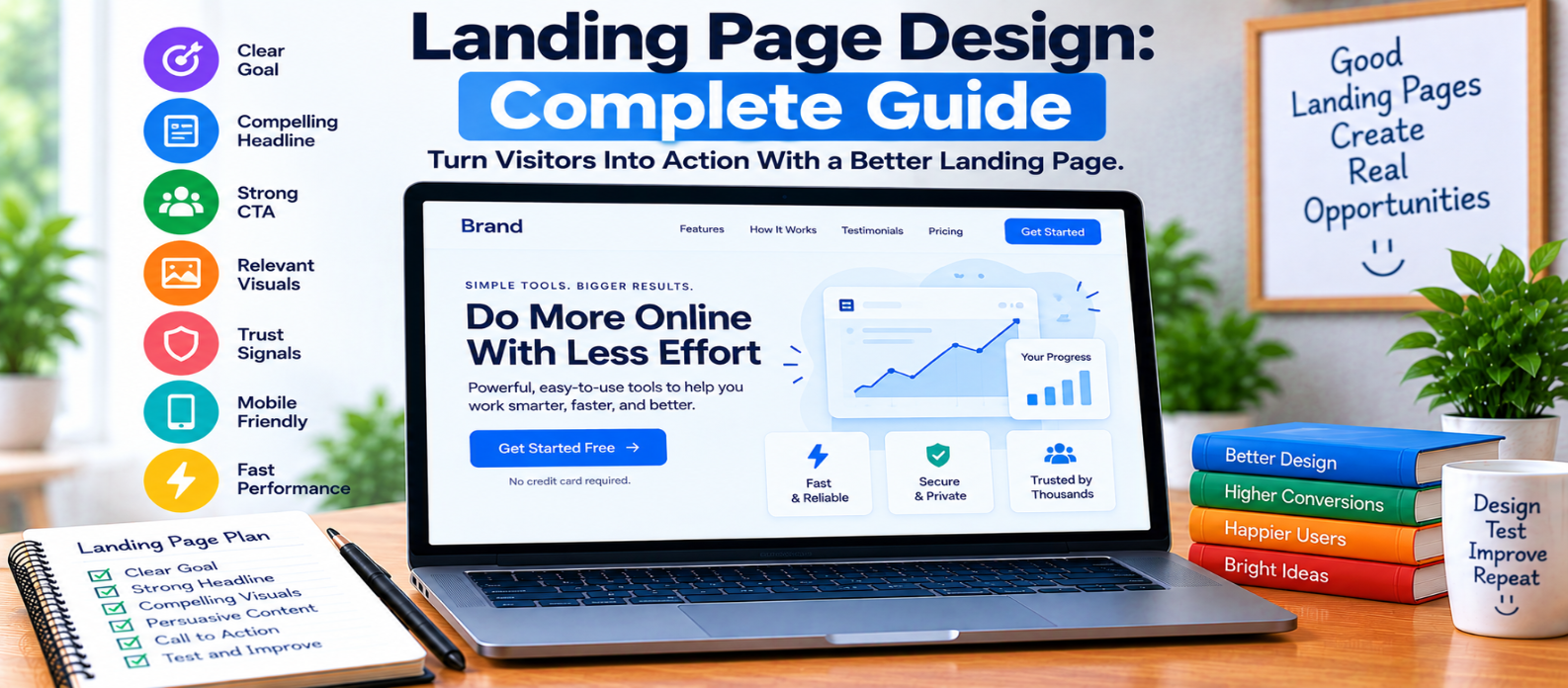
"Learn how to design effective landing pages with clear goals, compelling hero sections, strong calls to action, benefit-focused content, genuine trust signals, simple forms, mobile-friendly layouts, fast performance, and practical testing."
Landing Page Design: Complete Guide
A landing page has a focused job: move a visitor toward a specific action.
That action might be starting a free trial, requesting a demo, downloading a resource, joining a waiting list, buying a product, or using an online tool.
Good landing page design isn't about filling the screen with persuasive elements. It is about removing uncertainty and helping visitors quickly understand what is being offered, why it matters, and what they should do next.
1. Define One Primary Goal
Start with the action you want visitors to take.
For example:
Visitor Arrives
      ↓
Understands the Offer
      ↓
Sees the Benefit
      ↓
Trusts the Page
      ↓
Takes Action
Avoid giving several unrelated actions equal prominence.
A page promoting a free trial shouldn't simultaneously push visitors toward a newsletter, unrelated products, multiple downloads, and several competing offers.
2. Build a Clear Hero Section
The first visible section should establish the page's purpose quickly.
A practical hero can contain:
- Clear headline
- Short supporting explanation
- Primary call to action
- Relevant visual
- Important trust information when appropriate
For example:
Compress Website Images Without Complicated Software
Reduce image file sizes directly in your browser with a simple online tool.
[Compress an Image]
Visitors shouldn't need to scroll through several sections before understanding what the page offers.
3. Write a Specific Headline
Avoid headlines that sound impressive but communicate little.
Vague:
Transform Your Digital Future
Specific:
Create Professional Invoices Online in Minutes
The second tells visitors what they can actually accomplish.
A strong headline should match the promise that brought the visitor to the page.
4. Explain Benefits, Not Just Features
Features describe what something has.
Benefits explain why those features matter.
Consider:
Feature:
Automatic image compression

Benefit:
Reduce image file size without manually adjusting compression settings
Both can be useful, but visitors often need the benefit to understand why a feature matters.
Use concise sections to answer:
“What does this help me accomplish?”
5. Design a Strong Call to Action
The CTA should describe the next step.
Examples include:
Start Free
Create Your Account
Download the Guide
Try the Tool
Request a Demo
Avoid vague labels when a more descriptive action is possible.
Make the primary CTA visually noticeable without turning every button on the page into the same high-priority action.
If the page is long, repeating the primary CTA at logical points can save visitors from having to return to the top.
6. Use Visuals That Explain Something
Images should support the offer rather than merely occupy space.
Depending on the product, useful visuals might include:
- Product screenshots
- Interface previews
- Before-and-after comparisons
- Short demonstrations
- Relevant illustrations
- Simple diagrams
If you're promoting a dashboard, showing the actual interface can often communicate more than a generic decorative image.
Keep visuals relevant and optimized so they don't unnecessarily slow the page.
7. Build Trust Without Manufacturing It
Visitors may hesitate when they don't know whether an offer is credible.
Depending on the context, legitimate trust signals can include:
- Genuine customer testimonials
- Real customer or usage numbers
- Clear pricing
- Refund information
- Security information
- Company details
- Accurate product screenshots
Never invent testimonials, customer counts, ratings, awards, partnerships, or statistics.
If you don't have social proof yet, focus on explaining the product honestly and clearly.
8. Keep Forms as Simple as Practical
Every additional field asks the visitor for more effort and information.
A newsletter signup may need only:
Email Address
[ Subscribe ]
A business quote request may reasonably require more.
Ask only for information needed at that stage.
Forms should also have:
- Visible labels
- Clear requirements
- Specific error messages
- Keyboard accessibility
- Appropriate input types
- Obvious submission feedback
9. Remove Unnecessary Distractions
Landing pages often work best when the primary path is obvious.
Review every section and ask:
Does this help the visitor understand the offer or take the intended action?
Be cautious with:
- Excessive navigation
- Multiple unrelated promotions
- Auto-playing media
- Intrusive popups
- Long introductions
- Decorative sections with little purpose
Minimalism isn't the goal by itself. Focus is.
10. Design for Mobile From the Beginning
A landing page that works beautifully on desktop may become frustrating on a phone.
Check:
- Headline wrapping
- Button sizes
- Form fields
- Image scaling
- Spacing
- Navigation
- Comparison tables
- Sticky elements
The primary CTA should remain easy to identify and activate on smaller screens.
Don't simply shrink the desktop layout.
11. Keep the Page Fast
Large hero images, video backgrounds, third-party scripts, fonts, and animations can make landing pages unnecessarily heavy.
Improve performance by reviewing:
- Image dimensions
- Image compression
- Video usage
- JavaScript
- Third-party scripts
- Font loading
- Unused resources
A visual effect isn't valuable if it makes the core experience noticeably worse.
12. Design Important States
The page doesn't end when someone clicks a button.
Consider what happens during:
Submit
   ↓
Loading
   ↓
Success
and when something fails:
Submit
   ↓
Error
   ↓
Explanation
   ↓
Recovery
Provide clear feedback so visitors aren't left wondering whether their action worked.
13. Test Meaningful Changes
Don't redesign randomly.
If enough traffic and reliable measurement are available, you can test meaningful differences such as:
- Headline wording
- CTA wording
- Hero layout
- Form length
- Product visuals
- Page structure
Avoid declaring a winner from tiny amounts of data.
Testing should answer a specific question rather than become an endless process of changing button colors.
Landing Page Design Checklist
Before publishing, check:
-
One primary goal is defined
-
Hero section explains the offer quickly
-
Headline is specific
-
Benefits are clear
-
Primary CTA is obvious
-
Visuals support the message
-
Trust signals are genuine
-
Forms request only necessary information
-
Distractions are controlled
-
Mobile layout works properly
-
Page loads efficiently
-
Loading, success, and error states are designed
-
Important actions can be measured
-
Claims are accurate
Conclusion
A strong landing page creates a clear path:
Attention
   ↓
Understanding
   ↓
Value
   ↓
Trust
   ↓
Action
You don't need dozens of sections, aggressive popups, or exaggerated promises to create an effective page.
Start with one meaningful goal. Explain the offer clearly, show why it matters, remove unnecessary friction, provide genuine evidence where available, and make the next action easy to understand.
Good landing page design doesn't pressure visitors into clicking. It gives them enough clarity and confidence to decide whether the offer is right for them.
Get a Free Access To 200+ Free Tools:
|
Home Page |
|
|
Calculator Tools |
|
|
Text & Converter Tools |
|
|
PDF & Image Tools |
|
|
Games & Developer Tools |
|
|
Resume Builder |