
On-Page SEO: Complete Guide for Beginners
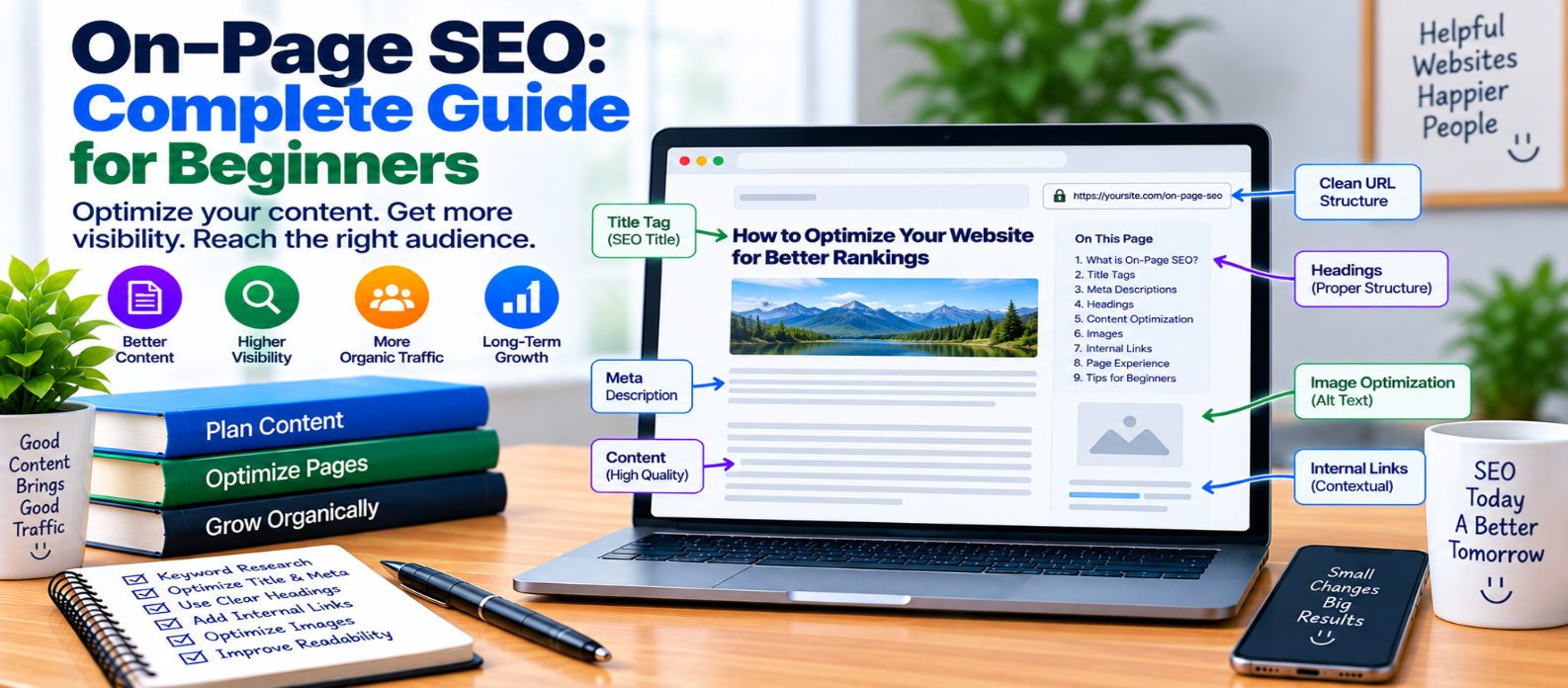
"Learn on-page SEO from the basics, including search intent, titles, headings, URLs, keywords, meta descriptions, internal links, image optimization, readability, content updates, and practical page optimization."
On-Page SEO: Complete Guide for Beginners
Publishing useful content is the foundation of SEO, but search engines and visitors still need to understand what each page is about.
That's where on-page SEO comes in.
On-page SEO is the process of improving the content and HTML elements of an individual webpage so it clearly satisfies its purpose, is easy to navigate, and can be understood by search engines.
It isn't about repeating a keyword dozens of times. Good on-page SEO begins with answering the visitor's question well.
What Does On-Page SEO Include?
On-page optimization covers elements you can directly improve on a webpage, including:
Search Intent
     ↓
Useful Content
     ↓
Title & Headings
     ↓
URLs & Internal Links
     ↓
Images & Page Experience
Technical SEO deals more broadly with crawling, indexing, site architecture, and infrastructure. On-page SEO concentrates on optimizing the individual page and its content.
1. Understand Search Intent First
Before writing, determine what someone searching for the topic actually wants.
Consider the query:
"how to compress website images"
Someone searching for this probably wants practical instructions—not a long history of image formats.
Your page should therefore quickly explain:
- Why compression matters
- How to compress images
- Which settings or formats to consider
- How to avoid excessive quality loss
- How to verify the result
Matching the purpose behind a search is more useful than simply including its words repeatedly.
2. Write a Clear Page Title
Your title should accurately describe the page.
For example:
Weak:
Everything You Need to Know About This Important Topic

Clear:
How to Optimize Images for Website Performance
A descriptive title helps visitors decide whether the page answers their question.
Keep it natural. Don't force multiple keyword variations into one title just to make it look optimized.
3. Use a Descriptive URL
A readable URL can make a page easier to identify.
Prefer:
example.com/image-optimization-guide/over unnecessarily complicated structures such as:
example.com/page.php?id=573&category=12&type=articleKeep URLs concise and descriptive where practical.
If an existing page already performs well, don't change its URL without a real reason. URL changes require careful redirect handling.
4. Create a Useful Main Heading
The primary heading should clearly introduce the page's subject.
For example:
<h1>How to Optimize Images for Websites</h1>Avoid vague headings that force visitors to guess what the page covers.
Your title and H1 can be similar without needing to be character-for-character identical.
5. Organize Content With Subheadings
Large blocks of uninterrupted text are difficult to scan.
Break the article into logical sections:
H1: Image Optimization Guide

H2: Why Image Optimization Matters
H2: Choose the Right Image Format
H2: Resize Your Images
H2: Compress Images
H2: Use Responsive Images
Subheadings help readers jump to the information they need and make the content structure clearer.
Don't add headings purely to insert keywords.
6. Answer Important Questions Early
Visitors shouldn't have to read 700 words before receiving a basic answer.
If the article is titled:
What Is an XML Sitemap?
define an XML sitemap near the beginning.
Then expand into:
- How it works
- Why it matters
- Which URLs to include
- Common mistakes
- Implementation
A clear answer first, followed by useful depth, often creates a better reading experience.
7. Use Keywords Naturally
Keywords still help describe a topic, but unnatural repetition makes content worse.
Avoid writing:
Website speed optimization is important because website speed optimization helps website speed optimization...
Instead, use normal language and relevant terminology naturally.
For a website-speed article, related concepts may naturally include:
- Page loading
- Images
- JavaScript
- Caching
- Server response
- Core Web Vitals
Write for the topic rather than trying to achieve an arbitrary keyword density.
8. Make Every Section Useful
Ask whether each paragraph contributes something meaningful.
Useful content may provide:
- Explanations
- Steps
- Examples
- Comparisons
- Troubleshooting
- Checklists
- Common mistakes
- Decision guidance
Avoid adding hundreds of words simply to make an article longer than competing pages.
There is no universally ideal word count for every search query.
9. Optimize Meta Descriptions
A meta description provides a short description that search engines may use when generating a search-result snippet.
Example:
<meta name="description"
content="Learn how to optimize website images using compression, responsive sizing, modern formats and lazy loading.">
Write it as an accurate summary that helps potential visitors understand what the page offers.
Search engines may generate a different snippet depending on the query, so a meta description doesn't guarantee exactly what will appear.
10. Add Relevant Internal Links
Internal links help visitors move between related pages.
For example, an article about technical SEO could naturally link to separate guides about:
Technical SEO
 ├── XML Sitemaps
 ├── Robots.txt
 ├── Canonical URLs
 └── Schema Markup
Use descriptive anchor text instead of repeatedly using phrases such as click here.
Only add a link when the destination genuinely helps the reader.
11. Optimize Images
Images can improve explanations, but oversized files can slow pages.
For important images:
- Resize them appropriately
- Compress files
- Choose suitable formats
- Provide dimensions
- Use responsive images where useful
- Add meaningful alternative text when the image needs a textual alternative
Don't stuff keywords into alt attributes.
An informative screenshot might use:
<img src="seo-dashboard.webp"
     alt="SEO dashboard showing website indexing errors">
The description should communicate the image's purpose.
12. Improve Readability
Even accurate information becomes difficult to use when poorly presented.
Make pages easier to scan with:
- Short paragraphs
- Descriptive headings
- Lists where useful
- Examples
- Comfortable spacing
- Readable typography
Avoid excessive bold text, intrusive advertisements, or unnecessary popups that compete with the main content.
13. Keep Content Accurate and Updated
Some articles become outdated as technologies, interfaces, standards, and recommendations change.
When updating a page:
Review Facts
    ↓
Remove Outdated Advice
    ↓
Add Useful New Information
    ↓
Fix Broken References
    ↓
Update Date When Appropriate
Don't change publication or modification dates merely to make unchanged content appear fresh.
Meaningful updates should justify the change.
14. Don't Forget Page Experience
Content quality and usability work together.
Check whether the page:
- Loads efficiently
- Works on mobile
- Remains visually stable
- Responds quickly to interactions
- Uses HTTPS
- Avoids disruptive interface elements
A perfectly optimized heading can't compensate for a page that visitors can barely use.
Beginner On-Page SEO Checklist
Before publishing, verify:
-
Search intent is clear
-
Page title accurately describes the content
-
URL is understandable
-
H1 clearly identifies the topic
-
Subheadings organize the article
-
Important questions are answered directly
-
Keywords appear naturally
-
Content provides genuine value
-
Meta description summarizes the page
-
Relevant internal links are included
-
Anchor text is descriptive
-
Images are optimized
-
Alt text is meaningful where needed
-
Content is readable on mobile
-
Facts and recommendations are current
Conclusion
Good on-page SEO isn't a collection of tricks designed to manipulate search engines.
A stronger approach is:
Understand Intent
      ↓
Answer It Clearly
      ↓
Organize the Page
      ↓
Add Helpful Context
      ↓
Optimize HTML & Media
      ↓
Make the Experience Easy
Start by creating a page that genuinely satisfies the visitor's reason for searching. Then make its title, headings, URL, internal links, images, and metadata accurately describe and support that content.
The best on-page optimization makes a useful page easier for both people and search engines to understand—not more artificial.
Get a Free Access To 200+ Free Tools:
|
Home Page |
|
|
Calculator Tools |
|
|
Text & Converter Tools |
|
|
PDF & Image Tools |
|
|
Games & Developer Tools |
|
|
Resume Builder |