
Robots.txt Explained: Complete Guide for Website Owners
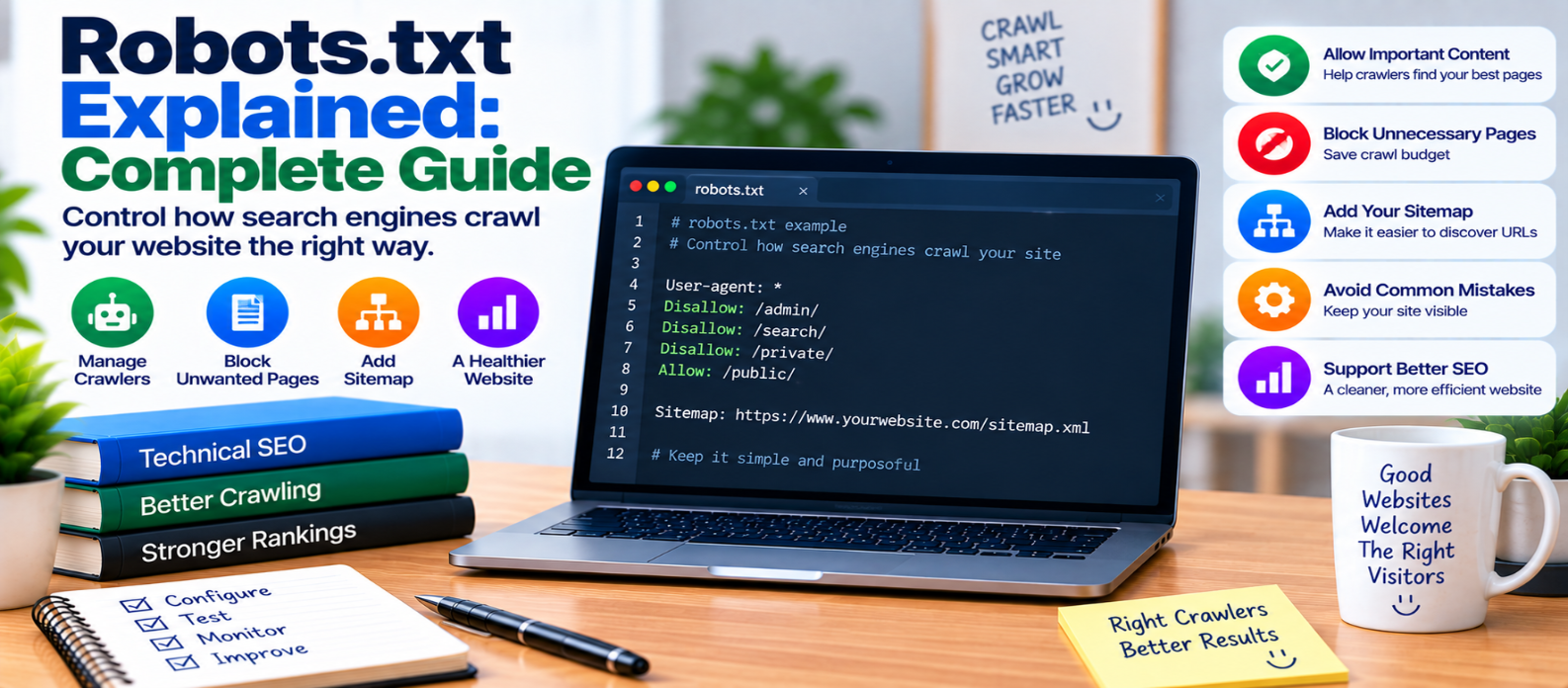
"Learn how robots.txt works, including User-agent, Disallow, Allow, sitemap directives, crawl control, indexing limitations, common mistakes, and how to configure robots.txt without accidentally blocking important website content."
Robots.txt Explained: Complete Guide
Search-engine crawlers discover websites by following links and requesting pages. But sometimes website owners don't want crawlers spending time on certain sections, such as internal search results, duplicate URL patterns, or other areas that don't need crawling.
That's where robots.txt comes in.
A robots.txt file gives compliant web crawlers instructions about which parts of a website they may or may not crawl.
It is useful for managing crawling—but it is not a security system and not a reliable method for keeping URLs out of search results.
What Is Robots.txt?
robots.txt is a plain-text file normally placed at the root of a website.
For example:
https://example.com/robots.txtA basic file might contain:
User-agent: *
Disallow: /private-area/
This tells crawlers that follow the Robots Exclusion Protocol that the specified path shouldn't be crawled.
The * applies the rule group to crawlers matched by that user-agent group.
How Robots.txt Works
When a compliant crawler visits a site, it can first retrieve the robots.txt file.
Conceptually:
Crawler Visits Website
        ↓
Reads robots.txt
        ↓
Checks Applicable Rules
        ↓
Allowed? ───── No → Don't Crawl
   ↓
  Yes
   ↓
Request Page
The crawler decides which rules apply according to its user-agent and the file's directives.
The User-agent Directive
User-agent identifies which crawler a rule group targets.
To create rules for crawlers generally:
User-agent: *You can also create groups intended for specific crawler user-agent tokens when necessary.
For example:
User-agent: ExampleBot
Disallow: /example-section/
Don't create complicated crawler-specific configurations unless you have a clear reason.
Understanding Disallow
Disallow identifies URL paths that the applicable crawler shouldn't request.
Example:
User-agent: *
Disallow: /search/
This can be useful when a site's internal search system generates many crawlable result URLs that provide little value to crawler discovery.
Another example:
Disallow: /temporary/Be careful with broad rules because a small configuration error can block important content.
What Does an Empty Disallow Mean?
Consider:
User-agent: *
Disallow:
An empty Disallow doesn't block the whole website.
It indicates that nothing is excluded by that directive.
This is very different from:
User-agent: *
Disallow: /
The / rule attempts to prevent the matching crawler from crawling the entire site.
That single character can make a major difference.
Understanding Allow
Some major crawlers support Allow, which can permit a more specific path inside an otherwise disallowed area.
Conceptually:
Disallow: /folder/
Allow: /folder/public/
This can be useful for more precise crawl control.
However, avoid building unnecessarily complicated combinations of overlapping rules. Complexity makes configuration mistakes harder to notice.
Adding Your XML Sitemap
A robots.txt file can also identify an XML sitemap.
Example:
Sitemap: https://example.com/sitemap.xmlThis helps crawlers that support the directive discover the sitemap location.
A simple file might therefore look like:
User-agent: *
Disallow: /search/

Sitemap: https://example.com/sitemap.xml
This connects naturally with your XML sitemap strategy, but the two files perform different jobs.
Robots.txt vs XML Sitemap
An XML sitemap says, conceptually:
"Here are URLs I want crawlers to discover."
Robots.txt says:
"Here are crawling instructions for parts of my site."
Think of them as:
XML Sitemap
     ↓
Discovery

robots.txt
     ↓
Crawl Control
They should support a consistent technical SEO strategy rather than contradicting each other.
Robots.txt Does Not Guarantee No Indexing
This distinction is extremely important.
Blocking crawling is not the same as preventing indexing.
A URL blocked by robots.txt may still be known to a search engine through links or other discovery mechanisms.
Because the crawler cannot fetch the blocked page, it may also be unable to see page-level indexing directives located inside that page.
If you need a publicly accessible page excluded from search indexing, use an appropriate indexing-control method and ensure crawlers can access the directive when necessary.
Don't treat Disallow as a universal noindex command.
Robots.txt Is Not a Security Tool
Never use robots.txt to protect sensitive information.
For example:
Disallow: /confidential-reports/doesn't make those reports private.
The robots.txt file itself is publicly accessible, and malicious crawlers can ignore its instructions entirely.
Protect sensitive areas using real security controls such as:
- Authentication
- Authorization
- Appropriate server access rules
If a visitor shouldn't be able to access something, robots.txt isn't the solution.
Be Careful With CSS and JavaScript
Modern webpages may depend on CSS, JavaScript, images, and other resources for proper rendering.
Blocking important assets can make it harder for crawlers to process a page as intended.
Before blocking resource directories, ask:
Does a crawler need these files to render and understand my important pages?
Don't block an entire folder simply because its files aren't standalone content pages.
Should You Block Admin Areas?
Some content management systems have internal paths that generally don't need normal search crawling.
Crawl restrictions can reduce unnecessary requests to such areas, but remember:
robots.txt does not secure an administrator interface.
Admin areas still need proper authentication, strong credentials, MFA where appropriate, secure sessions, and server-side authorization.
Common Robots.txt Mistakes
Accidentally Blocking the Entire Website
User-agent: *
Disallow: /
This is useful in limited circumstances but dangerous on a live site when unintended.
Blocking Pages That Need noindex Processing
If the crawler can't access a page, it may not be able to process the page's indexing directive.
Treating Robots.txt as Password Protection
It provides crawling instructions, not access control.
Blocking Important Rendering Resources
Overly broad CSS or JavaScript restrictions can interfere with crawler rendering.
Using Complicated Rules Without Testing
More directives don't automatically produce better SEO.
Forgetting Development Settings After Launch
A staging site may intentionally block crawling. Accidentally transferring those rules to production can cause serious discovery problems.
A Practical Robots.txt Strategy
For many websites, simpler is better.
Start by asking:
- Which content should search engines discover?
- Which areas create unnecessary crawl activity?
- Are any important resources accidentally blocked?
- Does the sitemap location need to be declared?
- Are indexing controls being handled separately?
Then create only the rules you genuinely need.
Robots.txt Checklist
Before publishing or changing robots.txt, verify:
-
The file is accessible at the expected root location
-
Important pages aren't accidentally blocked
-
The homepage remains crawlable when intended
-
Important CSS and JavaScript can be fetched
-
Broad
Disallowrules are intentional -
User-agent groups are correctly structured
-
Sitemap location is accurate
-
Private content uses real access controls
-
Disallowisn't being mistaken fornoindex -
Staging rules haven't reached production
-
Important URL patterns have been reviewed
-
Changes are tested after deployment
Conclusion
Robots.txt is a simple file with an important technical SEO role.
Its purpose can be summarized as:
Crawler
   ↓
robots.txt
   ↓
Crawl Instructions
   ↓
Allowed Resources
Use it to manage crawler access thoughtfully, reduce unnecessary crawling where appropriate, and identify your sitemap location.
But keep its limitations clear.
Robots.txt controls cooperative crawling. It does not provide privacy, authentication, or guaranteed removal from search results.
Keep the configuration simple, test important rules carefully, and make sure your crawl instructions support—rather than accidentally hide—the content you want people to find.
Get a Free Access To 200+ Free Tools:
|
Home Page |
|
|
Calculator Tools |
|
|
Text & Converter Tools |
|
|
PDF & Image Tools |
|
|
Games & Developer Tools |
|
|
Resume Builder |