
Schema Markup Explained: Complete Structured Data Guide
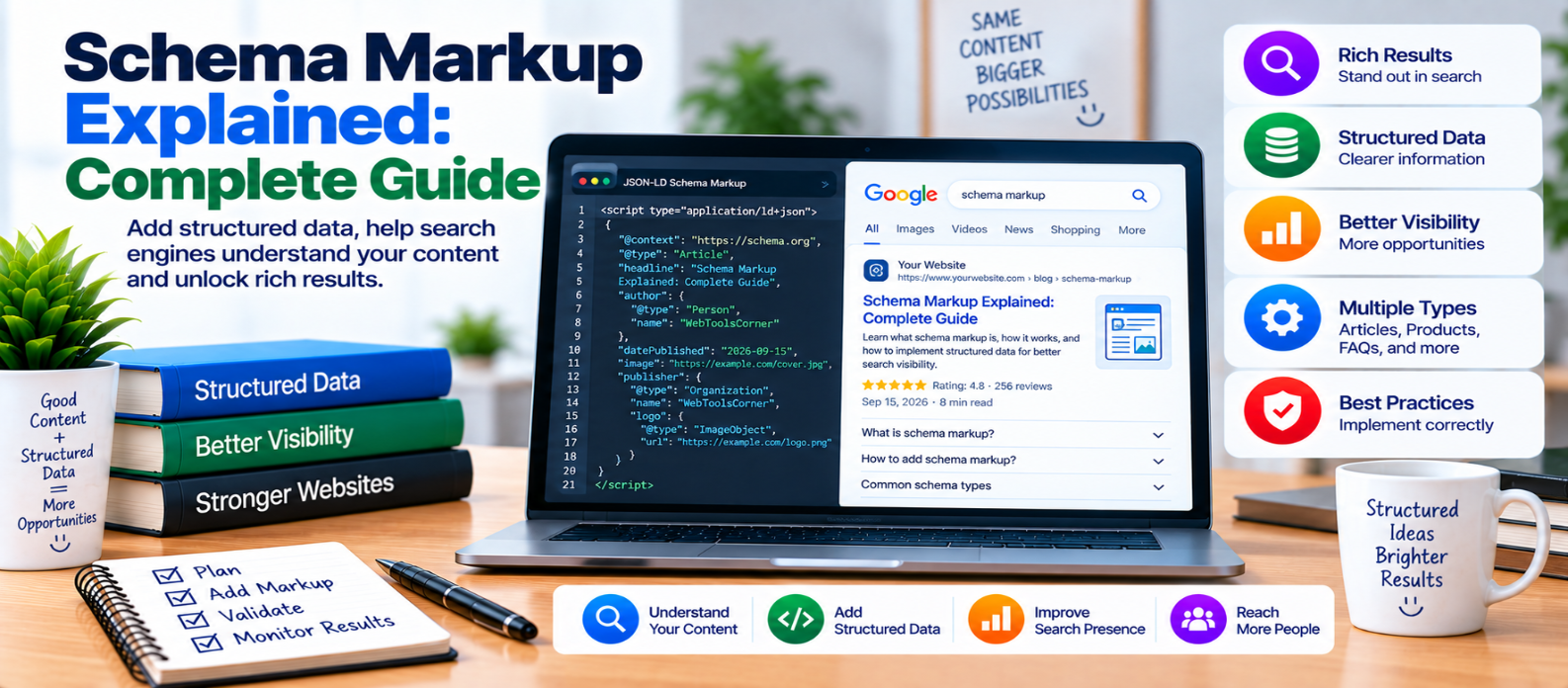
"Learn what schema markup is, how structured data and JSON-LD work, common schema types, how to add and validate markup, and how to avoid duplicate, inaccurate, or misleading structured data."
Schema Markup Explained: Complete Guide
Search engines can read the visible words on a webpage, but understanding exactly what those words represent isn't always straightforward.
Is a name referring to a person, company, product, recipe, or event? Is a number a price, rating, date, or quantity?
Schema markup, commonly implemented as structured data, gives machines additional information about the meaning and relationships of content on a page.
It doesn't replace good content or guarantee better rankings. Instead, it helps search systems interpret eligible content more precisely and can support certain enhanced search-result experiences.
What Is Schema Markup?
Schema markup uses a standardized vocabulary to describe entities and information on webpages.
Suppose a page contains:
Introduction to JavaScript
John Example
September 10, 2026
Humans can infer that this may be an article title, author, and publication date.
Structured data can explicitly describe those relationships:
Type: Article
Headline: Introduction to JavaScript
Author: John Example
Date Published: 2026-09-10
This gives machines a structured representation alongside the human-readable page.
What Is Structured Data?
Structured data is machine-readable information organized according to a defined format and vocabulary.
For webpages, one commonly used approach is JSON-LD.
A simplified example:
<script type="application/ld+json">
{
  "@context": "https://schema.org",
  "@type": "Article",
  "headline": "Introduction to JavaScript",
  "datePublished": "2026-09-10"
}
</script>
The structured data describes the page without changing the visible article itself.
The values in your real markup should accurately match the actual page content.
Schema.org vs Search Features
Two related concepts are often confused.
Schema vocabulary provides many types and properties that websites can use to describe information.
Search-engine features support only certain structured-data types and combinations.
Therefore:
Valid Schema
     ≠
Guaranteed Search Feature
A piece of structured data can be technically valid without producing a special appearance in search results.
Search engines ultimately decide when and whether an eligible feature is displayed.
Why Use Schema Markup?
Structured data can help machines identify information such as:
- Article details
- Products
- Organizations
- People
- Events
- Recipes
- Videos
- Breadcrumbs
- Local businesses
- Job postings
The exact value depends on your content.
Don't add a schema type simply because it sounds SEO-friendly. Use markup that genuinely describes what visitors can see on the page.
JSON-LD, Microdata, and RDFa
Structured data can be implemented in different formats.
JSON-LD
JSON-LD is placed in a script block and keeps structured information relatively separate from visible HTML.
<script type="application/ld+json">
{
  "@context": "https://schema.org",
  "@type": "WebSite",
  "name": "Example Website"
}
</script>
Microdata
Microdata adds attributes directly to HTML elements.
RDFa
RDFa also embeds structured information through HTML attributes.
For many website implementations, JSON-LD is convenient because developers can manage the structured representation without adding attributes throughout the visible markup.
Common Schema Types
The appropriate type depends entirely on the page.
Article
Useful for suitable article or news-style content.
Possible properties include:
headline
author
datePublished
dateModified
image
Product
Product markup can describe information such as a product's name and relevant offer information when that information genuinely exists on the page.
BreadcrumbList
Breadcrumb structured data describes the page's position within a site hierarchy.
Conceptually:
Home
  ↓
Web Development
  ↓
JavaScript
Organization
Organization markup can describe the organization associated with a website.
LocalBusiness
Suitable businesses can provide structured information describing the business entity and relevant details.
Event
Event markup can describe legitimate events with properties such as dates and locations.
Use the most accurate type available rather than forcing every page into the same template.
Schema Markup for Blog Articles
For a normal blog post, structured data might describe:
Article
 ├── Headline
 ├── Author
 ├── Image
 ├── Date Published
 └── Date Modified
The markup should agree with the page.
If the visible page says the article was published on September 10, don't provide a completely different publication date solely through structured data.
Consistency builds a clearer representation of the content.
Don't Create Fake Structured Data
Structured data should describe reality.
Avoid practices such as:
- Inventing ratings
- Marking ordinary text as reviews when it isn't
- Adding nonexistent prices
- Claiming fake authors
- Creating misleading event details
- Marking hidden or unrelated information
- Using a schema type that doesn't match the page
Think of schema as a description layer, not a way to manufacture information that visitors cannot verify.
Can Schema Improve Rankings?
Schema markup shouldn't be treated as a guaranteed ranking boost.
Its direct purpose is to help machines understand structured information and, for supported cases, establish eligibility for certain search-result features.
A better SEO strategy is:
Useful Content
      +
Crawlable Website
      +
Clear Structure
      +
Accurate Structured Data
Don't neglect content quality, internal linking, indexing, or performance while concentrating on markup.
How to Add Schema Markup
The exact method depends on your website.
Possible approaches include:
- CMS functionality
- SEO plugins
- Dedicated structured-data tools
- Theme functionality
- Custom templates
- Server-generated JSON-LD
Whichever method you use, inspect the actual markup produced on the live page.
Plugins can simplify implementation, but incorrect settings can still create inaccurate structured data.
Avoid Duplicate or Conflicting Schema
Websites sometimes generate structured data from multiple sources:
Theme
  +
SEO Plugin
  +
Schema Plugin
  +
Custom Code
This can result in duplicate or conflicting information.
More markup isn't automatically better.
Determine which system should be responsible for each structured-data entity and keep the resulting information consistent.
Validate Before Publishing
After implementing structured data:
- Check the generated markup.
- Verify required and relevant properties.
- Look for syntax errors.
- Compare the markup with visible content.
- Test important page templates.
- Recheck after theme or plugin changes.
A technically valid implementation can still be misleading if the underlying information is wrong.
Schema Markup Checklist
Before finishing your implementation, verify:
-
Schema matches the actual page type
-
Structured data reflects visible content
-
JSON-LD syntax is valid
-
Important properties are included
-
URLs are correct
-
Dates use appropriate formats
-
Images refer to relevant content
-
Authors and organizations are accurate
-
Ratings aren't invented
-
Product information matches the page
-
Duplicate markup is reviewed
-
Conflicting entities are corrected
-
Major page templates are tested
-
Markup is checked after website changes
Conclusion
Schema markup helps turn webpage information into a more explicit machine-readable structure.
Without structured data:
Words and HTMLWith structured data:
Article
 ├── Author
 ├── Headline
 ├── Date
 └── Image
The goal isn't to add as much schema as possible.
Choose markup that accurately describes the page, keep it consistent with what users can see, validate the implementation, and maintain it as the website changes.
Good schema markup doesn't invent meaning—it makes the meaning already present on your page clearer to machines.
Get a Free Access To 200+ Free Tools:
|
Home Page |
|
|
Calculator Tools |
|
|
Text & Converter Tools |
|
|
PDF & Image Tools |
|
|
Games & Developer Tools |
|
|
Resume Builder |