
Two-Factor Authentication Explained: Complete 2FA Guide
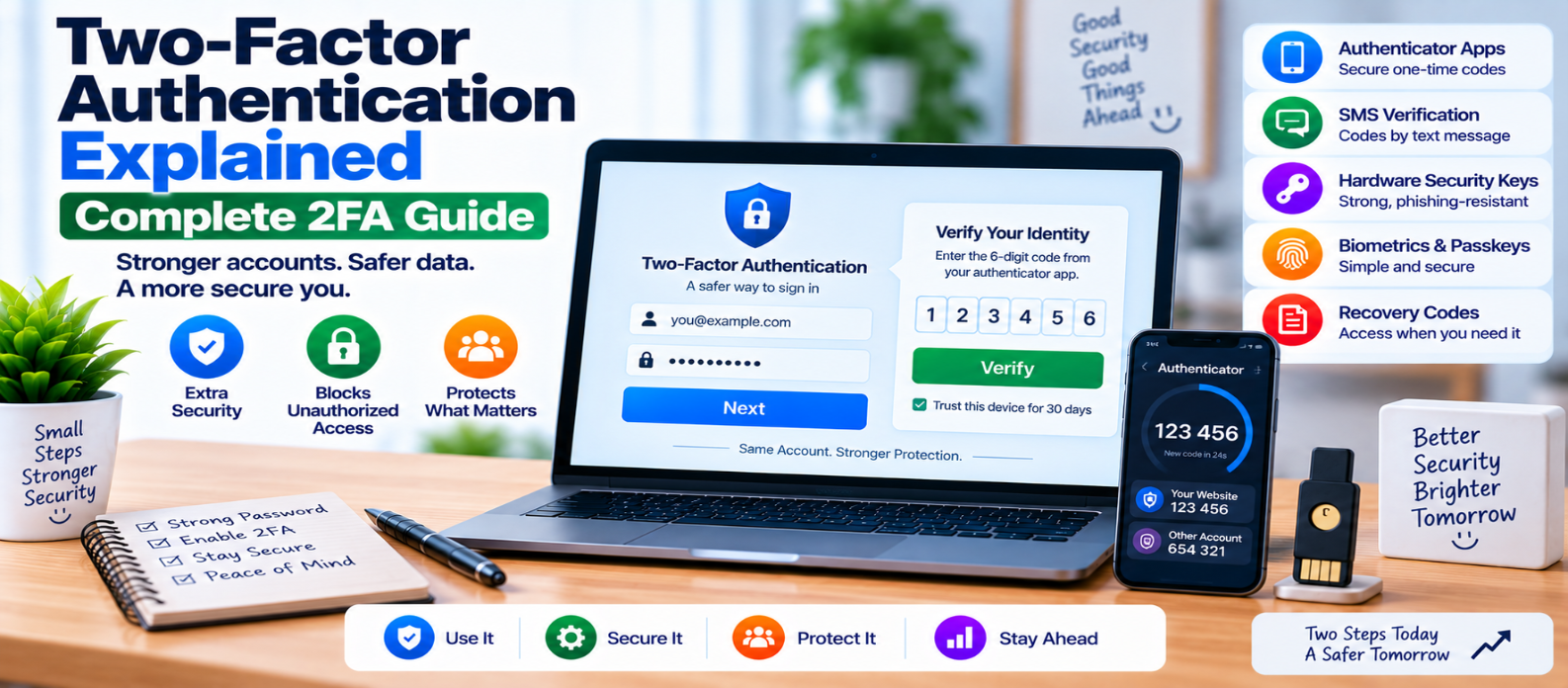
"Learn how two-factor authentication (2FA) works, including authenticator apps, SMS codes, hardware security keys, passkeys, recovery codes, phishing risks, and practical ways to strengthen account security."
Two-Factor Authentication Explained: Complete Guide
A password is designed to prove that someone knows a secret. The problem is that passwords can be stolen, reused, guessed, exposed in data breaches, or captured through phishing.
Two-factor authentication (2FA) adds another verification step so that possessing the password alone may not be enough to access an account.
The basic idea is simple:
Password
   +
Second Authentication Factor
   ↓
Account Access
But not every second step provides the same level of protection.
What Is Two-Factor Authentication?
2FA is authentication that uses two different types of authentication factors.
The common factor categories are:
Something You Know
Examples:
- Password
- PIN
Something You Have
Examples:
- Phone
- Authenticator device
- Hardware security key
Something You Are
Examples include biometric characteristics used by supported authentication systems.
For true two-factor authentication, the factors should come from different categories.
Two passwords, for example, are still two examples of something you know, not two independent factor types.
How Does 2FA Work?
Consider a normal account login.
Without 2FA:
Username
   ↓
Password
   ↓
Account
With 2FA:
Username
   ↓
Password
   ↓
Second Verification
   ↓
Account
If an attacker obtains the password but doesn't possess or satisfy the required second factor, the additional authentication step can prevent account access.
Why Is 2FA Important?
Password reuse creates a common security problem.
Imagine someone uses the same password on several websites. If one service exposes that password, attackers may try the same credentials elsewhere.
This is commonly associated with credential stuffing.
2FA creates another barrier:
Password Compromised
       ↓
Attacker Attempts Login
       ↓
Second Factor Required
       ↓
Access May Be Blocked
2FA doesn't make an account invulnerable, but it can substantially improve protection when implemented correctly.
Authenticator Apps
Authenticator applications commonly generate time-based one-time passwords (TOTP).
A short code changes periodically and is generated using a secret established when the user enables 2FA.
Conceptually:
Shared Secret
     +
Current Time
     ↓
Temporary Code
The server independently calculates the expected value and checks the submitted code.
TOTP doesn't require the phone to receive an SMS each time.
However, users must protect the device and the secret used to configure the authenticator.
SMS Verification Codes
Some services send one-time codes through SMS.
The flow is familiar:
Password Accepted
       ↓
Code Sent to Phone
       ↓
User Enters Code
       ↓
Code Verified
SMS-based verification can provide an additional barrier compared with password-only authentication, but it has limitations.
Risks can include:
- SIM-related attacks
- Phone-number takeover
- Message interception in some scenarios
- Social engineering
- Phishing of the verification code
For higher-risk accounts, stronger phishing-resistant methods may be preferable when available.
Hardware Security Keys
Hardware security keys can provide strong authentication using modern cryptographic protocols.
Instead of manually copying a temporary code, the user proves possession of a registered authenticator.
Properly implemented security-key authentication can also verify the website context, making it much more resistant to traditional credential-phishing attacks.
Security keys are particularly valuable for:
- Administrators
- Developers
- Employees with sensitive access
- High-value accounts
What About Passkeys?
Passkeys use public-key cryptography and can authenticate users through devices or credential providers.
A simplified model is:
Website stores:
Public Key

User controls:
Private Credential
The private credential isn't sent to the website as a reusable password.
Depending on how an application implements authentication, passkeys can replace passwords rather than simply acting as a traditional "second factor."
They are therefore related to stronger authentication but shouldn't automatically be described as conventional 2FA in every implementation.
Biometrics and 2FA
Fingerprint or face recognition may be used to unlock an authenticator or credential stored on a user's device.
It's important to understand what the website actually receives.
In many modern systems, biometric verification occurs locally on the device. The website receives cryptographic proof from the authenticator rather than a copy of the user's fingerprint or face.
The exact behavior depends on the authentication system being used.
2FA Can Still Be Phished
A common misconception is:
"If I use 2FA, phishing cannot work."
That isn't always true.
An attacker may create a fake login page that asks for both:
Password
   +
Temporary 2FA Code
and attempt to use the credentials quickly.
This is one reason phishing-resistant authentication methods such as appropriately implemented security keys and passkeys can offer advantages over manually entered one-time codes.
Protect the 2FA Setup Process
Enabling or changing 2FA is itself a security-sensitive action.
Before allowing someone to replace their second factor, consider requiring:
- Existing authentication
- Reauthentication
- Current second-factor verification
- Additional identity verification where appropriate
Otherwise, an attacker who gains temporary account access might replace the legitimate user's 2FA configuration.
Recovery Codes
Users can lose phones and security keys.
A secure system therefore needs a recovery strategy.
One option is a set of single-use recovery codes.
These should be:
- Random
- Stored securely
- Usable only once
- Replaceable when regenerated
Users should keep recovery codes somewhere separate from the device used for normal authentication.
Don't Make Account Recovery Weaker Than 2FA
This is one of the most important design principles.
Imagine:
Login:
Password + Security Key

Account Recovery:
Answer one weak question
The attacker will simply target the weaker recovery route.
Password reset, lost-device recovery, support procedures, and 2FA replacement should receive security attention proportional to the account's value.
Should Every Account Use 2FA?
2FA is especially valuable for accounts with elevated privileges or sensitive information.
Prioritize:
- Website administrators
- Hosting accounts
- Domain accounts
- Business email
- Developer systems
- Financial or payment administration
- Customer-data systems
For ordinary users, offering easy-to-use stronger authentication can also significantly improve account security.
2FA Security Checklist
When implementing or using 2FA, verify:
-
Two independent factor types are used where claiming 2FA
-
Important accounts require stronger authentication
-
Authenticator setup secrets are protected
-
Temporary codes expire appropriately
-
Repeated attempts are rate-limited
-
Hardware security keys are supported where appropriate
-
Phishing-resistant methods are considered
-
2FA changes require proper verification
-
Recovery codes are securely generated
-
Recovery codes are single-use
-
Lost-device recovery is protected
-
Authentication events are monitored
-
Users can review important security changes
Conclusion
Two-factor authentication improves security by reducing dependence on a password alone.
The principle is:
One Factor Compromised
        ↓
Independent Factor Remains
        ↓
Additional Barrier to Access
Authenticator apps, SMS codes, hardware security keys, and modern cryptographic credentials don't all provide identical protection. Choose methods according to the sensitivity of the account and the threats you need to address.
For important website accounts, 2FA should be part of a broader security system that also includes unique passwords, secure recovery, protected sessions, least privilege, and authentication monitoring.
The strongest authentication isn't simply the one with the most steps.
It's the one that makes those steps independent, difficult to steal, and practical enough that people will actually use them.
Get a Free Access To 200+ Free Tools:
|
Home Page |
|
|
Calculator Tools |
|
|
Text & Converter Tools |
|
|
PDF & Image Tools |
|
|
Games & Developer Tools |
|
|
Resume Builder |