
Website Color Psychology: Complete Guide for Better Web Design
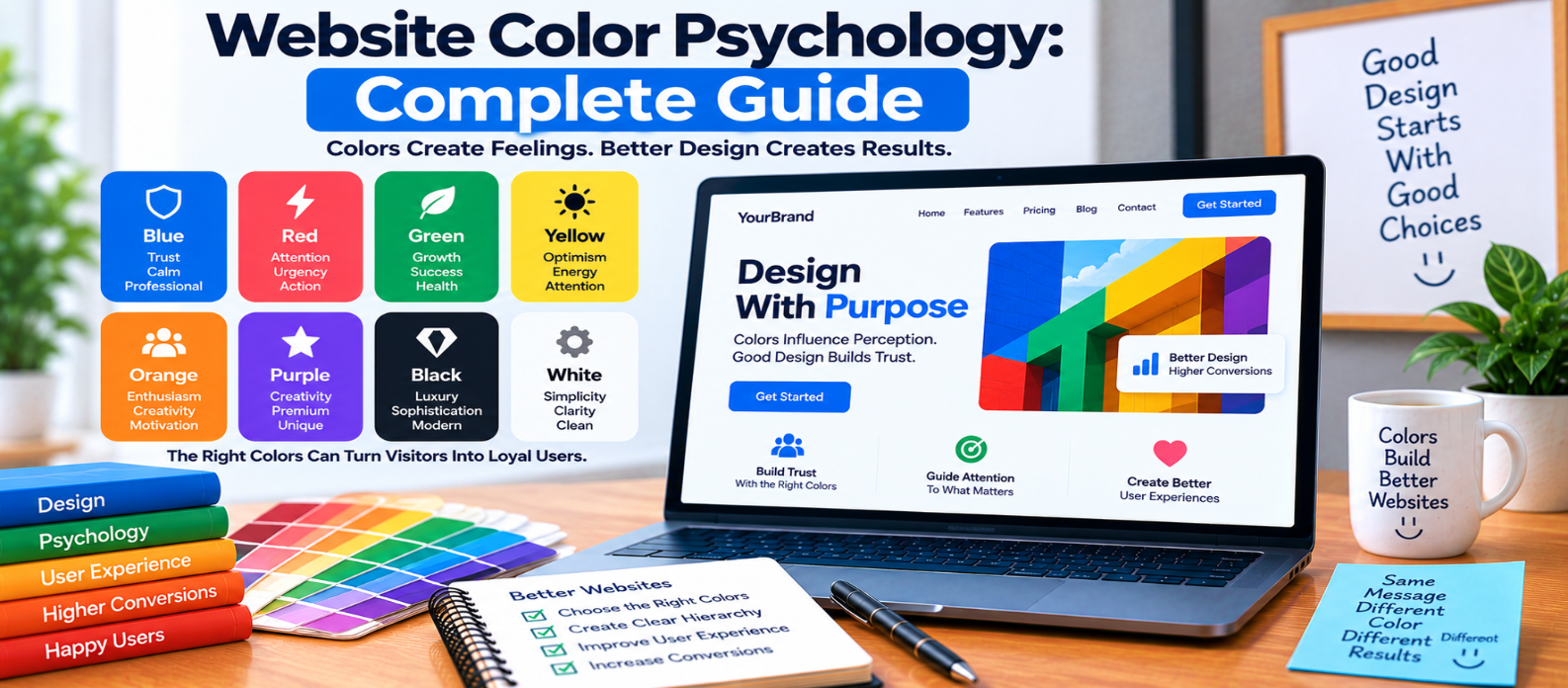
"Learn how website color psychology relates to perception, attention, branding, CTAs, visual hierarchy, accessibility, cultural context, and user experience—and how to build a practical color system without relying on oversimplified color myths."
Website Color Psychology: Complete Guide
Color is one of the first things people notice about a website.
It can separate sections, draw attention to buttons, communicate states, reinforce a brand, and influence the overall impression of an interface.
But website color psychology is often oversimplified into claims such as “blue creates trust” or “red increases conversions.”
Color doesn't work like a universal psychological switch.
The way someone interprets a color depends on its context, shade, surrounding colors, culture, previous experiences, and how the website uses it.
So instead of searching for a magical color, use color deliberately.
What Is Color Psychology in Web Design?
Color psychology examines how colors can relate to human perception, emotion, attention, and behavior.
In website design, color can help communicate:
Brand Personality
       ↓
Visual Hierarchy
       ↓
Meaning and Status
       ↓
Important Actions
       ↓
Overall Experience
The important word is can.
A particular color does not automatically create the same response in every visitor.
Blue: Calm, Professional and Familiar
Blue is common across digital interfaces and corporate branding.
Depending on the shade and context, it may feel:
- Calm
- Professional
- Clean
- Conservative
- Technical
Dark navy can create a very different impression from bright cyan.
Blue can work well for primary actions or branding, but don't choose it simply because you've heard that “blue means trust.”
Trust ultimately depends on the entire experience.
Red: Attention and Urgency
Red can attract attention because it often creates strong visual contrast.
Websites commonly use it for:
- Errors
- Warnings
- Destructive actions
- Important notifications
For example:
Delete Accountmay appropriately use red styling to communicate risk.
But using red everywhere reduces its ability to signal importance.
Context also matters: red can communicate excitement in one interface and danger in another.
Green: Success, Progress and Positive States
Green is frequently used for:
✓ Payment successful

✓ File uploaded

✓ Changes saved
It can also appear in brands connected with nature, sustainability, finance, or wellness.
However, green doesn't inherently make a website feel safe or environmentally responsible.
Its meaning comes partly from how people have learned to interpret it in specific contexts.
Yellow and Orange: Energy and Attention
Warm colors can create prominent accents.
Orange may work well for:
- Buttons
- Highlights
- Notifications
- Promotional elements
Yellow can attract attention but requires careful contrast management, particularly when used as a background for text.
Instead of asking:
“Is orange a high-converting color?”
ask:
“Does this button stand out appropriately within this particular design?”
That's a more useful design question.
Purple: Distinctive and Expressive
Purple can produce very different impressions depending on saturation and shade.
It may feel:
- Creative
- Premium
- Playful
- Futuristic
A dark muted purple used by a premium product creates a different experience from bright purple used in a gaming interface.
Color names alone tell you very little about the final effect.
Black, White and Neutral Colors
Neutral colors often form the foundation of modern interfaces.
White or light backgrounds can create visual openness, while dark backgrounds can create a focused or dramatic appearance.
Gray is frequently useful for:
- Secondary text
- Borders
- Background surfaces
- Disabled states
But be careful with extremely light gray text.
A minimal design isn't successful if people struggle to read it.
Context Matters More Than Color Stereotypes
Imagine two buttons:
Page A:
Everything is blue
CTA = Blue

Page B:
Everything is neutral
CTA = Blue
The exact same blue may attract far more attention on Page B because it contrasts with its surroundings.
This illustrates an important principle:
Color effectiveness depends heavily on context.
Don't evaluate colors in isolation.
Use Color to Establish Visual Hierarchy
A simple website color system might contain:
Primary Color    → Main actions
Secondary Color  → Supporting elements
Neutral Colors   → Backgrounds and surfaces
Text Colors      → Content hierarchy
Success Color    → Positive status
Warning Color    → Caution
Error Color      → Problems
Giving colors defined roles makes an interface easier to maintain.
It also prevents every section from competing for attention.
CTA Color: There Is No Universal Winner
You may encounter claims such as:
Red buttons convert better than green buttons.
That isn't a reliable universal rule.
A CTA needs to:
- Be noticeable
- Fit the visual hierarchy
- Remain readable
- Look interactive
- Maintain sufficient contrast
- Match the surrounding interface
A bright green button might disappear inside a green-heavy website while a different accent could stand out immediately.
Test the complete design rather than assuming one color always wins.
Don't Ignore Accessibility
Color psychology becomes irrelevant if people cannot read or understand the interface.
Maintain appropriate contrast between text and backgrounds.
Also avoid communicating information through color alone.
Instead of:
● Red
● Green
use:
✕ Payment failed
✓ Payment successful
Now users don't need to distinguish the colors to understand the message.
The same principle applies to charts, form errors, dashboards, and status indicators.
Consider Cultural Context
Color associations can vary between cultures, communities, industries, and situations.
A color associated with celebration in one context may have a different meaning elsewhere.
If your website serves an international audience, avoid assuming that every visitor interprets a color identically.
Test designs with the people you're actually designing for when possible.
Build a Practical Website Color Palette
You don't need dozens of colors.
Start with a controlled system:
Primary
Secondary
Accent
Background
Surface
Primary Text
Secondary Text
Border
Success
Warning
Error
Then define shades where necessary.
Reusable color tokens help maintain consistency across buttons, forms, cards, alerts, navigation, and other components.
Test Colors in Real Interfaces
A palette can look beautiful when displayed as five rectangles and fail once applied to an actual website.
Test colors in:
- Navigation
- Buttons
- Forms
- Cards
- Long articles
- Error states
- Mobile screens
- Dark and light areas
- Disabled controls
Also check hover, focus, active, and selected states.
Design systems need colors for interactions, not just screenshots.
Website Color Checklist
Before finalizing a palette, check:
-
Each major color has a purpose
-
Important actions are visually distinct
-
Text remains readable
-
Contrast is appropriate
-
Meaning doesn't depend on color alone
-
Success, warning, and error states are distinguishable
-
Colors work across screen sizes
-
Interaction states are defined
-
The palette suits the brand and content
-
Cultural assumptions aren't treated as universal facts
-
Real interface screens have been tested
Conclusion
Website color psychology isn't a formula where:
Blue = Trust
Red = Urgency
Green = Conversion
Human perception is more complicated.
A better approach is:
Purpose
   ↓
Audience
   ↓
Context
   ↓
Contrast
   ↓
Hierarchy
   ↓
Accessibility
   ↓
Testing
Use color to communicate structure, highlight important actions, reinforce your visual identity, and make interfaces easier to understand.
Don't search for the psychologically “perfect” website color. Build a color system that works clearly and consistently for your audience and your interface.
Get a Free Access To 200+ Free Tools:
|
Home Page |
|
|
Calculator Tools |
|
|
Text & Converter Tools |
|
|
PDF & Image Tools |
|
|
Games & Developer Tools |
|
|
Resume Builder |