
Website Speed Optimization: The Complete Guide for 2026
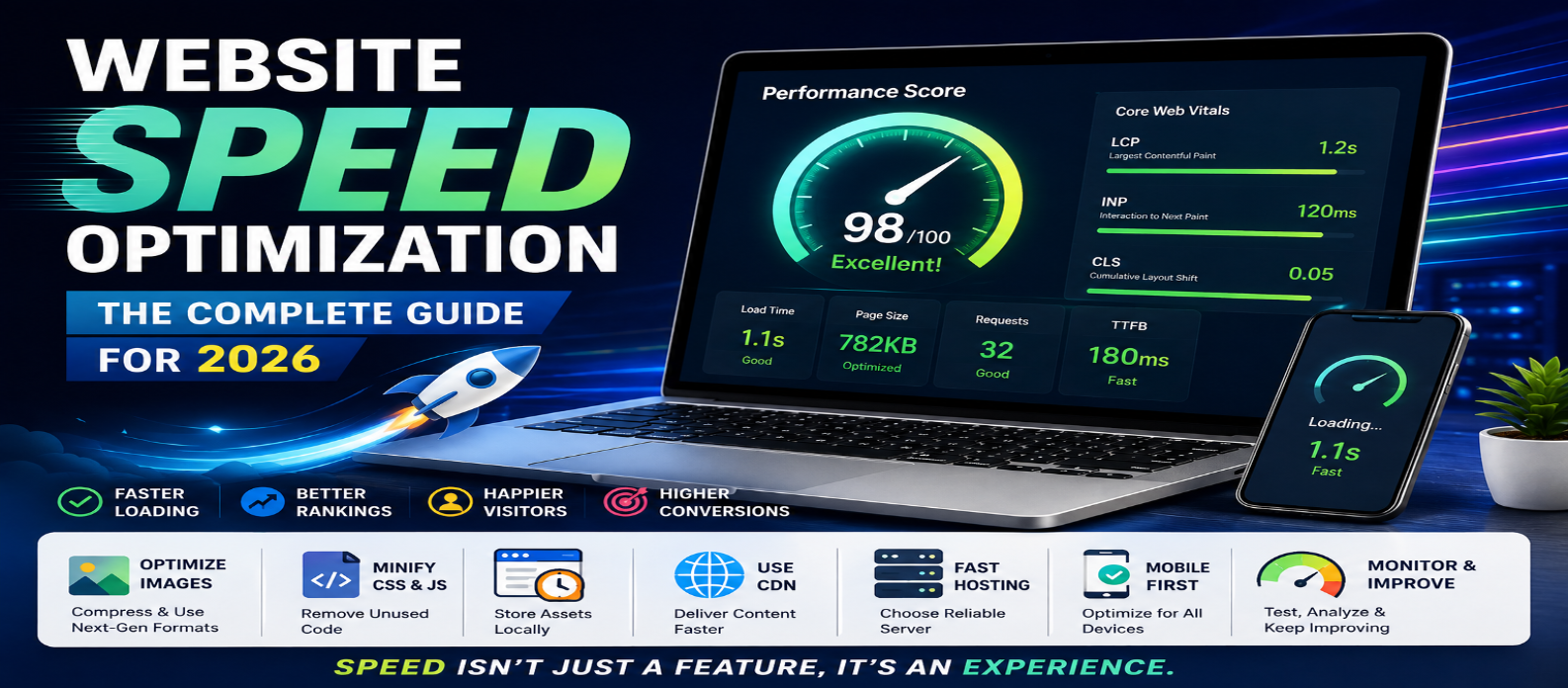
"Learn how to optimize website speed in 2026 with practical techniques for faster loading, better Core Web Vitals, improved SEO, and a smoother user experience across mobile and desktop devices."
Website Speed Optimization: The Complete Guide for 2026
Website speed is one of the most important factors for delivering a great online experience. Visitors expect pages to load quickly, especially on mobile devices and slower connections. A slow website can increase bounce rates, reduce conversions, and make it harder for users to find the information they need.
In 2026, website speed optimization should be a core part of every website strategy. From image compression and caching to efficient code and Core Web Vitals, there are several ways to make your website faster and more efficient.
Why Website Speed Matters
A fast website provides a better user experience and helps visitors interact with your content without unnecessary delays. Speed can also influence search visibility because search engines consider page experience and performance when evaluating websites.
For businesses, the impact can be even greater. Faster pages can help improve engagement, leads, sales, and customer satisfaction.
1. Measure Your Website Performance
Before optimizing your website, identify what is actually slowing it down. Use performance-testing tools to examine loading times, resource usage, JavaScript execution, image sizes, and other technical factors.
Pay particular attention to Core Web Vitals, including:
- Largest Contentful Paint (LCP): Measures loading performance.
- Interaction to Next Paint (INP): Measures how quickly a page responds to user interactions.
- Cumulative Layout Shift (CLS): Measures visual stability.
Testing your website regularly helps you identify problems and measure the impact of your optimizations.
2. Optimize Images
Large images are one of the most common causes of slow websites. Before uploading images, resize them to the dimensions actually required on the page.
Use modern image formats when appropriate and compress images without noticeably reducing quality. You can also use responsive images so browsers download an appropriate image size for each device.
For images that are not immediately visible, consider lazy loading so they do not compete with important above-the-fold resources.
3. Minimize Unnecessary JavaScript and CSS
Excessive JavaScript can delay page rendering and user interactions. Review your scripts and remove code, libraries, and plugins that are no longer necessary.
Similarly, eliminate unused CSS and avoid loading large stylesheets when only a small portion is required.
Reducing unnecessary resources can improve both initial loading and overall page responsiveness.
4. Use Browser Caching
Caching allows browsers to store frequently used website resources locally. When visitors return to your website, their browsers may not need to download everything again.
Configure appropriate cache policies for static resources such as images, CSS files, JavaScript, and fonts. Effective caching can significantly reduce repeat-visit loading times.
5. Improve Your Web Hosting
Even a well-optimized website can perform poorly if its hosting environment is slow or unreliable.
Choose hosting that provides adequate server resources, modern infrastructure, reliable uptime, and good performance for your target audience. If your website grows, consider upgrading resources or using a scalable hosting solution.
6. Use a Content Delivery Network
A Content Delivery Network (CDN) stores and delivers website resources from servers distributed across different locations.
When visitors request your website, a CDN can serve static resources from a location closer to them. This can reduce network latency and improve loading performance for geographically distributed audiences.
7. Optimize Fonts
Web fonts can add significant loading overhead if they are not configured properly. Limit the number of font families and weights you use.
Choose efficient font formats and consider preloading only critical fonts. Make sure your font-loading strategy does not prevent important content from appearing quickly.
8. Reduce Third-Party Scripts
Analytics platforms, advertising networks, chat widgets, social media embeds, and other third-party services can add extra requests and JavaScript.
Review third-party scripts regularly and remove anything that does not provide meaningful value. Load non-essential scripts later when possible.
9. Improve Server Response Time
A website cannot load quickly if the server takes too long to respond. Optimize database queries, server-side code, APIs, and backend processes.
Caching frequently requested content can also reduce server workload and improve response times.
10. Make Mobile Performance a Priority
Many visitors access websites primarily through smartphones. Mobile devices may have slower processors and less reliable network connections than desktop computers.
Test your website on mobile devices and slower connections. Keep layouts simple, reduce unnecessary resources, make buttons easy to use, and prioritize the content users need most.
11. Keep Your Website Updated
Outdated themes, plugins, frameworks, and dependencies can affect performance and security. Regularly update your website's software and remove components that are no longer needed.
If you use a content management system, review installed plugins periodically. A smaller, well-maintained setup is often easier to optimize.
12. Monitor Performance Continuously
Website optimization is not a one-time task. New content, plugins, tracking scripts, images, and design changes can gradually make a website slower.
Schedule regular performance checks and monitor important metrics. When performance drops, investigate the change and fix the underlying issue rather than simply adding more optimization tools.
Final Thoughts
Website speed optimization in 2026 is about creating a fast, responsive, and efficient experience for every visitor. Start by measuring your current performance, then focus on high-impact improvements such as image optimization, efficient code, caching, hosting, CDN configuration, and reducing unnecessary third-party resources.
A faster website is not only more enjoyable to use—it can also support better engagement, conversions, accessibility, and search performance.
Make performance part of your website development process from the beginning, and continue monitoring it as your website evolves.