
WordPress vs Custom Website: Which Is Better? Complete Comparison
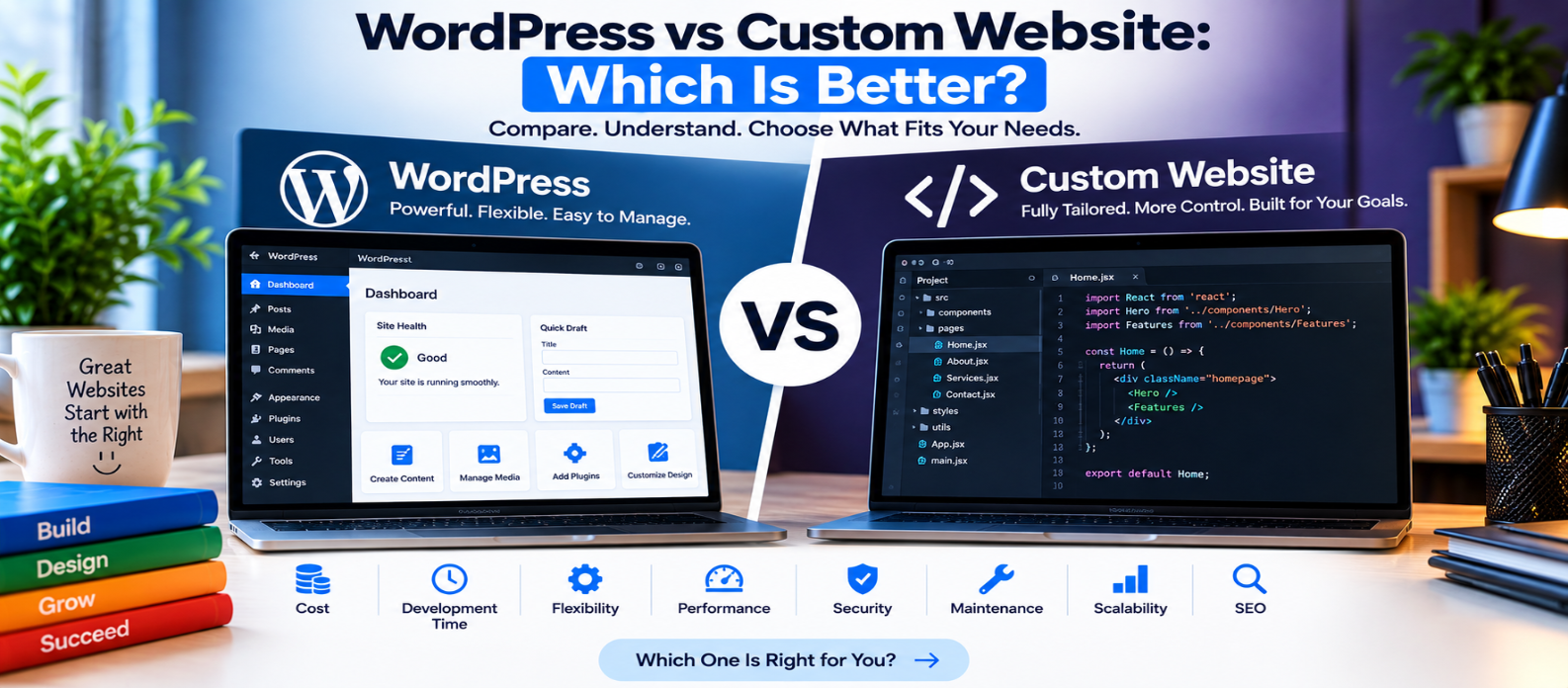
"Compare WordPress vs custom website development across cost, development time, flexibility, performance, security, maintenance, SEO, scalability, and content management to understand which approach better fits your website requirements."
WordPress vs Custom Website: Which Is Better?
Choosing how to build a website often comes down to two options: use a content management system such as WordPress or build a custom website specifically for your requirements.
Neither approach is automatically better.
WordPress can make publishing and managing content faster, while custom development can provide greater control over architecture, features, and technical decisions.
The right choice depends on what you're building, your budget, technical requirements, timeline, and how the website will evolve.
What Is a WordPress Website?
WordPress is a content management system (CMS) that provides an administrative interface for creating and managing website content.
A typical WordPress website may combine:
WordPress
    +
Theme
    +
Plugins
    +
Customizations
This approach can be useful for:
- Blogs
- Business websites
- Content-heavy websites
- Portfolios
- News and publishing sites
- Many online stores
WordPress can also be heavily customized, so not every WordPress website is simply an off-the-shelf template.
What Is a Custom Website?
A custom website is developed around a project's specific requirements rather than primarily relying on a prebuilt CMS structure.
Developers may create:
Frontend
   +
Backend
   +
Database
   +
Admin System
   +
APIs
depending on what the project requires.
Custom development is commonly considered when a website needs unusual workflows, specialized tools, complex integrations, or application-like functionality.
WordPress vs Custom Website: Quick Comparison
| Area | WordPress | Custom Website |
|---|---|---|
| Initial development | Often faster | Usually requires more development |
| Upfront cost | Can be lower | Often higher |
| Content management | Built in | Must be provided if required |
| Custom functionality | Plugins + custom code | Can be built specifically |
| Technical control | High, but within an existing ecosystem | Potentially very high |
| Maintenance | Core, themes and plugins need attention | Custom code and infrastructure need attention |
| Performance | Can be excellent when optimized | Can be optimized specifically for the application |
| Scalability | Depends on architecture and implementation | Depends on architecture and implementation |
The implementation matters as much as the platform.
1. Development Time
WordPress can significantly reduce setup work.
You already have systems for:
- User management
- Content publishing
- Media management
- Pages and posts
- Extensions
- Administration
A relatively standard business website can therefore be built without developing every feature from scratch.
Custom development generally takes longer because more of the system may need to be designed and implemented specifically for the project.
Advantage
For speed on conventional websites, WordPress can often reduce development time.
2. Cost
WordPress itself doesn't mean a website will be cheap.
Costs can include:
Design
Development
Hosting
Premium Themes
Plugins
Maintenance
Security
However, using existing functionality can reduce initial development work.
Custom websites typically require more engineering time, particularly when an admin system, authentication, APIs, or specialized functionality must be developed.
Over the long term, cost depends heavily on maintenance and future requirements.
3. Design Flexibility
WordPress can support highly customized designs.
You aren't necessarily limited to premade themes.
A developer can build a custom theme or heavily customize the frontend.
Custom development still offers an important advantage: the architecture and interface can be designed around the project's requirements without needing to fit into a particular CMS model.
For unusual digital products, that flexibility can be valuable.
4. Custom Features
Suppose you're building a simple company website containing:
Home
Services
About
Blog
Contact
WordPress can handle this comfortably.
Now imagine you're creating a specialized web application with:
Custom Dashboards
Complex User Roles
Unique Data Processing
Real-Time Features
Specialized Workflows
Multiple API Integrations
Custom development may provide a cleaner foundation.
WordPress can support custom functionality too, but forcing every application into a CMS architecture isn't always the most practical approach.
5. Performance
A common claim is:
Custom websites are fast and WordPress websites are slow.
That's too simplistic.
A poorly built custom website can be slow.
A carefully optimized WordPress website can perform very well.
WordPress performance can be affected by:
- Hosting
- Theme quality
- Plugin choices
- Database usage
- Images
- Caching
- Third-party scripts
Custom development gives developers more direct control over what the application loads, but good engineering is still required.
6. Security
Neither approach is automatically secure.
WordPress websites require regular attention to:
- Core updates
- Plugin updates
- Theme updates
- Account security
- Backups
- Server configuration
Because plugins extend the system, poorly maintained or unnecessary plugins can increase risk.
Custom websites avoid dependence on the same plugin ecosystem but introduce their own security responsibilities.
Authentication, permissions, input handling, dependencies, APIs, and infrastructure all need to be implemented and maintained securely.
Security depends on continuous maintenance, not simply the platform name.
7. Maintenance
WordPress makes many routine content-management tasks convenient, but administrators must maintain the software ecosystem.
A typical maintenance cycle might include:
Backup
   ↓
Update
   ↓
Test
   ↓
Monitor
Custom websites also require maintenance.
Frameworks, libraries, server environments, databases, and APIs change over time.
Custom doesn't mean maintenance-free.
8. SEO
Both approaches can support strong technical SEO.
WordPress provides plugins that simplify tasks such as metadata management and XML sitemaps.
Custom websites can implement SEO requirements directly.
Whichever approach you choose, important fundamentals still include:
- Crawlable pages
- Useful content
- Logical site architecture
- Descriptive titles
- Canonical handling
- Mobile usability
- Performance
- Structured data where appropriate
Choosing WordPress instead of custom development does not automatically produce better rankings, or vice versa.
9. Scalability
Both can scale when designed correctly.
WordPress powers websites with very different traffic levels and requirements, while custom systems can be architected specifically for growth.
Scalability depends on factors such as:
Application Architecture
Database Design
Caching
Infrastructure
Traffic Patterns
Code Quality
Don't choose solely based on claims that one platform “can't scale.”
Ask what your particular system needs to scale.
When Does WordPress Make Sense?
WordPress may be a practical choice when you need:
- Fast content publishing
- A familiar CMS
- A blog or content-heavy website
- Common business functionality
- A large ecosystem of extensions
- Non-developers to manage content
It can also be customized significantly when necessary.
When Does a Custom Website Make Sense?
Custom development may be more appropriate when you need:
- Specialized business logic
- Unique user workflows
- Complex application functionality
- Deep integrations
- Precise architectural control
- Features that don't fit comfortably into a conventional CMS
The additional flexibility usually comes with additional development responsibility.
How to Choose
Ask these questions:
What must the website do?
        ↓
Who will manage it?
        ↓
How customized are the features?
        ↓
What is the budget?
        ↓
How quickly must it launch?
        ↓
How will it grow?
Choose based on those answers rather than assuming one technology is universally superior.
Conclusion
WordPress and custom development solve different kinds of problems well.
For a standard content-driven website, WordPress can provide a powerful CMS and reduce the amount of functionality that needs to be built from scratch.
For a highly specialized digital product, custom development can provide greater architectural freedom and allow functionality to be designed precisely around the project.
The most important question isn't:
“Is WordPress or custom development better?”
It is:
“Which approach fits the website I'm actually trying to build?”
Answer that first, and the technology decision becomes much easier.
Get a Free Access To 200+ Free Tools:
|
Home Page |
|
|
Calculator Tools |
|
|
Text & Converter Tools |
|
|
PDF & Image Tools |
|
|
Games & Developer Tools |
|
|
Resume Builder |