
XML Sitemap Explained: Complete Guide for Website Owners
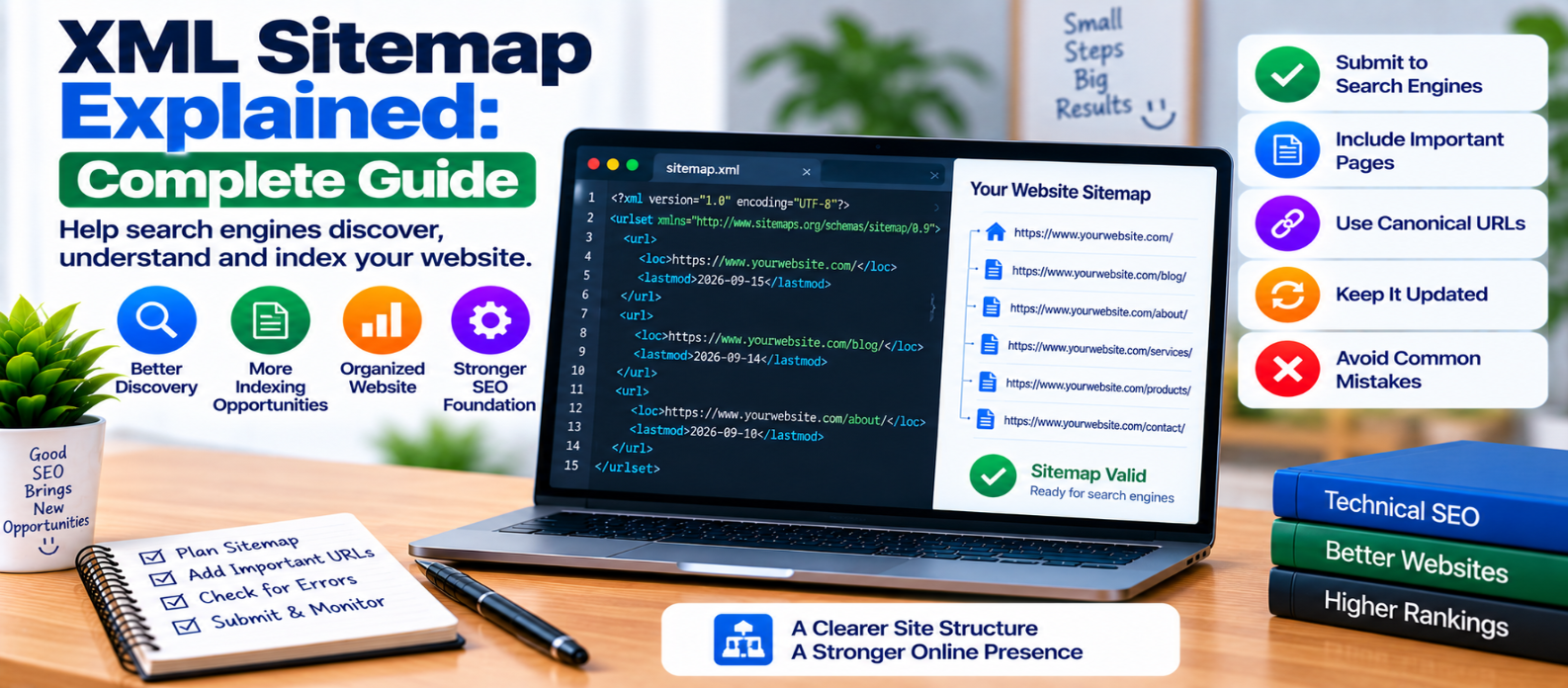
"Learn what an XML sitemap is, how it helps search engines discover website URLs, which pages to include or exclude, how sitemap indexes and lastmod work, and how to avoid common sitemap mistakes."
XML Sitemap Explained: Complete Guide
A website may contain hundreds, thousands, or even millions of URLs. Search engines normally discover pages by following links, but an XML sitemap provides another organized way to tell crawlers which URLs a website considers important.
An XML sitemap doesn't guarantee that every listed page will be indexed or ranked.
Think of it as a discovery map, not an indexing command.
What Is an XML Sitemap?
An XML sitemap is a machine-readable file containing URLs from your website.
A basic sitemap may look like:
<?xml version="1.0" encoding="UTF-8"?>
<urlset>
  <url>
    <loc>https://example.com/</loc>
  </url>

  <url>
    <loc>https://example.com/blog/</loc>
  </url>
</urlset>
The <loc> element identifies the page URL.
Search engines can process the file to discover URLs and understand which pages the site owner has intentionally included.
Why Do Websites Need XML Sitemaps?
Search engines can often discover well-linked websites without relying entirely on a sitemap.
However, sitemaps can be particularly useful for:
- Large websites
- New websites with few external links
- Sites with deep content
- Frequently updated websites
- Large content archives
- Sites containing important media
A sitemap gives crawlers a direct list of URLs worth discovering.
It should complement good internal linking—not replace it.
XML Sitemap vs HTML Sitemap
These two are different.
XML Sitemap
Primarily structured for machines and search crawlers.
Website
   ↓
XML Sitemap
   ↓
Search Crawler
HTML Sitemap
A normal webpage containing links that can help visitors navigate a website.
Both can be useful, but they serve different purposes.
Which URLs Should Be in Your Sitemap?
As a practical rule, include URLs that:
- Are canonical versions
- Return successful responses
- Are intended for search indexing
- Contain useful content
- Represent pages you want discovered
For example:
Homepage ✓
Important blog post ✓
Product page ✓
Canonical category page ✓
Your sitemap should represent the website you actually want search engines to crawl and consider indexing.
Which URLs Should You Avoid?
Avoid filling the sitemap with URLs you don't want indexed.
Examples may include:
noindexpages- Broken URLs
- Redirecting URLs
- Duplicate URL variations
- Private account pages
- Temporary test pages
- Noncanonical duplicates
A sitemap that says "this URL is important" while another signal says "don't index this URL" creates unnecessary inconsistency.
Keep your signals aligned.
What Is <lastmod>?
A sitemap can include a <lastmod> value representing when the page was last meaningfully modified.
Example:
<url>
  <loc>https://example.com/guide/</loc>
  <lastmod>2026-09-15</lastmod>
</url>
Use accurate modification dates.
Don't automatically change every page's <lastmod> date every day if its meaningful content hasn't changed.
Reliable metadata is more useful than artificial freshness.
What About priority and changefreq?
Older sitemap examples commonly contain:
<changefreq>weekly</changefreq>
<priority>0.8</priority>
You may still encounter these fields in sitemap generators.
Don't assume assigning a page priority=1.0 makes it rank higher in search.
A sitemap isn't a ranking-control panel.
Your main focus should be providing accurate canonical URLs and useful metadata supported by the search systems you care about.
What Is a Sitemap Index?
Large websites may use several sitemap files.
A sitemap index provides links to individual sitemaps.
Conceptually:
sitemap_index.xml
       ↓
 ┌─────┼──────────┐
 ↓     ↓          ↓
Posts  Products   Categories
This can make large sites easier to organize and maintain.
For example, a content-heavy website might separate:
post-sitemap.xml
page-sitemap.xml
product-sitemap.xml
The exact organization isn't important as long as the structure is valid and manageable.
Sitemap Size Limits
Standard XML sitemap files have protocol limits.
A single sitemap can contain up to 50,000 URLs and must not exceed 50 MB uncompressed.
If your website exceeds those limits, divide URLs among multiple sitemap files and connect them through a sitemap index.
Don't wait until the sitemap becomes unmanageable before designing a scalable structure.
Image and Video Sitemaps
XML sitemaps can also provide additional information about certain media.
For sites where images or videos are important, appropriate sitemap extensions may help crawlers discover media resources and understand their relationship to pages.
However, don't create extra sitemap complexity unless your website benefits from it.
A normal content site can often begin with a straightforward URL sitemap.
Should Every Website Have a Sitemap?
A small, well-structured website may have all of its important pages discovered through internal links.
Even so, generating an accurate sitemap is usually straightforward with modern content management systems and can provide a useful additional discovery mechanism.
The important word is accurate.
A clean sitemap containing 100 valuable URLs is better than one containing thousands of broken, duplicate, redirected, or unwanted pages.
How Often Should a Sitemap Update?
Update the sitemap when relevant URLs change.
For a regularly published blog:
Publish Article
      ↓
Article Added to Sitemap
If a canonical page is permanently removed, it should eventually disappear from the sitemap.
Many content management systems generate sitemaps automatically, which can reduce manual maintenance.
Still, periodically verify that the generated output matches your intended site structure.
How Search Engines Find Your Sitemap
A sitemap can be made discoverable through several methods supported by search engines and webmaster systems.
You can also reference its location in robots.txt.
Conceptually:
robots.txt
     ↓
Sitemap Location
     ↓
Crawler Discovers Sitemap
After submission or discovery, monitor whether the sitemap can be fetched and processed successfully.
Submitting it repeatedly doesn't force faster indexing.
Common XML Sitemap Mistakes
Including Redirects
List the final canonical destination rather than old redirecting URLs.
Including 404 Pages
Remove URLs that no longer represent valid content.
Including noindex Pages
Avoid contradictory indexing signals.
Listing Noncanonical Duplicates
Prefer the canonical URL.
Using Fake Modification Dates
Only update lastmod when meaningful content changes.
Assuming Sitemap = Indexing
Search engines still evaluate pages independently.
Ignoring Generated Sitemaps
CMS-generated doesn't automatically mean error-free.
XML Sitemap Checklist
Before relying on your sitemap, verify:
-
Important canonical pages are included
-
URLs use HTTPS where appropriate
-
URLs return successful responses
-
Redirects aren't unnecessarily listed
-
Broken pages are removed
-
noindexpages aren't included -
Duplicate URLs are controlled
-
lastmodvalues are accurate -
Sitemap syntax is valid
-
Size limits aren't exceeded
-
Sitemap indexes work correctly
-
New important pages are added
-
Removed pages are cleaned up
-
Sitemap location is discoverable
-
Processing problems are monitored
Conclusion
An XML sitemap gives search engines a structured list of the URLs your website considers important.
The ideal relationship is:
Strong Internal Links
        +
Clean XML Sitemap
        +
Consistent Canonicals
        +
Indexable Content
Use your sitemap to highlight canonical, useful, indexable URLs. Keep it clean, update it when your website changes, and monitor it for errors.
Most importantly, remember what a sitemap does—and what it doesn't do.
It helps search engines discover your pages, but the quality, accessibility, relevance, and indexing eligibility of those pages still matter.
Get a Free Access To 200+ Free Tools:
|
Home Page |
|
|
Calculator Tools |
|
|
Text & Converter Tools |
|
|
PDF & Image Tools |
|
|
Games & Developer Tools |
|
|
Resume Builder |